
Modern applications are expected to be fast, secure, scalable, real-time, and available across multiple platforms. At the same time, development teams are under constant pressure to deliver new features faster without spending most of their engineering effort managing servers, databases, authentication systems, notifications, and application infrastructure.
Firebase, Google's application development platform, addresses many of these challenges by providing a collection of managed services that developers can use to build, deploy, monitor, and scale modern web and mobile applications.
Instead of building every backend component from scratch, a development team can use Firebase for capabilities such as authentication, databases, file storage, server-side functions, push notifications, analytics, application performance monitoring, crash reporting, remote configuration, hosting, and application testing.
Firebase Is More Than a Database
Firebase is sometimes described simply as a Backend-as-a-Service (BaaS) platform. While this is technically useful, it does not fully represent what Firebase provides today.
A modern Firebase application can combine multiple services into a complete application platform:
- Authentication for managing user identity and sign-in.
- Cloud Firestore for scalable document-oriented application data.
- Realtime Database for applications requiring real-time data synchronization.
- Cloud Storage for images, videos, documents, and other files.
- Cloud Functions for trusted server-side logic and automation.
- Firebase Cloud Messaging for push notifications.
- Analytics for understanding application and user behavior.
- Crashlytics for detecting and investigating application crashes.
- Performance Monitoring for identifying application performance issues.
- Remote Config for remotely controlling application behavior and feature rollouts.
- Firebase Hosting for deploying web applications and web content.
- Test Lab and Emulator Suite for testing applications before and during production.
Why Developers Choose Firebase
One of Firebase's biggest advantages is developer productivity. A team can create a secure authentication system, connect a database, upload files, trigger backend processes, send notifications, collect analytics, and monitor application stability without designing and maintaining every infrastructure component independently.
This can significantly reduce the time required to move from an idea to a working product. It is particularly useful for startups, mobile applications, SaaS products, real-time applications, collaborative platforms, and teams that want to iterate quickly.
From MVP to Production
Firebase can support an application across different stages of its lifecycle. A startup may initially use Firebase to build an MVP with authentication, Firestore, Storage, and notifications. As the product grows, the same architecture can be extended with Cloud Functions, analytics, monitoring, security controls, automated deployments, enterprise integrations, and AI-powered capabilities.
The important point is that Firebase does not have to be the entire backend architecture. For larger systems, Firebase can work alongside Google Cloud services, custom APIs, enterprise applications, data warehouses, AI platforms, payment gateways, ERP systems, and other third-party services.
A Simple Firebase Application Architecture
User
↓
Web / Mobile Application
↓
Firebase Authentication
↓
Firebase Services
Firestore | Storage | Cloud Functions | Messaging | Analytics
↓
External APIs / Enterprise Systems / AI Services
This architecture allows developers to focus on application and business logic while relying on managed services for many common infrastructure requirements.
What This Guide Covers
Firebase is a large ecosystem, and understanding individual services is only the beginning. This guide takes a complete end-to-end approach, moving from Firebase fundamentals to production and enterprise architecture.
Throughout the article, we will explore Firebase services, real-time applications, database architecture, authentication, storage, serverless backend development, notifications, analytics, security, testing, monitoring, CI/CD, enterprise integrations, multi-tenant SaaS architecture, AI integration, scalability, cost optimization, and practical real-world use cases.
By the end, the goal is not simply to know what each Firebase service does, but to understand when to use it, how it fits into a larger system, and how to design a secure and scalable Firebase-based application for real-world production environments.
Why Modern Applications Need More Than a Backend
Building a modern application is no longer limited to creating a user interface and connecting it to a database. A production application requires an entire ecosystem of services working together to provide authentication, data management, file storage, backend processing, notifications, analytics, security, monitoring, testing, deployment, and increasingly, artificial intelligence.
For a small prototype, developers can often build these components independently without much difficulty. As the application grows, however, the architecture becomes significantly more complicated. Multiple services need to communicate with each other, credentials need to be managed securely, databases need to scale, application performance needs to be monitored, crashes need to be investigated, and production deployments need to be controlled.
This is where Firebase becomes particularly interesting.
Firebase is not simply a database or authentication service. It is an application development platform that provides a collection of managed services covering significant portions of the application lifecycle.
The real value of Firebase becomes apparent when these services are used together to solve an actual business problem rather than being viewed as independent products.
The Real Problem: Building and Operating a Production Application
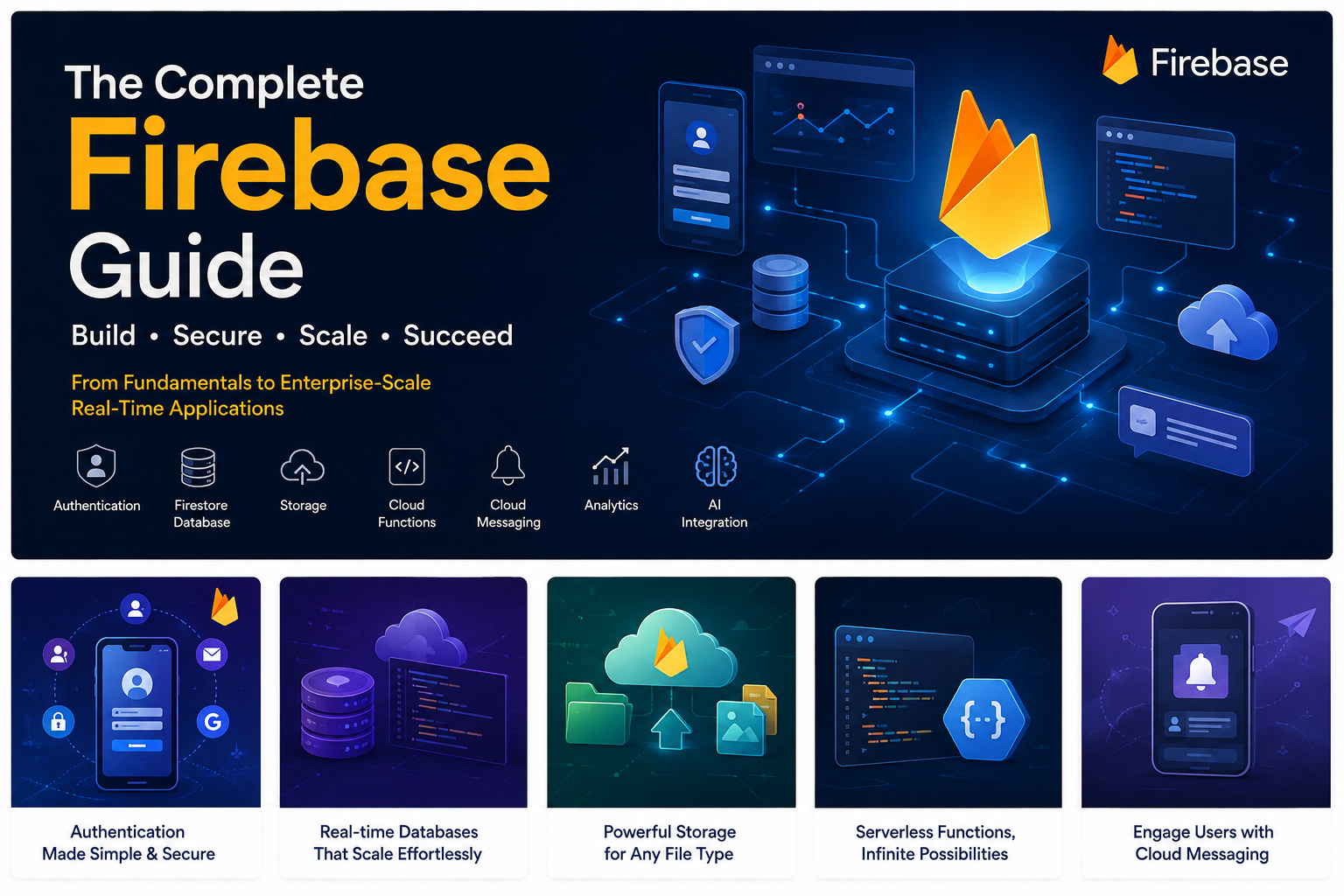
Imagine a company wants to build a food and grocery delivery platform called QuickGo.
The platform needs to support four major applications:
- Customer App — customers browse restaurants, place orders, make payments, and track deliveries.
- Driver App — drivers receive delivery assignments and continuously share their location.
- Restaurant App — restaurants receive orders, update preparation status, and manage their menus.
- Admin Portal — administrators monitor orders, users, restaurants, drivers, payments, and platform performance.
At first glance, this may look like a straightforward mobile application.
In reality, the backend requirements quickly become extensive.
The platform needs authentication
Customers, drivers, restaurant employees, and administrators need different authentication mechanisms and different permissions.
The platform needs application data
The system needs to store users, restaurants, products, orders, addresses, payments, delivery information, reviews, notifications, and operational state.
The platform needs real-time communication
A customer should be able to see when a restaurant accepts an order. A driver should see new delivery assignments immediately. A customer should see the driver's location changing in real time.
The platform needs file storage
Restaurants may upload logos and food images. Customers may upload documents. Drivers may upload identity or verification documents.
The platform needs backend processing
When an order is created, the system may need to validate the order, calculate delivery fees, notify the restaurant, assign a driver, process payment events, and update multiple records.
The platform needs notifications
Customers need order updates. Drivers need new delivery alerts. Restaurants need new-order notifications.
The platform needs analytics
The business needs to know which restaurants are popular, where customers abandon checkout, how frequently users return, and which features generate revenue.
The platform needs monitoring
When the mobile application crashes on a particular Android device, developers need to know exactly what happened. When an API becomes slow, the engineering team needs to identify the bottleneck.
The platform needs experimentation
The product team may want to release a new checkout experience to only 10% of users before making it available to everyone.
The platform needs security
A customer must not be able to read another customer's private information. A driver should not be able to modify restaurant data. An ordinary user must never be able to execute administrator operations.
The platform needs testing and deployment
Before releasing a new version, the team needs automated testing, device testing, beta distribution, controlled deployment, and production monitoring.
And now the company wants to add AI.
Customers should be able to ask questions such as:
"What vegetarian meals can I order for less than ₹500 and get delivered within 30 minutes?"
The application may need an AI assistant capable of understanding the request, retrieving relevant application data, and generating a natural-language response.
Suddenly, the "simple mobile application" has become a distributed software platform.
The Traditional Approach
A development team could build every component independently.
Customer / Driver / Restaurant Apps
              |
              v
        Custom REST API
              |
      +-------+--------+
      |                |
      v                v
 PostgreSQL          Redis
      |
      v
 Object Storage
      |
      +-----------------------------+
      |             |               |
      v             v               v
 Push Service   Analytics       Monitoring
      |
      v
 Notification Infrastructure
This architecture is completely valid. In fact, many large-scale applications use architectures based on custom backend services, relational databases, caches, queues, object storage, observability platforms, and specialized cloud infrastructure.
The challenge is not that this architecture cannot work.
The challenge is the amount of engineering and operational responsibility it creates.
The development team now has to design and maintain:
- Authentication infrastructure
- API infrastructure
- Database infrastructure
- Database backups
- File storage integration
- Push notification infrastructure
- Background job processing
- Application monitoring
- Crash reporting
- Analytics integration
- Feature flag infrastructure
- Testing infrastructure
- Deployment pipelines
- Security controls
- Secrets and credentials
For an experienced engineering organization, this is manageable.
For a startup or a small product team, it can consume a significant amount of engineering time that could otherwise be spent building the actual product.
Firebase's Approach
Firebase takes a different approach.
Instead of requiring the development team to build every common application capability from scratch, Firebase provides managed building blocks that can be combined into an application architecture.
                    APPLICATIONS
                         |
        +----------------+----------------+
        |                |                |
     Flutter            Web             Native
        |                |                |
        +----------------+----------------+
                         |
                  Firebase SDKs
                         |
       +-----------------+-----------------+
       |                 |                 |
       v                 v                 v
 Authentication      Database          Storage
       |                 |                 |
       +-----------------+-----------------+
                         |
                  Cloud Functions
                         |
          +--------------+--------------+
          |              |              |
       APIs          Background       Events
                     Processing
          |
          v
      External APIs
The application can then use additional Firebase capabilities for:
- Push notifications
- Analytics
- Crash reporting
- Performance monitoring
- Remote configuration
- A/B testing
- In-app messaging
- Application security
- AI-powered experiences
- Application testing
- Beta distribution
- Web hosting
- Application hosting
This does not mean that every application should use every Firebase service.
The important architectural principle is to select the services that solve actual application requirements.
Firebase Is an Ecosystem, Not a Single Technology
One of the most common misunderstandings about Firebase is treating it as if it were simply a database.
A production Firebase architecture can contain several independent layers.
                        CLIENT LAYER

              Flutter / Android / iOS / Web
                              |
                              v
                       Firebase SDKs

------------------------------------------------

                     IDENTITY LAYER

                  Firebase Authentication

------------------------------------------------

                       DATA LAYER

             Firestore / Realtime Database
                         |
                    Cloud Storage

------------------------------------------------

                     BACKEND LAYER

                    Cloud Functions
                         |
               APIs / Events / Jobs

------------------------------------------------

                  COMMUNICATION LAYER

                 Firebase Cloud Messaging

------------------------------------------------

                  PRODUCT INTELLIGENCE

                    Analytics
                  Remote Config
                   A/B Testing
                In-App Messaging

------------------------------------------------

                    AI LAYER

                   Firebase AI Logic
                         |
                    AI Models

------------------------------------------------

                    OPERATIONS

                  Crashlytics
              Performance Monitoring

------------------------------------------------

                     SECURITY

                Authentication
                Security Rules
                  App Check

------------------------------------------------

               TESTING & RELEASE

                 Emulator Suite
                    Test Lab
               App Distribution

------------------------------------------------

                  WEB / CLOUD

              Firebase Hosting
               Firebase App Hosting
                  SQL Connect
                   Extensions
This layered architecture is what makes Firebase useful as an application platform rather than simply a backend database.
Why This Matters for Development Teams
The biggest benefit of a managed application platform is not necessarily that developers write less code.
The bigger benefit is that developers can spend more of their engineering effort on business functionality instead of rebuilding infrastructure that already exists.
For example, a team building QuickGo does not need to design its own authentication protocol simply to allow users to register and log in.
It does not need to create an entire push notification infrastructure from scratch just to notify drivers about new delivery assignments.
It does not need to build a complete crash aggregation system before developers can understand production failures.
It does not need to create its own feature-flag system for every experimental feature.
Instead, these capabilities can become components of the larger application architecture.
Firebase Does Not Eliminate Software Architecture
This distinction is extremely important.
Firebase can simplify infrastructure, but it does not eliminate the need for good software engineering.
Developers still need to make decisions about:
- Data modeling
- Application architecture
- Security
- Authorization
- API design
- Business logic
- Database access patterns
- Performance
- Scalability
- Cost optimization
- Environment management
- Testing
- Observability
A badly designed Firebase application can still be insecure, slow, difficult to maintain, or unnecessarily expensive.
Firebase provides the infrastructure building blocks. Engineering teams are still responsible for designing how those blocks fit together.
The Key Architectural Question
The important question is therefore not:
"Should we use Firebase?"
A better question is:
"Which parts of our application should Firebase manage, and which parts should remain under our own backend and infrastructure?"
That question becomes especially important as an application moves from an MVP to a production system.
A small application might use Firebase for almost everything.
A growing application may combine Firebase with Cloud Run, PostgreSQL, BigQuery, custom Node.js or Python services, payment providers, ERP systems, and other Google Cloud services.
An enterprise application may use only selected Firebase capabilities while maintaining a much larger distributed architecture around them.
From One Application to a Complete Platform
The rest of this guide will use the QuickGo example to demonstrate how these pieces fit together.
We will start with the user's identity, move into application data, then introduce real-time communication, file storage, backend processing, notifications, analytics, monitoring, security, AI, testing, deployment, and finally production-scale architecture.
The objective is not simply to explain what each Firebase service does.
The objective is to understand why the service exists, where it belongs in an architecture, how it communicates with other services, and when a development team should—or should not—use it.
That distinction is what separates a Firebase tutorial from an actual Firebase architecture guide.
What We Will Build in This Guide
By the end of the article, our example platform will look approximately like this:
                         QUICKGO PLATFORM
                               |
       +-----------------------+-----------------------+
       |                       |                       |
 Customer App             Driver App            Restaurant App
       |                       |                       |
       +-----------------------+-----------------------+
                               |
                        Firebase Services
                               |
      +----------------+-------+-------+----------------+
      |                |               |                |
    Auth           Firestore       Storage           FCM
      |                |               |                |
      +----------------+-------+-------+----------------+
                               |
                        Cloud Functions
                               |
                 +-------------+-------------+
                 |             |             |
              Payments       Orders       Events
                               |
                 +-------------+-------------+
                 |                           |
          Realtime Database            External APIs
                 |
          Driver Location

----------------------------------------------------------

Analytics | Crashlytics | Performance Monitoring
Remote Config | A/B Testing | In-App Messaging

----------------------------------------------------------

App Check | Security Rules | Authentication

----------------------------------------------------------

Firebase AI Logic
       |
      AI
       |
Customer Assistant / Recommendations / Search

----------------------------------------------------------

Emulator Suite | Test Lab | App Distribution
                 |
                CI/CD
                 |
       Hosting / App Hosting
With this architecture in mind, we can now examine each Firebase service in detail and understand its role in a real production system.
Part 2: Firebase Architecture — How the Entire Ecosystem Fits Together
Understanding Firebase properly requires looking at it as an application platform rather than as a collection of independent services. Authentication, databases, storage, backend functions, notifications, analytics, security, AI, testing, and deployment can all become different layers of the same application architecture.
To make this practical, we will continue using QuickGo, our fictional food and grocery delivery platform. The platform has a customer mobile application, driver application, restaurant application, and administration portal.
The objective is not to use Firebase everywhere simply because the services are available. The objective is to understand where each Firebase capability belongs and how it interacts with the rest of the system.
1. Start With the Client Applications
QuickGo has multiple applications, but they all communicate with the same backend ecosystem.
- Customer App: Browse restaurants, search products, place orders, make payments, and track deliveries.
- Driver App: Receive delivery assignments, update delivery status, and share live location.
- Restaurant App: Receive orders, update preparation status, and manage products.
- Admin Portal: Manage users, restaurants, drivers, orders, payments, reports, and operational settings.
The applications could be built using Flutter, native Android, native iOS, React, Next.js, or another supported technology.
Firebase SDKs provide the integration layer between these applications and Firebase services.
The client application should primarily handle presentation, user interaction, local state, Firebase SDK communication, and displaying real-time information. Sensitive business decisions should remain in trusted backend environments.
2. The Firebase SDK Layer
Instead of manually implementing communication with every Firebase service, developers can use platform-specific Firebase SDKs.
For example, a Flutter application can integrate Firebase capabilities through the corresponding Flutter packages.
Conceptually, the relationship looks like this:
- Flutter application → Firebase Authentication
- Flutter application → Cloud Firestore
- Flutter application → Cloud Storage
- Flutter application → Firebase Cloud Messaging
- Flutter application → Analytics
- Flutter application → Crashlytics
- Flutter application → Performance Monitoring
- Flutter application → Remote Config
- Flutter application → App Check
The SDK hides much of the low-level communication and provides APIs designed for the target platform.
However, SDK access does not mean that every operation should be trusted simply because it originated from an application containing the Firebase SDK.
A mobile application is still a client environment and must be treated as potentially untrusted.
3. The Identity Layer
Every production application needs an identity system.
QuickGo needs to know whether the current user is a customer, driver, restaurant employee, or administrator.
Firebase Authentication provides the identity layer.
A typical flow is:
- The user opens the application.
- The user registers or logs in.
- Firebase Authentication verifies the credentials or identity provider.
- Firebase creates or restores the authenticated session.
- The application receives the authenticated user's identity.
- That identity can then be used when accessing protected resources.
Authentication establishes who the user is.
It does not automatically determine everything the user is allowed to do.
That responsibility belongs to authorization mechanisms such as Security Rules and trusted backend logic.
4. Authentication vs Authorization
This distinction is extremely important when designing a Firebase application.
Authentication
Authentication answers:
Who are you?
Authorization
Authorization answers:
What are you allowed to access or modify?
For example, suppose two users are authenticated:
- Customer A
- Administrator B
Both users may successfully log in, but their permissions should be completely different.
Customer A might be allowed to read their own orders and create new orders.
Administrator B might be allowed to manage restaurants, drivers, users, refunds, and operational settings.
The architecture therefore needs both identity and authorization.
5. The Application Data Layer
Once users are authenticated, the application needs to store operational data.
QuickGo may have entities such as:
- Users
- Restaurants
- Restaurant branches
- Products
- Categories
- Orders
- Order items
- Addresses
- Payments
- Drivers
- Delivery assignments
- Reviews
- Notifications
Firebase provides multiple database technologies, and the correct choice depends on the application's data model and access patterns.
Cloud Firestore
Firestore uses a document-oriented data model and can be suitable for many application entities.
For QuickGo, Firestore could store customers, restaurants, menus, products, orders, addresses, reviews, and application configuration.
Realtime Database
Realtime Database uses a different data model and is particularly useful for continuously changing real-time state.
For QuickGo, a potential use case is live driver location and online/offline presence.
The important architectural idea is that an application does not necessarily have to force every workload into the same database technology.
6. Why Database Choice Matters
A common mistake is choosing a database first and then attempting to force every application requirement into it.
Instead, developers should start by understanding how the application accesses its data.
For example:
| Requirement | Potential Technology | Reason |
|---|---|---|
| Customer profile | Firestore | Document-oriented application data |
| Restaurant information | Firestore | Structured application documents |
| Orders | Firestore | Application transactions and status |
| Live driver location | Realtime Database | Frequently changing real-time state |
| Restaurant images | Cloud Storage | Binary file storage |
The final architecture should be based on actual workload requirements, query patterns, consistency requirements, security requirements, and expected scale.
7. Cloud Storage: Separating Files From Application Data
Applications frequently need to store images, PDFs, videos, invoices, identity documents, receipts, and other files.
These files should generally not be treated as normal database records.
For example, QuickGo may store a restaurant's logo inside Cloud Storage while keeping the restaurant's structured information in Firestore.
A simplified flow is:
- Restaurant selects an image.
- The application uploads the image to Cloud Storage.
- Storage maintains the actual file.
- The application stores relevant metadata in Firestore.
- The restaurant profile references the stored object.
This separation creates a cleaner architecture between structured data and large binary objects.
8. The Backend Logic Layer
A common misconception is that Firebase applications do not need backend code.
In reality, production applications often require significant backend logic.
Cloud Functions can provide event-driven and server-side processing for many application workflows.
Consider the QuickGo order process.
A customer creates an order.
The backend may need to:
- Validate the order.
- Verify pricing.
- Calculate delivery fees.
- Process business rules.
- Update order state.
- Notify the restaurant.
- Start driver matching.
- Record analytics information.
Some of these operations should not be performed solely inside the mobile application because the client cannot be considered a trusted environment.
Backend functions provide a trusted execution environment for appropriate operations.
9. Event-Driven Architecture
One of the most useful concepts in Firebase architecture is event-driven processing.
Instead of creating one massive backend endpoint responsible for every operation, different events can trigger independent processing tasks.
For example:
↓
Backend Processing
↓
- Validate order
- Update order state
- Notify restaurant
- Start driver assignment
- Record relevant events
This separation can make complex systems easier to maintain because individual responsibilities can evolve independently.
It also allows asynchronous operations to be separated from critical transactions where appropriate.
10. Real-Time Data: Driver Tracking Example
Now consider the most obviously real-time part of QuickGo: driver tracking.
A driver application can obtain location information from the device's GPS system.
The application then updates the appropriate backend data structure according to the application's location-update strategy.
The customer application can subscribe to the driver's current location and update the map as new information becomes available.
Conceptually:
↓
Real-Time Location Data
↓
Customer Application
↓
Live Map
In a production system, developers also need to consider update frequency, battery consumption, network failures, stale locations, privacy, authorization, geofencing, and cost.
The goal is not to transmit every possible GPS reading. The goal is to provide sufficiently accurate location information while controlling resource usage.
11. Real-Time Data vs Push Notifications
Real-time synchronization and push notifications are related but solve different problems.
Suppose a restaurant accepts an order.
If the customer application is currently open, the application may receive a real-time data update and immediately update the order screen.
If the application is not actively open, the user may need a push notification.
The architecture can therefore use both mechanisms.
| Requirement | Technology |
|---|---|
| Update active application state | Real-time database listeners / Firestore listeners |
| Alert user when app is inactive | Firebase Cloud Messaging |
| Trigger notification | Trusted backend / Cloud Functions |
12. Firebase Cloud Messaging
Firebase Cloud Messaging provides the communication channel for push notifications.
For example, when a restaurant accepts an order:
- The backend detects the order status change.
- The backend determines which users or devices should be notified.
- A message is sent through Firebase Cloud Messaging.
- The customer or driver application receives the notification.
- The notification can open the relevant screen through a deep link.
A notification might contain information such as:
- Order identifier
- Notification type
- Status
- Deep-link destination
Sensitive information should not be unnecessarily exposed inside notification payloads.
13. Security Is a Cross-Cutting Layer
Security should not be considered a separate feature that is added after the application is complete.
It needs to exist across authentication, databases, storage, backend APIs, application clients, and third-party integrations.
A production Firebase architecture should consider:
- Firebase Authentication
- Firestore Security Rules
- Realtime Database Security Rules
- Cloud Storage Security Rules
- Firebase App Check
- Trusted backend execution
- Google Cloud IAM where applicable
- Secret management
- Environment separation
These controls solve different problems and should not be treated as interchangeable.
14. Example: Protecting Customer Orders
Suppose QuickGo stores orders in Firestore.
A customer should normally be able to access their own orders but should not be able to read another customer's orders.
The security architecture therefore needs to associate the authenticated user's identity with the order owner.
Conceptually:
↓
Authorization Check
↓
Is this order owned by this user?
↓
Allow or Deny
The exact implementation depends on the database structure and Security Rules design, but the principle is fundamental: never rely solely on the mobile application's UI to prevent unauthorized access.
15. Observability: Understanding Production Behavior
Once the application reaches production, another problem appears: developers need to understand what is happening inside the application.
Firebase provides several services that contribute to this operational layer.
| Requirement | Firebase Capability |
|---|---|
| User behavior | Google Analytics / Firebase Analytics |
| Application crashes | Crashlytics |
| Application performance | Performance Monitoring |
| Remote application configuration | Remote Config |
| Product experiments | A/B Testing |
| User engagement messages | In-App Messaging |
These services should be considered part of the application's operational architecture rather than optional marketing features.
16. Remote Configuration and Controlled Rollouts
Imagine QuickGo has redesigned its checkout process.
Instead of releasing the new checkout experience to every user immediately, the team can introduce a controlled rollout strategy.
For example:
- 10% of users receive the new experience.
- The team monitors crashes and performance.
- Analytics measures conversion.
- If results are positive, the rollout increases.
- If problems appear, the feature can be disabled or rolled back.
This approach significantly reduces the risk associated with large application changes.
17. AI as Part of the Application Architecture
AI is increasingly becoming another application capability rather than a standalone product.
QuickGo could introduce an AI-powered search assistant.
A customer might write:
"I want a vegetarian dinner for two people under ₹800 and I need it within 30 minutes."
The application could use AI to understand the request, extract relevant constraints, retrieve application data, and present appropriate results.
This creates a flow involving:
- Mobile application
- Firebase AI capabilities
- AI model
- Application data
- Backend business logic
The important architectural principle is that AI should not automatically receive unrestricted access to production data or privileged operations.
AI capabilities should be placed behind appropriate authorization, validation, and business logic boundaries.
18. Development and Testing Architecture
Production Firebase development should not mean testing directly against production resources.
A professional workflow separates development, testing, staging, and production environments.
A typical lifecycle is:
↓
Firebase Emulator Suite
↓
Automated Tests
↓
Staging Environment
↓
Firebase Test Lab
↓
App Distribution
↓
QA Approval
↓
Production
This approach reduces the risk of accidentally modifying real customer data during development and provides a repeatable release process.
19. Firebase and External Systems
Real applications rarely exist in isolation.
QuickGo may need to integrate with:
- Payment gateways
- Google Maps or other mapping platforms
- ERP systems
- CRM systems
- Email providers
- SMS providers
- Tax calculation services
- Fraud detection systems
- Business intelligence platforms
Firebase does not prevent these integrations.
Instead, Cloud Functions or other trusted backend services can act as integration points where appropriate.
For example, a payment workflow might look like:
↓
Trusted Backend
↓
Payment Gateway
↓
Payment Result
↓
Firestore Order Status
↓
FCM Notification
This is safer than placing payment credentials or sensitive payment verification logic directly inside the mobile application.
20. The Complete Architecture
At this stage, the QuickGo platform can be understood as several connected layers:
| Layer | Primary Responsibility |
|---|---|
| Client | Mobile and web user experiences |
| Identity | User authentication and identity |
| Application Data | Firestore and other data services |
| Real-Time State | Continuously changing operational information |
| File Storage | Images, documents, videos and other files |
| Backend | Business logic, APIs and event processing |
| Communication | Push notifications and user messaging |
| Security | Authentication, authorization and application protection |
| Observability | Analytics, crashes and performance |
| Product Control | Remote configuration and experimentation |
| AI | Intelligent search, assistants and AI-powered experiences |
| Testing | Emulation, device testing and distribution |
| Deployment | Hosting, CI/CD and production releases |
21. Firebase Is a Set of Architectural Building Blocks
The most important lesson from this architecture is that Firebase does not eliminate the need for architectural decisions.
Instead, it provides managed building blocks that allow development teams to construct those architectures faster.
A successful implementation depends on understanding where each service belongs, what problem it solves, what its limitations are, and how it interacts with other parts of the system.
For a small application, Firebase may provide most of the backend capabilities required.
For a larger application, Firebase can coexist with Node.js, Python, PostgreSQL, Redis, BigQuery, Cloud Run, Kubernetes, ERP platforms, payment gateways, and other infrastructure.
The architecture should therefore evolve according to the application's requirements rather than following a rule that everything must either be Firebase or not Firebase.
22. What Comes Next?
With the overall architecture established, the next step is to examine the individual services in depth.
The first and most fundamental service is Firebase Authentication.
In the next section, we will follow a user through registration, login, authentication tokens, session management, account linking, protected resources, role-based authorization, backend verification, and security considerations for a production application.
Part 3: Firebase Authentication — From User Registration to Secure Application Access
Authentication is one of the first infrastructure requirements of almost every modern application. Before an application can determine what a user is allowed to access, it needs a reliable way to establish the user's identity.
Firebase Authentication provides managed authentication infrastructure and SDKs that allow applications to implement user registration, login, identity management, session handling, and integration with other Firebase services.
However, implementing authentication correctly in a production application involves much more than displaying a login screen.
A complete authentication architecture needs to answer several questions:
- How does a user create an account?
- How does the application authenticate the user?
- How is the user's identity represented?
- How does the application maintain the session?
- How does the backend verify the user?
- How do we implement different user roles?
- How do we protect database and storage resources?
- How do we handle password recovery?
- How do we support social login or phone authentication?
- How do we prevent unauthorized clients from abusing the application?
- How should authentication work with custom backend services?
Let's answer these questions using our QuickGo application.
1. Authentication in a Real Application
QuickGo has several types of users:
- Customers
- Drivers
- Restaurant employees
- Administrators
All of these users need to authenticate, but they do not have the same permissions.
For example, a customer should be able to create an order, while a driver should be able to update the delivery status of an assigned order.
A restaurant employee should be able to manage restaurant orders, while an administrator may have access to platform-wide operations.
This means authentication is only the beginning of the security architecture.
Who is the user?
Authorization
What is the user allowed to do?
2. The Basic Firebase Authentication Flow
A typical authentication process starts when the user opens the application and chooses a sign-in method.
- The user enters credentials or chooses an identity provider.
- The application sends the authentication request through the Firebase SDK.
- Firebase Authentication verifies the identity.
- Firebase establishes the authenticated session.
- The application receives the authenticated user's identity.
- The application can then access resources according to the configured authorization rules.
Conceptually, the process is:
↓
Login Screen
↓
Firebase Authentication
↓
Authenticated Identity
↓
Protected Application Resources
The important point is that the application should not implement its own password storage or authentication protocol when a managed identity system is being used.
3. Email and Password Authentication
One of the simplest authentication models is email and password.
A registration flow may look like:
↓
Firebase Authentication
↓
User account created
↓
Unique Firebase user identity
After registration, the application can create an associated application profile.
For example, Firebase Authentication might maintain the identity while Firestore maintains QuickGo-specific profile information.
The two responsibilities are different.
| System | Responsibility |
|---|---|
| Firebase Authentication | Identity and authentication information |
| Firestore | Application-specific user profile and business data |
A Firestore profile might contain information such as:
- Display name
- Phone number
- Profile image
- User type
- Preferred language
- Delivery preferences
- Account status
The application should avoid treating Firestore's profile document as the authentication system itself.
4. Firebase User Identity
When a user authenticates, Firebase provides a unique identity for that account.
This identity can be associated with application data.
For example:
UID: USER_1001
↓
Firestore User Profile
USER_1001
The UID becomes an important reference throughout the application.
Orders, addresses, preferences, notifications, and other application records can be associated with the authenticated user's identity.
5. Authentication Tokens
Authentication becomes more interesting when the application communicates with a custom backend.
After successful authentication, the client can use Firebase authentication credentials to establish its authenticated identity with trusted backend services.
A simplified architecture is:
↓
Firebase Authentication
↓
Authenticated Session
↓
Application Request
↓
Custom Backend
↓
Token Verification
↓
Authorized Operation
This is particularly useful when an application uses Firebase Authentication together with a custom Node.js, Python, Java, Go, or other backend.
The backend should verify the Firebase identity rather than trusting a user ID supplied directly by the client.
6. Why Client-Supplied User IDs Cannot Be Trusted
Imagine an API accepts:
userId = USER_1001
If the backend simply trusts this value, a malicious client could potentially change it to:
userId = ADMIN_5001
and attempt to access another user's information.
A secure architecture instead derives the authenticated identity from verified authentication credentials.
The principle is:
The trusted backend should verify the authenticated identity before executing sensitive operations.
7. Authentication and Firestore Security Rules
Firebase Authentication becomes especially powerful when combined with Firestore Security Rules.
Suppose QuickGo stores orders associated with customer IDs.
A customer should be able to read their own orders but should not be able to read another customer's orders.
The logical security model is:
↓
Check User Identity
↓
Compare With Resource Owner
↓
Allow or Deny
This means the database security layer becomes part of the authorization architecture.
The application UI should never be the only thing preventing unauthorized access.
8. Role-Based Access Control
QuickGo requires different access levels.
| Role | Example Permissions |
|---|---|
| Customer | Create orders, view own orders, manage own profile |
| Driver | View assigned deliveries, update delivery status, share location |
| Restaurant Staff | Manage restaurant orders and products |
| Administrator | Manage platform-wide resources |
A production application can implement role information using an appropriate authorization strategy, such as application profile data, custom claims, backend authorization logic, or a combination depending on the architecture.
The important principle is that role information must be protected from unauthorized modification.
A customer should never be able to change their own role from:
customer → administrator
simply by modifying a client-side value.
9. Custom Claims and Administrative Roles
For applications that need role-based authorization across Firebase services and trusted backend infrastructure, custom claims can be useful.
For example, an administrator's authenticated identity may carry an appropriate authorization claim.
The backend or Security Rules can then use the authenticated user's authorization information when evaluating access.
A simplified conceptual model is:
+
Trusted Role Assignment
↓
Authorization Information
↓
Protected Resources
Role assignment should be performed by trusted administrative processes rather than by ordinary client applications.
10. Social and Federated Authentication
Modern applications often provide users with multiple authentication choices.
Depending on the platform and configuration, Firebase Authentication can integrate with supported identity providers.
This can provide experiences such as:
- Sign in with Google
- Sign in with Apple
- Other supported identity providers
- Email and password
- Phone-based authentication
The advantage is that the application does not need to independently build the complete identity infrastructure for every provider.
However, developers still need to consider account linking.
11. Account Linking
Consider a user who initially creates an account using email and password.
Later, the same user chooses to sign in using a supported social identity provider.
Without appropriate account-linking logic, the system may accidentally create two separate application identities.
That can result in:
- Duplicate profiles
- Duplicate orders
- Lost preferences
- Confusing login behavior
- Support problems
A properly designed authentication architecture should therefore consider how multiple authentication methods map to one application identity.
12. Phone Authentication
Phone-based authentication is particularly common in consumer applications.
For QuickGo, a customer may prefer to authenticate using their mobile number instead of a password.
The general experience is:
↓
Verification Process
↓
Verify User
↓
Authenticated Account
Phone authentication can improve onboarding for certain consumer applications, but it also introduces additional considerations such as abuse prevention, verification costs, regional availability, phone-number recycling, and account recovery.
For production systems, phone authentication should therefore be designed as part of the complete identity and fraud-prevention strategy.
13. Anonymous Authentication
Some applications want users to start using the product before creating a permanent account.
For example, QuickGo could allow a visitor to browse restaurants and create a temporary application identity.
The user could later upgrade or link that identity to a permanent authentication method.
This can reduce friction during onboarding.
However, the application must clearly define what anonymous users are allowed to do and what happens to their data when the anonymous account becomes permanent.
14. Password Recovery and Account Management
A production authentication system also needs to handle users who:
- Forget their password
- Change their email address
- Change their password
- Lose access to an authentication provider
- Need to recover an account
These flows are often ignored during initial development but become extremely important once an application has thousands or millions of users.
The authentication architecture should therefore treat account recovery as a first-class product flow rather than an afterthought.
15. Authentication State in the Application
The application also needs to understand whether the user is:
- Not authenticated
- Currently authenticating
- Authenticated
- Signing out
- Recovering an account
A typical mobile application may therefore have a routing structure such as:
↓
Check Authentication State
↓
Authenticated?
↓
Yes → Main Application
No → Login / Registration
This state should be driven by the authentication system rather than by a simple local variable such as isLoggedIn = true.
16. Authentication With a Custom Backend
Firebase does not prevent a company from maintaining its own backend.
In fact, many production applications use Firebase Authentication as the identity layer while maintaining custom business APIs.
For example:
↓
Firebase Authentication
↓
Authenticated Identity
↓
Node.js / Python Backend
↓
Business Logic
↓
PostgreSQL / Enterprise Systems
This architecture can be useful when the company already has a complex backend or needs capabilities beyond Firebase's client-accessible services.
17. Firebase Authentication With Enterprise Systems
Consider a company that already operates an ERP system.
The mobile application could use Firebase Authentication for the application identity while the backend integrates that identity with enterprise business systems.
For example:
↓
Firebase Authentication
↓
Trusted Backend
↓
ERP / CRM / Internal APIs
This allows Firebase to handle the application identity experience without forcing the company to replace existing enterprise systems.
18. Authentication Security: What Developers Must Avoid
Several mistakes repeatedly appear in authentication implementations.
Never trust client-side role values
A client should not be able to change its role by modifying local storage, application state, or a request parameter.
Never put privileged credentials in the application
Mobile and web applications can be inspected and reverse engineered. Secrets required for privileged backend operations should remain on trusted infrastructure.
Never rely only on hidden UI elements
Hiding an administrator button does not secure the underlying API.
The backend must enforce authorization.
Never assume authentication means authorization
A valid authenticated user can still be unauthorized to access a particular resource.
19. Adding App Check to the Authentication Architecture
Authentication identifies the user.
Firebase App Check provides another security layer designed to help verify that requests to supported resources originate from legitimate application instances or environments.
These mechanisms solve different problems.
| Security Layer | Primary Question |
|---|---|
| Authentication | Who is the user? |
| Authorization | What can the user do? |
| App Check | Is this request coming from an appropriate app/device context? |
| Backend validation | Is the requested business operation actually valid? |
Using these layers together provides a stronger security model than relying on any single mechanism.
20. Authentication in a Complete QuickGo Workflow
Let's now combine authentication with the rest of the application.
A customer opens QuickGo.
- The application initializes Firebase.
- The authentication state is checked.
- The user signs in.
- Firebase establishes the authenticated identity.
- The application loads the user's profile.
- Security Rules restrict access to authorized resources.
- The customer browses restaurants.
- The customer creates an order.
- Trusted backend logic validates sensitive business operations.
- The order is associated with the authenticated customer.
- The customer receives status updates.
Authentication is therefore not an isolated login screen.
It becomes part of almost every important operation in the application.
21. Recommended Authentication Architecture
For a production Firebase application, a useful conceptual model is:
↓
Firebase Authentication
↓
Authenticated Identity
↓
Security Rules / Backend Authorization
↓
Firestore / Storage / APIs
↓
Business Logic
Additional protection can be introduced through App Check, backend validation, monitoring, rate limiting where appropriate, and secure secret management.
22. Authentication Is the Foundation, Not the Entire Security Model
A well-designed Firebase application should never treat authentication as the final security step.
Authentication gives the application an identity.
Authorization determines what that identity can access.
Security Rules enforce access policies for supported Firebase resources.
App Check provides an additional layer against unauthorized clients.
Trusted backend services protect sensitive business operations.
Together, these mechanisms create a much stronger architecture.
23. Key Takeaways
- Firebase Authentication provides the identity layer for the application.
- Authentication and authorization are different concepts.
- A Firebase UID can be associated with application-specific Firestore data.
- Authentication can work alongside custom Node.js, Python, Java, Go, or other backend services.
- Security Rules should enforce appropriate access to Firebase resources.
- Role assignment should be controlled by trusted processes.
- Social, phone, email/password, and other authentication approaches can support different product requirements.
- Account linking should be considered when multiple login methods are supported.
- Anonymous authentication can reduce onboarding friction for appropriate applications.
- App Check provides an additional security layer and does not replace authentication.
- Privileged credentials and sensitive business logic should remain on trusted backend infrastructure.
- Authentication should be designed as part of the complete application architecture rather than treated as only a login feature.
What's Next?
With identity established, the next major architectural question is: where and how should the application store its data?
In Part 4, we will go deep into Cloud Firestore, including document and collection design, data modeling, subcollections, queries, indexing, transactions, batched writes, real-time listeners, offline behavior, pagination, security rules, performance considerations, cost optimization, and a complete order-management use case.
Part 3: Firebase Authentication — From User Registration to Secure Application Access
Authentication is one of the first infrastructure requirements of almost every modern application. Before an application can determine what a user is allowed to access, it needs a reliable way to establish the user's identity.
Firebase Authentication provides managed authentication infrastructure and SDKs that allow applications to implement user registration, login, identity management, session handling, and integration with other Firebase services.
However, implementing authentication correctly in a production application involves much more than displaying a login screen.
A complete authentication architecture needs to answer several questions:
- How does a user create an account?
- How does the application authenticate the user?
- How is the user's identity represented?
- How does the application maintain the session?
- How does the backend verify the user?
- How do we implement different user roles?
- How do we protect database and storage resources?
- How do we handle password recovery?
- How do we support social login or phone authentication?
- How do we prevent unauthorized clients from abusing the application?
- How should authentication work with custom backend services?
Let's answer these questions using our QuickGo application.
1. Authentication in a Real Application
QuickGo has several types of users:
- Customers
- Drivers
- Restaurant employees
- Administrators
All of these users need to authenticate, but they do not have the same permissions.
For example, a customer should be able to create an order, while a driver should be able to update the delivery status of an assigned order.
A restaurant employee should be able to manage restaurant orders, while an administrator may have access to platform-wide operations.
This means authentication is only the beginning of the security architecture.
Who is the user?
Authorization
What is the user allowed to do?
2. The Basic Firebase Authentication Flow
A typical authentication process starts when the user opens the application and chooses a sign-in method.
- The user enters credentials or chooses an identity provider.
- The application sends the authentication request through the Firebase SDK.
- Firebase Authentication verifies the identity.
- Firebase establishes the authenticated session.
- The application receives the authenticated user's identity.
- The application can then access resources according to the configured authorization rules.
Conceptually, the process is:
↓
Login Screen
↓
Firebase Authentication
↓
Authenticated Identity
↓
Protected Application Resources
The important point is that the application should not implement its own password storage or authentication protocol when a managed identity system is being used.
3. Email and Password Authentication
One of the simplest authentication models is email and password.
A registration flow may look like:
↓
Firebase Authentication
↓
User account created
↓
Unique Firebase user identity
After registration, the application can create an associated application profile.
For example, Firebase Authentication might maintain the identity while Firestore maintains QuickGo-specific profile information.
The two responsibilities are different.
| System | Responsibility |
|---|---|
| Firebase Authentication | Identity and authentication information |
| Firestore | Application-specific user profile and business data |
A Firestore profile might contain information such as:
- Display name
- Phone number
- Profile image
- User type
- Preferred language
- Delivery preferences
- Account status
The application should avoid treating Firestore's profile document as the authentication system itself.
4. Firebase User Identity
When a user authenticates, Firebase provides a unique identity for that account.
This identity can be associated with application data.
For example:
UID: USER_1001
↓
Firestore User Profile
USER_1001
The UID becomes an important reference throughout the application.
Orders, addresses, preferences, notifications, and other application records can be associated with the authenticated user's identity.
5. Authentication Tokens
Authentication becomes more interesting when the application communicates with a custom backend.
After successful authentication, the client can use Firebase authentication credentials to establish its authenticated identity with trusted backend services.
A simplified architecture is:
↓
Firebase Authentication
↓
Authenticated Session
↓
Application Request
↓
Custom Backend
↓
Token Verification
↓
Authorized Operation
This is particularly useful when an application uses Firebase Authentication together with a custom Node.js, Python, Java, Go, or other backend.
The backend should verify the Firebase identity rather than trusting a user ID supplied directly by the client.
6. Why Client-Supplied User IDs Cannot Be Trusted
Imagine an API accepts:
userId = USER_1001
If the backend simply trusts this value, a malicious client could potentially change it to:
userId = ADMIN_5001
and attempt to access another user's information.
A secure architecture instead derives the authenticated identity from verified authentication credentials.
The principle is:
The trusted backend should verify the authenticated identity before executing sensitive operations.
7. Authentication and Firestore Security Rules
Firebase Authentication becomes especially powerful when combined with Firestore Security Rules.
Suppose QuickGo stores orders associated with customer IDs.
A customer should be able to read their own orders but should not be able to read another customer's orders.
The logical security model is:
↓
Check User Identity
↓
Compare With Resource Owner
↓
Allow or Deny
This means the database security layer becomes part of the authorization architecture.
The application UI should never be the only thing preventing unauthorized access.
8. Role-Based Access Control
QuickGo requires different access levels.
| Role | Example Permissions |
|---|---|
| Customer | Create orders, view own orders, manage own profile |
| Driver | View assigned deliveries, update delivery status, share location |
| Restaurant Staff | Manage restaurant orders and products |
| Administrator | Manage platform-wide resources |
A production application can implement role information using an appropriate authorization strategy, such as application profile data, custom claims, backend authorization logic, or a combination depending on the architecture.
The important principle is that role information must be protected from unauthorized modification.
A customer should never be able to change their own role from:
customer → administrator
simply by modifying a client-side value.
9. Custom Claims and Administrative Roles
For applications that need role-based authorization across Firebase services and trusted backend infrastructure, custom claims can be useful.
For example, an administrator's authenticated identity may carry an appropriate authorization claim.
The backend or Security Rules can then use the authenticated user's authorization information when evaluating access.
A simplified conceptual model is:
+
Trusted Role Assignment
↓
Authorization Information
↓
Protected Resources
Role assignment should be performed by trusted administrative processes rather than by ordinary client applications.
10. Social and Federated Authentication
Modern applications often provide users with multiple authentication choices.
Depending on the platform and configuration, Firebase Authentication can integrate with supported identity providers.
This can provide experiences such as:
- Sign in with Google
- Sign in with Apple
- Other supported identity providers
- Email and password
- Phone-based authentication
The advantage is that the application does not need to independently build the complete identity infrastructure for every provider.
However, developers still need to consider account linking.
11. Account Linking
Consider a user who initially creates an account using email and password.
Later, the same user chooses to sign in using a supported social identity provider.
Without appropriate account-linking logic, the system may accidentally create two separate application identities.
That can result in:
- Duplicate profiles
- Duplicate orders
- Lost preferences
- Confusing login behavior
- Support problems
A properly designed authentication architecture should therefore consider how multiple authentication methods map to one application identity.
12. Phone Authentication
Phone-based authentication is particularly common in consumer applications.
For QuickGo, a customer may prefer to authenticate using their mobile number instead of a password.
The general experience is:
↓
Verification Process
↓
Verify User
↓
Authenticated Account
Phone authentication can improve onboarding for certain consumer applications, but it also introduces additional considerations such as abuse prevention, verification costs, regional availability, phone-number recycling, and account recovery.
For production systems, phone authentication should therefore be designed as part of the complete identity and fraud-prevention strategy.
13. Anonymous Authentication
Some applications want users to start using the product before creating a permanent account.
For example, QuickGo could allow a visitor to browse restaurants and create a temporary application identity.
The user could later upgrade or link that identity to a permanent authentication method.
This can reduce friction during onboarding.
However, the application must clearly define what anonymous users are allowed to do and what happens to their data when the anonymous account becomes permanent.
14. Password Recovery and Account Management
A production authentication system also needs to handle users who:
- Forget their password
- Change their email address
- Change their password
- Lose access to an authentication provider
- Need to recover an account
These flows are often ignored during initial development but become extremely important once an application has thousands or millions of users.
The authentication architecture should therefore treat account recovery as a first-class product flow rather than an afterthought.
15. Authentication State in the Application
The application also needs to understand whether the user is:
- Not authenticated
- Currently authenticating
- Authenticated
- Signing out
- Recovering an account
A typical mobile application may therefore have a routing structure such as:
↓
Check Authentication State
↓
Authenticated?
↓
Yes → Main Application
No → Login / Registration
This state should be driven by the authentication system rather than by a simple local variable such as isLoggedIn = true.
16. Authentication With a Custom Backend
Firebase does not prevent a company from maintaining its own backend.
In fact, many production applications use Firebase Authentication as the identity layer while maintaining custom business APIs.
For example:
↓
Firebase Authentication
↓
Authenticated Identity
↓
Node.js / Python Backend
↓
Business Logic
↓
PostgreSQL / Enterprise Systems
This architecture can be useful when the company already has a complex backend or needs capabilities beyond Firebase's client-accessible services.
17. Firebase Authentication With Enterprise Systems
Consider a company that already operates an ERP system.
The mobile application could use Firebase Authentication for the application identity while the backend integrates that identity with enterprise business systems.
For example:
↓
Firebase Authentication
↓
Trusted Backend
↓
ERP / CRM / Internal APIs
This allows Firebase to handle the application identity experience without forcing the company to replace existing enterprise systems.
18. Authentication Security: What Developers Must Avoid
Several mistakes repeatedly appear in authentication implementations.
Never trust client-side role values
A client should not be able to change its role by modifying local storage, application state, or a request parameter.
Never put privileged credentials in the application
Mobile and web applications can be inspected and reverse engineered. Secrets required for privileged backend operations should remain on trusted infrastructure.
Never rely only on hidden UI elements
Hiding an administrator button does not secure the underlying API.
The backend must enforce authorization.
Never assume authentication means authorization
A valid authenticated user can still be unauthorized to access a particular resource.
19. Adding App Check to the Authentication Architecture
Authentication identifies the user.
Firebase App Check provides another security layer designed to help verify that requests to supported resources originate from legitimate application instances or environments.
These mechanisms solve different problems.
| Security Layer | Primary Question |
|---|---|
| Authentication | Who is the user? |
| Authorization | What can the user do? |
| App Check | Is this request coming from an appropriate app/device context? |
| Backend validation | Is the requested business operation actually valid? |
Using these layers together provides a stronger security model than relying on any single mechanism.
20. Authentication in a Complete QuickGo Workflow
Let's now combine authentication with the rest of the application.
A customer opens QuickGo.
- The application initializes Firebase.
- The authentication state is checked.
- The user signs in.
- Firebase establishes the authenticated identity.
- The application loads the user's profile.
- Security Rules restrict access to authorized resources.
- The customer browses restaurants.
- The customer creates an order.
- Trusted backend logic validates sensitive business operations.
- The order is associated with the authenticated customer.
- The customer receives status updates.
Authentication is therefore not an isolated login screen.
It becomes part of almost every important operation in the application.
21. Recommended Authentication Architecture
For a production Firebase application, a useful conceptual model is:
↓
Firebase Authentication
↓
Authenticated Identity
↓
Security Rules / Backend Authorization
↓
Firestore / Storage / APIs
↓
Business Logic
Additional protection can be introduced through App Check, backend validation, monitoring, rate limiting where appropriate, and secure secret management.
22. Authentication Is the Foundation, Not the Entire Security Model
A well-designed Firebase application should never treat authentication as the final security step.
Authentication gives the application an identity.
Authorization determines what that identity can access.
Security Rules enforce access policies for supported Firebase resources.
App Check provides an additional layer against unauthorized clients.
Trusted backend services protect sensitive business operations.
Together, these mechanisms create a much stronger architecture.
23. Key Takeaways
- Firebase Authentication provides the identity layer for the application.
- Authentication and authorization are different concepts.
- A Firebase UID can be associated with application-specific Firestore data.
- Authentication can work alongside custom Node.js, Python, Java, Go, or other backend services.
- Security Rules should enforce appropriate access to Firebase resources.
- Role assignment should be controlled by trusted processes.
- Social, phone, email/password, and other authentication approaches can support different product requirements.
- Account linking should be considered when multiple login methods are supported.
- Anonymous authentication can reduce onboarding friction for appropriate applications.
- App Check provides an additional security layer and does not replace authentication.
- Privileged credentials and sensitive business logic should remain on trusted backend infrastructure.
- Authentication should be designed as part of the complete application architecture rather than treated as only a login feature.
What's Next?
With identity established, the next major architectural question is: where and how should the application store its data?
In Part 4, we will go deep into Cloud Firestore, including document and collection design, data modeling, subcollections, queries, indexing, transactions, batched writes, real-time listeners, offline behavior, pagination, security rules, performance considerations, cost optimization, and a complete order-management use case.
Part 5: Firebase Realtime Database — Building Truly Real-Time Applications
Modern applications increasingly need information to change instantly without requiring users to refresh the screen. Delivery tracking, live chat, online presence, collaborative applications, operational dashboards, multiplayer experiences, and IoT interfaces all depend on rapidly changing data.
This is where Firebase Realtime Database becomes particularly useful.
Realtime Database is a cloud-hosted NoSQL database designed around real-time synchronization. Instead of treating the database as something the application simply reads occasionally, the client can maintain a live connection and react when the underlying data changes.
This makes it fundamentally different from a traditional request-response model where an application repeatedly asks:
"Has anything changed?"
With real-time synchronization, the application can instead maintain a relationship with the data and respond when changes occur.
1. The Problem With Traditional Polling
Consider a food delivery application where the customer wants to track a driver.
A simple implementation might ask the backend every five seconds:
- Where is the driver?
- Has the order status changed?
- Has the restaurant accepted the order?
- Has the driver arrived?
This is called polling.
For a small number of users, polling may work reasonably well.
At larger scale, however, it can create unnecessary requests because many requests may return:
"No change."
Imagine 100,000 active customers polling every five seconds.
The system would receive a very large number of requests even when the underlying information has not changed.
Real-time synchronization approaches the problem differently.
2. The Real-Time Model
Instead of repeatedly requesting updates, the application establishes a real-time connection and listens for relevant changes.
For QuickGo, the conceptual flow becomes:
↓
Location Update
↓
Realtime Database
↓
Active Listener
↓
Customer Application
↓
Map Updates
When the relevant data changes, connected clients can receive the update.
This creates a much more interactive application experience.
3. What Is Firebase Realtime Database?
Firebase Realtime Database is a cloud-hosted NoSQL database that stores data as a JSON-like tree and synchronizes data with connected clients in real time.
It is particularly useful when an application needs:
- Rapidly changing data
- Live synchronization
- Presence information
- Simple real-time state
- Offline support
- Low-latency updates
This does not mean that every application should use Realtime Database.
Firestore and Realtime Database have different strengths, and choosing between them should be based on the application's access patterns.
4. Realtime Database Data Model
Unlike Firestore's collection and document structure, Realtime Database organizes information as a JSON tree.
A simplified QuickGo structure might conceptually look like:
{
  "drivers": {
    "DRIVER1001": {
      "online": true,
      "latitude": 23.0225,
      "longitude": 72.5714,
      "updatedAt": 123456789
    }
  }
}
The data is hierarchical.
This means the structure of the tree becomes an important architectural decision.
5. Designing the Driver Location Model
Let's consider a real delivery tracking system.
The driver application periodically obtains the device's current location.
The application could update information such as:
- Driver ID
- Latitude
- Longitude
- Heading
- Speed
- Timestamp
- Availability status
The customer application does not necessarily need every piece of historical location data.
For live tracking, the most important information may simply be the driver's current state.
This is an important design principle:
Real-time operational state and historical analytics data do not necessarily need to live in the same data structure.
6. Live Driver Tracking
Let's walk through the complete QuickGo tracking workflow.
- The driver accepts a delivery.
- The driver application starts location tracking.
- The application periodically updates the driver's current location.
- The location is written to the appropriate real-time data path.
- The customer application listens to that path.
- The customer's map receives the latest location.
- The map updates the driver's position.
The user experiences this as a continuously moving driver on the map.
The system does not necessarily need to maintain a permanent history of every coordinate inside the real-time location path.
7. Location Frequency Matters
One of the biggest mistakes in location-based applications is sending location updates more frequently than necessary.
For example, sending GPS coordinates every 100 milliseconds may provide extremely frequent updates, but it can also increase:
- Battery consumption
- Network traffic
- Database activity
- Backend processing
- Operational cost
A production application should determine an appropriate update strategy based on the use case.
For delivery tracking, the application might adjust the update frequency based on whether the driver is:
- Stationary
- Moving slowly
- Driving normally
- Near the delivery destination
The objective is not to send every possible GPS measurement.
The objective is to provide sufficiently accurate real-time information while controlling resource consumption.
8. Presence Detection
Another interesting use case for Realtime Database is presence.
Presence answers questions such as:
- Is this user currently online?
- Is this driver available?
- When was the user last active?
- Is a support agent currently available?
For QuickGo, a driver could have a state such as:
Online
Offline
Busy
Available
The restaurant application could also maintain online status for staff members.
This enables the platform to make operational decisions based on current system state.
9. Chat Applications
Realtime Database can also be used for applications that require live communication.
Consider a customer support chat.
A customer sends a message.
↓
Realtime Database
↓
Support Agent Listener
↓
New Message
The support agent sees the message immediately without manually refreshing the conversation.
The same architecture can support:
- Chat messages
- Online status
- Typing indicators
- Read state
- Temporary session information
However, each of these features has different data characteristics, so the data model should be designed accordingly.
10. Typing Indicators
Typing indicators are a good example of temporary real-time state.
Imagine:
"Typing..."
↓
Realtime Database
↓
User B
"User A is typing..."
This information may only be useful for a few seconds.
It does not necessarily need to be treated as permanent business data.
This distinction is important when designing real-time systems:
- Permanent data: orders, invoices, customer profiles
- Operational state: driver location, availability
- Temporary state: typing indicators, ephemeral presence information
11. Real-Time Dashboards
Realtime Database can also power operational dashboards.
Imagine QuickGo's operations team has a dashboard displaying:
- Active drivers
- Orders currently being prepared
- Deliveries in progress
- Unassigned orders
- Drivers currently offline
Instead of repeatedly refreshing the dashboard, the application can subscribe to relevant real-time state.
When an operational value changes, the dashboard can immediately update.
This can be useful in:
- Logistics
- Manufacturing
- Healthcare operations
- Retail
- Customer support
- IoT monitoring
12. Realtime Database vs Firestore
One of the most common Firebase architecture questions is:
"Should I use Firestore or Realtime Database?"
There is no universal answer.
Both databases can support real-time application experiences, but their architectures and capabilities differ.
| Area | Realtime Database | Cloud Firestore |
|---|---|---|
| Data model | JSON tree | Collections and documents |
| Real-time synchronization | Core capability | Core capability |
| Complex querying | More limited | More flexible |
| Data structure | Hierarchical | Document-oriented |
| Application data modeling | Good for simpler real-time state | Strong for structured application data |
| Offline support | Supported | Supported |
| Large relational-style queries | Not its primary strength | Still not relational, but offers richer query capabilities |
The decision should be driven by the application's actual data access patterns.
13. A Hybrid Firebase Architecture
A particularly useful approach is to use both databases when the application has different types of workloads.
For QuickGo:
| Data | Potential Service |
|---|---|
| Customer profile | Firestore |
| Restaurant information | Firestore |
| Orders | Firestore |
| Product catalog | Firestore |
| Current driver location | Realtime Database |
| Driver presence | Realtime Database |
| Temporary real-time state | Realtime Database |
This approach allows each technology to handle the workload it is best suited for.
14. Security Rules
Real-time applications create an additional security challenge because clients may remain connected to the data for long periods.
Realtime Database Security Rules should define who can read and write each part of the database tree.
For example, a driver should be able to update their own location but should not be able to modify another driver's location.
Similarly, a customer should be able to read the location associated with their active delivery but should not be able to browse the locations of every driver on the platform.
The authorization model should therefore be based on:
- Authenticated identity
- User role
- Resource ownership
- Delivery assignment
- Application state
15. Driver Location Security Example
Suppose driver DRIVER1001 is assigned to order ORD5001.
The driver should be able to update the location associated with their active delivery.
Another driver should not be able to modify that location simply by changing a driver ID in the request.
This means the authorization logic must connect:
↓
Driver Identity
↓
Assigned Delivery
↓
Allowed Location Resource
This is a good example of why authentication alone is not enough.
16. Offline Capabilities
Mobile connectivity is not always reliable.
A driver may enter an area with poor network coverage.
A field technician may work in a remote location.
A warehouse device may temporarily lose connectivity.
Realtime Database provides offline capabilities that can allow applications to continue operating with locally available data and synchronize when connectivity returns.
However, developers must carefully design how conflicts, stale data, and delayed updates should be handled.
For example, a driver could update their delivery status while offline.
The system needs to determine how that status should be reconciled with any other changes that occurred while the device was disconnected.
17. Handling Disconnects
Real-time applications must assume that network connections can disappear.
A robust application should be prepared for:
- Temporary network loss
- Device sleep
- Application backgrounding
- Server connectivity problems
- Mobile network switching
- Battery-saving restrictions
For presence-based applications, connection state becomes particularly important.
The system should distinguish between:
- Currently connected
- Temporarily disconnected
- Explicitly offline
- Unknown state
This prevents the application from incorrectly assuming that a missing update means the user has intentionally gone offline.
18. Real-Time Data and Historical Data Should Be Separated
This is one of the most important architectural concepts when building real-time systems.
Suppose a driver generates a location update every few seconds.
The customer needs the driver's current location.
The business may also want six months of historical driver movement for analytics.
These are two different requirements.
Current state
Used for live tracking.
Historical state
Used for analytics, reporting, route analysis, or operational intelligence.
A production architecture can therefore use a real-time database for current state and move selected historical events into an analytics or long-term storage system.
19. Realtime Database and Cloud Functions
Realtime Database can also work with backend functions.
For example, when a driver's operational state changes, a backend function could perform additional processing.
A conceptual workflow is:
↓
Realtime Database
↓
Backend Event
↓
- Update operational information
- Trigger notification
- Update another data source
- Record an event
This allows the real-time database to act as the live operational state while trusted backend logic handles additional business processes.
20. IoT and Machine Monitoring
Realtime Database is not limited to consumer applications.
Consider a manufacturing environment where a dashboard needs to show the current status of machines.
A machine might have states such as:
- Running
- Idle
- Maintenance
- Fault
- Offline
The dashboard could subscribe to the current operational state and update immediately when a machine changes status.
For example:
↓
Telemetry / Gateway
↓
Backend Processing
↓
Realtime Database
↓
Operations Dashboard
However, high-frequency machine telemetry should be evaluated carefully. Realtime Database may be useful for current operational state, while specialized storage or analytics infrastructure may be more appropriate for large historical telemetry datasets.
21. Healthcare Use Case
Consider a hospital operations dashboard.
The hospital may need to display current information such as:
- Available beds
- Emergency department status
- Waiting patients
- Operating room availability
- Medical equipment status
- Staff availability
Some of these values can change frequently.
A real-time synchronization layer can allow authorized dashboards to reflect operational changes quickly.
However, healthcare applications require particularly strict access controls, auditability, privacy protections, and regulatory compliance.
Realtime Database should therefore be treated as one component of a broader secure healthcare architecture rather than as the entire patient-data platform.
22. Logistics Use Case
Logistics is another natural fit for real-time architectures.
A fleet management platform might track:
- Vehicle location
- Driver availability
- Delivery status
- Route progress
- Temperature alerts
- Vehicle operational state
The operations team can see changes without manually refreshing the dashboard.
For example, when a truck changes from IN_TRANSIT to DELIVERED, the relevant dashboards and applications can react to the change.
23. Real-Time Collaborative Applications
Real-time synchronization can also be useful outside logistics and operations.
Consider a collaborative task-management application.
One team member changes a task from:
TODO → IN PROGRESS
Other connected users can see the updated state without manually refreshing the task board.
Similar concepts can be applied to:
- Collaborative dashboards
- Live scoreboards
- Shared task boards
- Support systems
- Chat applications
- Monitoring applications
24. Performance Considerations
Real-time systems need careful performance planning.
Developers should consider:
- Number of concurrent connections
- Frequency of data updates
- Size of synchronized data
- Number of listeners
- Network conditions
- Mobile battery usage
- Database structure
- Security Rule evaluation
A real-time system should synchronize only the data that each client actually needs.
For example, a customer tracking one delivery should not subscribe to the location of every driver in the city.
25. Cost Optimization
Real-time architecture also requires cost awareness.
Poorly designed listeners or unnecessarily frequent writes can increase resource consumption.
Developers should avoid:
- Writing location data more frequently than required
- Listening to large portions of the database unnecessarily
- Keeping unused listeners active
- Synchronizing historical data that the client does not need
- Using real-time storage for high-volume historical telemetry without evaluating alternatives
Good real-time architecture is therefore not simply about making everything live.
It is about making the right information live.
26. When Should You Choose Realtime Database?
Realtime Database can be a strong choice when the application primarily needs:
- Simple real-time state synchronization
- Live presence
- Rapidly changing operational data
- Simple hierarchical data
- Live location state
- Chat-style synchronization
- Real-time dashboards
It may be particularly attractive when the real-time nature of the data is more important than complex querying.
27. When Should You Choose Firestore Instead?
Firestore may be more appropriate when the application requires:
- Structured document-oriented application data
- More flexible querying
- Complex filtering and sorting patterns
- Large collections of business entities
- Rich application data models
- Document-based organization
The decision should always be based on the actual workload.
28. When Should You Use Both?
For larger applications, using both can be a sensible architecture.
For example:
| Application Component | Potential Database |
|---|---|
| Customer accounts | Firestore |
| Restaurant catalog | Firestore |
| Orders | Firestore |
| Current driver location | Realtime Database |
| Driver presence | Realtime Database |
| Historical reporting | Analytics / data warehouse architecture |
This hybrid model allows the architecture to use the appropriate technology for each type of workload.
29. Real-Time Architecture Is About State, Not Just Speed
It is tempting to think of Realtime Database simply as a faster database.
That is not the most useful way to understand it.
Its real architectural value is the ability to represent and synchronize current application state across connected clients.
Examples include:
- Who is online?
- Where is the driver?
- What is the current order status?
- Which machine is running?
- Is the support agent available?
- What is the current game score?
- Is the user currently typing?
These are state-synchronization problems.
Once the problem is understood this way, it becomes easier to determine whether Realtime Database is the appropriate technology.
30. Key Takeaways
- Realtime Database is designed around real-time synchronization.
- It uses a hierarchical JSON-oriented data model.
- It can be useful for rapidly changing application state.
- Live driver tracking is a strong practical use case.
- Presence, chat, typing indicators, and operational dashboards are other common use cases.
- Real-time data should not automatically be treated as historical data.
- Location update frequency should be carefully designed to control battery, network, and database usage.
- Security Rules are essential for protecting real-time data.
- Realtime Database and Firestore can coexist in the same application.
- Firestore is generally better suited to many structured application-data workloads.
- Realtime Database can be particularly useful for simple, continuously changing state.
- Large-scale telemetry should be evaluated carefully before being stored directly in a real-time database.
- Good real-time architecture synchronizes the right information rather than attempting to make everything real-time.
What's Next?
Applications rarely consist only of structured database records. They also need to store images, PDFs, videos, invoices, identity documents, product images, user-generated content, and other files.
In Part 6, we will explore Firebase Cloud Storage in depth, including file upload architecture, secure access, image and document handling, upload progress, metadata, resumable uploads, file processing, user-generated content, real-world mobile application use cases, security rules, performance, and production storage strategies.
Part 5: Firebase Realtime Database — Building Truly Real-Time Applications
Modern applications increasingly need information to change instantly without requiring users to refresh the screen. Delivery tracking, live chat, online presence, collaborative applications, operational dashboards, multiplayer experiences, and IoT interfaces all depend on rapidly changing data.
This is where Firebase Realtime Database becomes particularly useful.
Realtime Database is a cloud-hosted NoSQL database designed around real-time synchronization. Instead of treating the database as something the application simply reads occasionally, the client can maintain a live connection and react when the underlying data changes.
This makes it fundamentally different from a traditional request-response model where an application repeatedly asks:
"Has anything changed?"
With real-time synchronization, the application can instead maintain a relationship with the data and respond when changes occur.
1. The Problem With Traditional Polling
Consider a food delivery application where the customer wants to track a driver.
A simple implementation might ask the backend every five seconds:
- Where is the driver?
- Has the order status changed?
- Has the restaurant accepted the order?
- Has the driver arrived?
This is called polling.
For a small number of users, polling may work reasonably well.
At larger scale, however, it can create unnecessary requests because many requests may return:
"No change."
Imagine 100,000 active customers polling every five seconds.
The system would receive a very large number of requests even when the underlying information has not changed.
Real-time synchronization approaches the problem differently.
2. The Real-Time Model
Instead of repeatedly requesting updates, the application establishes a real-time connection and listens for relevant changes.
For QuickGo, the conceptual flow becomes:
↓
Location Update
↓
Realtime Database
↓
Active Listener
↓
Customer Application
↓
Map Updates
When the relevant data changes, connected clients can receive the update.
This creates a much more interactive application experience.
3. What Is Firebase Realtime Database?
Firebase Realtime Database is a cloud-hosted NoSQL database that stores data as a JSON-like tree and synchronizes data with connected clients in real time.
It is particularly useful when an application needs:
- Rapidly changing data
- Live synchronization
- Presence information
- Simple real-time state
- Offline support
- Low-latency updates
This does not mean that every application should use Realtime Database.
Firestore and Realtime Database have different strengths, and choosing between them should be based on the application's access patterns.
4. Realtime Database Data Model
Unlike Firestore's collection and document structure, Realtime Database organizes information as a JSON tree.
A simplified QuickGo structure might conceptually look like:
{
  "drivers": {
    "DRIVER1001": {
      "online": true,
      "latitude": 23.0225,
      "longitude": 72.5714,
      "updatedAt": 123456789
    }
  }
}
The data is hierarchical.
This means the structure of the tree becomes an important architectural decision.
5. Designing the Driver Location Model
Let's consider a real delivery tracking system.
The driver application periodically obtains the device's current location.
The application could update information such as:
- Driver ID
- Latitude
- Longitude
- Heading
- Speed
- Timestamp
- Availability status
The customer application does not necessarily need every piece of historical location data.
For live tracking, the most important information may simply be the driver's current state.
This is an important design principle:
Real-time operational state and historical analytics data do not necessarily need to live in the same data structure.
6. Live Driver Tracking
Let's walk through the complete QuickGo tracking workflow.
- The driver accepts a delivery.
- The driver application starts location tracking.
- The application periodically updates the driver's current location.
- The location is written to the appropriate real-time data path.
- The customer application listens to that path.
- The customer's map receives the latest location.
- The map updates the driver's position.
The user experiences this as a continuously moving driver on the map.
The system does not necessarily need to maintain a permanent history of every coordinate inside the real-time location path.
7. Location Frequency Matters
One of the biggest mistakes in location-based applications is sending location updates more frequently than necessary.
For example, sending GPS coordinates every 100 milliseconds may provide extremely frequent updates, but it can also increase:
- Battery consumption
- Network traffic
- Database activity
- Backend processing
- Operational cost
A production application should determine an appropriate update strategy based on the use case.
For delivery tracking, the application might adjust the update frequency based on whether the driver is:
- Stationary
- Moving slowly
- Driving normally
- Near the delivery destination
The objective is not to send every possible GPS measurement.
The objective is to provide sufficiently accurate real-time information while controlling resource consumption.
8. Presence Detection
Another interesting use case for Realtime Database is presence.
Presence answers questions such as:
- Is this user currently online?
- Is this driver available?
- When was the user last active?
- Is a support agent currently available?
For QuickGo, a driver could have a state such as:
Online
Offline
Busy
Available
The restaurant application could also maintain online status for staff members.
This enables the platform to make operational decisions based on current system state.
9. Chat Applications
Realtime Database can also be used for applications that require live communication.
Consider a customer support chat.
A customer sends a message.
↓
Realtime Database
↓
Support Agent Listener
↓
New Message
The support agent sees the message immediately without manually refreshing the conversation.
The same architecture can support:
- Chat messages
- Online status
- Typing indicators
- Read state
- Temporary session information
However, each of these features has different data characteristics, so the data model should be designed accordingly.
10. Typing Indicators
Typing indicators are a good example of temporary real-time state.
Imagine:
"Typing..."
↓
Realtime Database
↓
User B
"User A is typing..."
This information may only be useful for a few seconds.
It does not necessarily need to be treated as permanent business data.
This distinction is important when designing real-time systems:
- Permanent data: orders, invoices, customer profiles
- Operational state: driver location, availability
- Temporary state: typing indicators, ephemeral presence information
11. Real-Time Dashboards
Realtime Database can also power operational dashboards.
Imagine QuickGo's operations team has a dashboard displaying:
- Active drivers
- Orders currently being prepared
- Deliveries in progress
- Unassigned orders
- Drivers currently offline
Instead of repeatedly refreshing the dashboard, the application can subscribe to relevant real-time state.
When an operational value changes, the dashboard can immediately update.
This can be useful in:
- Logistics
- Manufacturing
- Healthcare operations
- Retail
- Customer support
- IoT monitoring
12. Realtime Database vs Firestore
One of the most common Firebase architecture questions is:
"Should I use Firestore or Realtime Database?"
There is no universal answer.
Both databases can support real-time application experiences, but their architectures and capabilities differ.
| Area | Realtime Database | Cloud Firestore |
|---|---|---|
| Data model | JSON tree | Collections and documents |
| Real-time synchronization | Core capability | Core capability |
| Complex querying | More limited | More flexible |
| Data structure | Hierarchical | Document-oriented |
| Application data modeling | Good for simpler real-time state | Strong for structured application data |
| Offline support | Supported | Supported |
| Large relational-style queries | Not its primary strength | Still not relational, but offers richer query capabilities |
The decision should be driven by the application's actual data access patterns.
13. A Hybrid Firebase Architecture
A particularly useful approach is to use both databases when the application has different types of workloads.
For QuickGo:
| Data | Potential Service |
|---|---|
| Customer profile | Firestore |
| Restaurant information | Firestore |
| Orders | Firestore |
| Product catalog | Firestore |
| Current driver location | Realtime Database |
| Driver presence | Realtime Database |
| Temporary real-time state | Realtime Database |
This approach allows each technology to handle the workload it is best suited for.
14. Security Rules
Real-time applications create an additional security challenge because clients may remain connected to the data for long periods.
Realtime Database Security Rules should define who can read and write each part of the database tree.
For example, a driver should be able to update their own location but should not be able to modify another driver's location.
Similarly, a customer should be able to read the location associated with their active delivery but should not be able to browse the locations of every driver on the platform.
The authorization model should therefore be based on:
- Authenticated identity
- User role
- Resource ownership
- Delivery assignment
- Application state
15. Driver Location Security Example
Suppose driver DRIVER1001 is assigned to order ORD5001.
The driver should be able to update the location associated with their active delivery.
Another driver should not be able to modify that location simply by changing a driver ID in the request.
This means the authorization logic must connect:
↓
Driver Identity
↓
Assigned Delivery
↓
Allowed Location Resource
This is a good example of why authentication alone is not enough.
16. Offline Capabilities
Mobile connectivity is not always reliable.
A driver may enter an area with poor network coverage.
A field technician may work in a remote location.
A warehouse device may temporarily lose connectivity.
Realtime Database provides offline capabilities that can allow applications to continue operating with locally available data and synchronize when connectivity returns.
However, developers must carefully design how conflicts, stale data, and delayed updates should be handled.
For example, a driver could update their delivery status while offline.
The system needs to determine how that status should be reconciled with any other changes that occurred while the device was disconnected.
17. Handling Disconnects
Real-time applications must assume that network connections can disappear.
A robust application should be prepared for:
- Temporary network loss
- Device sleep
- Application backgrounding
- Server connectivity problems
- Mobile network switching
- Battery-saving restrictions
For presence-based applications, connection state becomes particularly important.
The system should distinguish between:
- Currently connected
- Temporarily disconnected
- Explicitly offline
- Unknown state
This prevents the application from incorrectly assuming that a missing update means the user has intentionally gone offline.
18. Real-Time Data and Historical Data Should Be Separated
This is one of the most important architectural concepts when building real-time systems.
Suppose a driver generates a location update every few seconds.
The customer needs the driver's current location.
The business may also want six months of historical driver movement for analytics.
These are two different requirements.
Current state
Used for live tracking.
Historical state
Used for analytics, reporting, route analysis, or operational intelligence.
A production architecture can therefore use a real-time database for current state and move selected historical events into an analytics or long-term storage system.
19. Realtime Database and Cloud Functions
Realtime Database can also work with backend functions.
For example, when a driver's operational state changes, a backend function could perform additional processing.
A conceptual workflow is:
↓
Realtime Database
↓
Backend Event
↓
- Update operational information
- Trigger notification
- Update another data source
- Record an event
This allows the real-time database to act as the live operational state while trusted backend logic handles additional business processes.
20. IoT and Machine Monitoring
Realtime Database is not limited to consumer applications.
Consider a manufacturing environment where a dashboard needs to show the current status of machines.
A machine might have states such as:
- Running
- Idle
- Maintenance
- Fault
- Offline
The dashboard could subscribe to the current operational state and update immediately when a machine changes status.
For example:
↓
Telemetry / Gateway
↓
Backend Processing
↓
Realtime Database
↓
Operations Dashboard
However, high-frequency machine telemetry should be evaluated carefully. Realtime Database may be useful for current operational state, while specialized storage or analytics infrastructure may be more appropriate for large historical telemetry datasets.
21. Healthcare Use Case
Consider a hospital operations dashboard.
The hospital may need to display current information such as:
- Available beds
- Emergency department status
- Waiting patients
- Operating room availability
- Medical equipment status
- Staff availability
Some of these values can change frequently.
A real-time synchronization layer can allow authorized dashboards to reflect operational changes quickly.
However, healthcare applications require particularly strict access controls, auditability, privacy protections, and regulatory compliance.
Realtime Database should therefore be treated as one component of a broader secure healthcare architecture rather than as the entire patient-data platform.
22. Logistics Use Case
Logistics is another natural fit for real-time architectures.
A fleet management platform might track:
- Vehicle location
- Driver availability
- Delivery status
- Route progress
- Temperature alerts
- Vehicle operational state
The operations team can see changes without manually refreshing the dashboard.
For example, when a truck changes from IN_TRANSIT to DELIVERED, the relevant dashboards and applications can react to the change.
23. Real-Time Collaborative Applications
Real-time synchronization can also be useful outside logistics and operations.
Consider a collaborative task-management application.
One team member changes a task from:
TODO → IN PROGRESS
Other connected users can see the updated state without manually refreshing the task board.
Similar concepts can be applied to:
- Collaborative dashboards
- Live scoreboards
- Shared task boards
- Support systems
- Chat applications
- Monitoring applications
24. Performance Considerations
Real-time systems need careful performance planning.
Developers should consider:
- Number of concurrent connections
- Frequency of data updates
- Size of synchronized data
- Number of listeners
- Network conditions
- Mobile battery usage
- Database structure
- Security Rule evaluation
A real-time system should synchronize only the data that each client actually needs.
For example, a customer tracking one delivery should not subscribe to the location of every driver in the city.
25. Cost Optimization
Real-time architecture also requires cost awareness.
Poorly designed listeners or unnecessarily frequent writes can increase resource consumption.
Developers should avoid:
- Writing location data more frequently than required
- Listening to large portions of the database unnecessarily
- Keeping unused listeners active
- Synchronizing historical data that the client does not need
- Using real-time storage for high-volume historical telemetry without evaluating alternatives
Good real-time architecture is therefore not simply about making everything live.
It is about making the right information live.
26. When Should You Choose Realtime Database?
Realtime Database can be a strong choice when the application primarily needs:
- Simple real-time state synchronization
- Live presence
- Rapidly changing operational data
- Simple hierarchical data
- Live location state
- Chat-style synchronization
- Real-time dashboards
It may be particularly attractive when the real-time nature of the data is more important than complex querying.
27. When Should You Choose Firestore Instead?
Firestore may be more appropriate when the application requires:
- Structured document-oriented application data
- More flexible querying
- Complex filtering and sorting patterns
- Large collections of business entities
- Rich application data models
- Document-based organization
The decision should always be based on the actual workload.
28. When Should You Use Both?
For larger applications, using both can be a sensible architecture.
For example:
| Application Component | Potential Database |
|---|---|
| Customer accounts | Firestore |
| Restaurant catalog | Firestore |
| Orders | Firestore |
| Current driver location | Realtime Database |
| Driver presence | Realtime Database |
| Historical reporting | Analytics / data warehouse architecture |
This hybrid model allows the architecture to use the appropriate technology for each type of workload.
29. Real-Time Architecture Is About State, Not Just Speed
It is tempting to think of Realtime Database simply as a faster database.
That is not the most useful way to understand it.
Its real architectural value is the ability to represent and synchronize current application state across connected clients.
Examples include:
- Who is online?
- Where is the driver?
- What is the current order status?
- Which machine is running?
- Is the support agent available?
- What is the current game score?
- Is the user currently typing?
These are state-synchronization problems.
Once the problem is understood this way, it becomes easier to determine whether Realtime Database is the appropriate technology.
30. Key Takeaways
- Realtime Database is designed around real-time synchronization.
- It uses a hierarchical JSON-oriented data model.
- It can be useful for rapidly changing application state.
- Live driver tracking is a strong practical use case.
- Presence, chat, typing indicators, and operational dashboards are other common use cases.
- Real-time data should not automatically be treated as historical data.
- Location update frequency should be carefully designed to control battery, network, and database usage.
- Security Rules are essential for protecting real-time data.
- Realtime Database and Firestore can coexist in the same application.
- Firestore is generally better suited to many structured application-data workloads.
- Realtime Database can be particularly useful for simple, continuously changing state.
- Large-scale telemetry should be evaluated carefully before being stored directly in a real-time database.
- Good real-time architecture synchronizes the right information rather than attempting to make everything real-time.
What's Next?
Applications rarely consist only of structured database records. They also need to store images, PDFs, videos, invoices, identity documents, product images, user-generated content, and other files.
In Part 6, we will explore Firebase Cloud Storage in depth, including file upload architecture, secure access, image and document handling, upload progress, metadata, resumable uploads, file processing, user-generated content, real-world mobile application use cases, security rules, performance, and production storage strategies.
Part 7: Firebase Cloud Functions — Building the Backend Logic of a Modern Firebase Application
Firebase can provide authentication, databases, storage, notifications, analytics, and many other managed services, but real production applications still need backend logic.
This backend logic may need to validate business operations, process payments, react to database changes, send notifications, communicate with external APIs, process uploaded files, generate reports, execute scheduled jobs, and perform tasks that should never be trusted to a mobile or web client.
Firebase Cloud Functions provides a serverless execution environment for running backend code in response to HTTP requests, Firebase events, scheduled jobs, and other triggers.
This makes Cloud Functions one of the most important components for turning a collection of Firebase services into a complete application backend.
In this section, we will continue using the QuickGo food and grocery delivery platform and examine how Cloud Functions can be used in real production workflows.
1. Why Does a Firebase Application Need Backend Logic?
Imagine a customer clicks:
"Place Order"
The application should not simply trust everything sent by the customer's device.
The backend may need to verify:
- Is the user authenticated?
- Does the restaurant exist?
- Are the requested products available?
- Are the prices correct?
- Is the restaurant currently accepting orders?
- Is the delivery address valid?
- Is the delivery fee correct?
- Are promotional discounts valid?
- Has the payment been successfully completed?
These are business decisions.
They should not depend entirely on code running inside an application controlled by the user.
This is where trusted backend execution becomes important.
2. What Is a Cloud Function?
A Cloud Function is backend code that executes when a defined event or request occurs.
Instead of maintaining a traditional server process that is continuously running, developers define functions around specific responsibilities.
For example:
- Process a new order.
- Send an email.
- Resize an uploaded image.
- React to a Firestore document change.
- Generate a report.
- Process a payment webhook.
- Run a scheduled cleanup job.
- Send a push notification.
The underlying infrastructure is managed by the cloud platform.
Developers can therefore focus primarily on application logic rather than server provisioning and routine infrastructure management.
3. Cloud Functions Are Event-Driven
The most useful way to understand Cloud Functions is through events.
An event occurs.
A function responds.
↓
Cloud Function
↓
Business Logic
↓
Result
For example:
↓
Cloud Function
↓
Validate and Process Order
↓
Notify Restaurant
This model is particularly useful when an application contains many independent workflows.
4. Main Categories of Cloud Functions
Cloud Functions can be used for several types of backend workloads.
| Type | Example |
|---|---|
| HTTP Function | Custom API endpoint |
| Callable Function | Client invokes trusted backend logic |
| Firestore Trigger | React when a document changes |
| Authentication Trigger | React to user lifecycle events where supported |
| Storage Trigger | Process newly uploaded files |
| Scheduled Function | Run a recurring task |
| Event-driven Function | React to supported cloud events |
The exact available triggers and capabilities depend on the current Firebase and Google Cloud environment, runtime, and generation of Cloud Functions being used.
5. HTTP Functions
An HTTP function can behave similarly to a backend API endpoint.
For example, QuickGo might expose an operation such as:
The request reaches the backend function.
↓
HTTP Function
↓
Authentication Verification
↓
Business Validation
↓
Firestore / Payment Gateway
↓
Response
This approach is useful when the application requires a conventional API endpoint or needs to integrate with external systems.
6. Callable Functions
Firebase also supports callable functions that simplify communication between supported Firebase clients and backend functions.
This can be useful when the mobile or web application wants to invoke trusted backend logic without manually building the complete request-handling layer.
For example:
↓
Callable Function
↓
Validate Request
↓
Execute Business Logic
↓
Return Result
Authentication information can be made available to the function through the Firebase context, allowing backend logic to make authorization decisions.
7. Firestore Triggers
One of the most useful Cloud Functions patterns is reacting to database changes.
Suppose a new QuickGo order is created in Firestore.
↓
Firestore
↓
Cloud Function Trigger
↓
Order Processing
The function could then:
- Validate additional information.
- Create an operational record.
- Notify the restaurant.
- Create a driver-assignment task.
- Record an application event.
This allows the mobile application to remain focused on the user experience while backend workflows execute separately.
8. Order Processing Example
Let's build a realistic QuickGo order workflow.
- Customer selects products.
- Customer submits the order.
- Application creates the initial order request.
- Backend validates the order.
- Product availability is checked.
- Pricing is verified.
- Restaurant availability is checked.
- Order status is updated.
- Restaurant receives a notification.
- Driver assignment begins.
The important architectural principle is that the client should not be responsible for making trusted decisions such as final pricing or payment verification.
9. Payment Processing
Payment processing is another important backend use case.
Suppose QuickGo uses an external payment gateway.
The application might start a payment process, but the final payment status should be confirmed through trusted backend communication.
↓
Backend Function
↓
Payment Gateway
↓
Payment Result / Webhook
↓
Backend Verification
↓
Firestore Order Status
This prevents a malicious client from simply changing:
paymentStatus = paid
inside its own application state.
10. Webhooks
Many external systems communicate through webhooks.
For example:
- Payment gateways
- Shipping platforms
- CRM systems
- Email services
- Accounting platforms
- Subscription platforms
An HTTP Cloud Function can act as an endpoint for appropriate webhook integrations.
The backend should validate the incoming webhook according to the external provider's security mechanism before changing internal application state.
11. Idempotency in Payment Workflows
Payment and webhook systems introduce an important backend concept: idempotency.
External providers may retry a webhook if they do not receive the expected response.
This means the same event may potentially reach your backend more than once.
A naive implementation could accidentally:
- Charge a customer twice.
- Create duplicate orders.
- Send duplicate notifications.
- Generate duplicate invoices.
A production backend should therefore identify events and ensure that processing the same event multiple times does not produce unintended duplicate effects.
This is one of the most important concepts when building event-driven systems.
12. Storage Triggers
As discussed in Part 6, Cloud Storage can be connected to backend processing.
Suppose a user uploads an invoice.
↓
Cloud Storage
↓
Cloud Function
↓
Document Processing
↓
OCR / AI
↓
Structured Data
↓
Firestore
This architecture is useful for document-management and AI-enabled applications.
13. OCR Processing Example
Consider an accounting application.
A user uploads a supplier invoice.
The backend workflow could:
- Detect the uploaded file.
- Validate the document.
- Determine its type.
- Send it to an OCR engine.
- Extract invoice fields.
- Validate the extracted information.
- Store structured data.
- Mark the document as processed.
- Notify the user.
The user does not need to keep the application open while every backend step executes.
14. Scheduled Functions
Not every backend task starts with a user action.
Many applications require scheduled jobs.
Examples include:
- Daily reports
- Expired-session cleanup
- Temporary file deletion
- Subscription checks
- Reminder notifications
- Data synchronization
- Daily aggregation
- Automated maintenance tasks
A scheduled Cloud Function can execute according to a defined schedule.
For example:
↓
Scheduled Function
↓
Find Expired Records
↓
Process Cleanup
↓
Generate Report
15. Scheduled Reporting
Imagine QuickGo management wants a daily operational report.
The scheduled function could collect relevant information and generate:
- Total orders
- Completed deliveries
- Cancelled orders
- Average delivery time
- Restaurant performance
- Driver performance
- Revenue metrics
The results could then be stored or sent to an appropriate reporting system.
For complex analytics, a dedicated analytics or data warehouse platform may be more appropriate than attempting to calculate everything directly inside a single function.
16. Background Processing
Some tasks should not block the user's request.
Suppose a user uploads a 20-page PDF.
The application does not necessarily need to keep the user waiting while every page is processed.
Instead:
↓
Return Accepted Status
↓
Background Processing
↓
OCR / AI / Validation
↓
Update Result
↓
Notify User
This creates a much better user experience.
17. External API Integrations
Cloud Functions can act as an integration layer between Firebase and external services.
For example:
| External System | Possible Function Responsibility |
|---|---|
| Payment Gateway | Payment verification and webhooks |
| Email Provider | Send transactional emails |
| SMS Provider | Send OTP or alerts |
| Maps API | Backend location calculations |
| ERP | Synchronize business records |
| CRM | Create or update customer information |
| AI API | Process text, images or documents |
This architecture also helps prevent sensitive credentials from being embedded inside mobile applications.
18. Secrets and API Keys
A common security mistake is putting external API keys or privileged credentials directly inside a mobile application.
Mobile applications can be inspected, reverse engineered, and modified.
Sensitive credentials should therefore remain in appropriate trusted backend environments and secret-management mechanisms.
The application communicates with the backend, and the backend communicates with the external service.
↓
Cloud Function
↓
Secret / Credential
↓
External API
This creates a much safer boundary for privileged integrations.
19. Authentication Inside Cloud Functions
Backend functions should determine who is making a request before performing protected operations.
For example, a customer may request:
Cancel Order
The backend should verify:
- The user is authenticated.
- The order exists.
- The user owns the order.
- The order is still cancellable.
- Any applicable cancellation rules are satisfied.
This is an example of authentication plus business authorization.
20. Business Logic Should Live in Trusted Infrastructure
Consider restaurant pricing.
The customer application might display:
Product Price = ₹200
But the client should not be trusted to determine the final amount.
The backend should retrieve authoritative information and calculate the final transaction according to business rules.
This becomes especially important when dealing with:
- Payments
- Discounts
- Taxes
- Inventory
- Refunds
- Credit limits
- Subscription status
- Financial transactions
21. Cloud Functions and Firestore Transactions
Cloud Functions can combine backend business logic with Firestore transactions.
Consider limited inventory.
The backend may need to:
- Read the current inventory.
- Verify that sufficient stock exists.
- Reduce the available quantity.
- Create or update the order.
If multiple customers attempt to purchase the same limited product simultaneously, concurrency must be handled carefully.
This is where transactional database operations can become important.
22. Cloud Functions and Notifications
Cloud Functions can also connect backend events with Firebase Cloud Messaging.
For example:
↓
Firestore Update
↓
Cloud Function
↓
Firebase Cloud Messaging
↓
Customer Notification
The notification could tell the customer that the order has been accepted and is now being prepared.
The same pattern can be used for:
- Delivery assigned
- Driver arriving
- Payment completed
- Order cancelled
- Document processing completed
- Account activity
23. Error Handling
Production backend functions must assume that failures will occur.
External APIs may become unavailable.
Networks may fail.
A database operation may fail.
A third-party service may return an unexpected response.
The function should therefore:
- Validate input.
- Handle expected failures.
- Log meaningful errors.
- Avoid exposing sensitive internal details to clients.
- Use retry mechanisms where appropriate.
- Prevent duplicate processing.
- Provide a useful status to the calling system.
24. Retry Strategy
Some failures are temporary.
For example:
External Email API → Temporary Network Failure
Retrying may eventually succeed.
Other failures are permanent.
For example:
Invalid Customer ID
Retrying the same request repeatedly will not fix the problem.
A good backend architecture therefore distinguishes between transient and permanent failures.
25. Avoiding Infinite Retry Loops
Automated retries can become dangerous when implemented incorrectly.
Suppose a function fails and automatically retries forever.
The result could be:
- Repeated database writes
- Duplicate notifications
- Increased costs
- External API abuse
- Processing backlogs
Retry strategies should therefore have appropriate limits and failure handling.
26. Idempotent Backend Operations
Idempotency is one of the most important concepts in serverless architecture.
Suppose a function processes:
Order ID = ORD1001
If the same event arrives twice, the function should not create two separate payments or two separate operational records.
The backend can use a unique event ID, order ID, transaction ID, or another appropriate mechanism to detect already-processed operations.
The exact implementation depends on the workflow, but the principle is universal:
Design event-driven functions assuming that duplicate events can happen.
27. Cloud Functions and AI Workflows
Cloud Functions can become the orchestration layer for AI-powered applications.
Consider an AI document-processing application.
↓
Cloud Storage
↓
Cloud Function
↓
Document Validation
↓
AI / OCR Model
↓
Extracted Data
↓
Business Validation
↓
Firestore
The function can control the workflow without requiring the mobile application to directly communicate with every AI or external processing service.
28. Multi-Step AI Processing
AI workflows often involve multiple steps.
For example, an invoice-processing system may need:
- File validation.
- Document classification.
- OCR.
- Field extraction.
- Confidence evaluation.
- Business-rule validation.
- Human review if necessary.
- Final data storage.
Cloud Functions can participate in this workflow, although larger or long-running workflows may require additional orchestration infrastructure rather than placing everything inside one function.
29. Manufacturing Example
Consider a manufacturing monitoring application.
A machine generates an alert:
↓
Backend Event
↓
Cloud Function
↓
- Record alert
- Update machine state
- Notify maintenance team
- Create maintenance task
- Update operational dashboard
An additional AI system could analyze historical machine data and estimate whether the machine is likely to fail.
The Cloud Function can then orchestrate the application workflow around the AI result.
30. Healthcare Example
Consider a hospital application where a new laboratory report becomes available.
The backend workflow might:
- Detect the document.
- Validate its metadata.
- Store the report securely.
- Update the patient's record.
- Notify the authorized healthcare professional.
- Record an audit event.
Healthcare workflows require particularly careful authorization, auditing, privacy, and regulatory controls.
Cloud Functions can provide backend processing, but the complete healthcare security architecture must extend beyond Firebase configuration alone.
31. Scheduled Maintenance Jobs
Applications also require housekeeping.
Examples include:
- Deleting expired temporary files
- Removing abandoned records
- Generating periodic reports
- Refreshing cached data
- Checking subscription status
- Sending scheduled reminders
- Synchronizing external systems
Scheduled functions can automate these workflows without requiring a human operator to run them manually.
32. Cloud Functions and ERP Integration
Enterprise applications often need to synchronize Firebase applications with ERP systems.
For example:
↓
Firestore
↓
Cloud Function
↓
ERP API
↓
ERP Order Created
↓
Synchronization Result
↓
Firestore
This creates a bridge between the real-time application layer and existing enterprise infrastructure.
The function can also record synchronization status such as:
- PENDING
- PROCESSING
- SYNCED
- FAILED
- REQUIRES_RETRY
33. API Gateway Pattern
In some architectures, Cloud Functions can act as an API layer between client applications and backend services.
Instead of allowing the client to communicate directly with multiple sensitive systems:
↓
Cloud Function / Backend API
↓
- Payment System
- ERP
- CRM
- AI Platform
- Database
This creates a centralized location for authentication, authorization, validation, logging, and business rules.
34. Serverless Does Not Mean No Architecture
One of the biggest misconceptions about serverless development is that architecture becomes unnecessary.
The opposite is often true.
As the number of functions increases, teams need to think carefully about:
- Function responsibilities
- Dependencies
- Event flows
- Error handling
- Retries
- Idempotency
- Security
- Observability
- Deployment
- Cost
A project with 100 small functions can become difficult to maintain if responsibilities and boundaries are poorly designed.
35. One Function Should Have One Clear Responsibility
A useful architectural principle is to avoid creating one enormous function that performs everything.
For example, instead of:
processEverything()
a system might separate responsibilities into:
- validateOrder()
- processPayment()
- notifyRestaurant()
- assignDriver()
- generateInvoice()
These functions may still interact through events or shared backend services.
The exact decomposition depends on the application, but clear responsibilities improve maintainability.
36. Observability
Once functions become part of a production system, developers need to understand what they are doing.
Useful operational information includes:
- Execution count
- Execution duration
- Failures
- Retries
- Timeouts
- External API failures
- Unexpected input
Logging should provide enough context to diagnose problems without exposing passwords, tokens, private documents, or other sensitive information.
37. Performance and Cold Starts
Serverless functions may not always behave like a permanently running traditional server.
Depending on the workload and platform behavior, an invocation may require infrastructure to become ready before the function executes.
This can affect latency.
Developers should therefore consider:
- Function size
- Dependencies
- Initialization work
- Runtime selection
- Memory allocation
- Concurrency
- Expected traffic patterns
Critical low-latency workflows should be tested under realistic production-like conditions.
38. Scaling
One of the major benefits of serverless infrastructure is the ability to handle changing workloads without manually managing individual application servers.
Imagine QuickGo traffic increases significantly during dinner time.
The backend workload may increase from hundreds of operations per minute to thousands.
The platform can provision execution capacity according to demand within its configured limits and service characteristics.
However, automatic scaling does not mean unlimited scaling.
Applications still need to consider:
- Service quotas
- Database capacity
- Third-party API limits
- Concurrency
- Downstream system capacity
- Cost
39. Protecting Downstream Systems
Imagine a function that automatically calls an ERP API whenever a Firestore record changes.
If 100,000 records change simultaneously, the ERP system could receive an enormous number of requests.
The function may scale, but the ERP system may not.
This creates a critical distributed-systems problem.
Production architecture may therefore require:
- Rate limiting
- Queues
- Batch processing
- Retry policies
- Dead-letter handling
- Backpressure
The goal is to protect the entire system, not just the function itself.
40. Cloud Functions and Microservices
Cloud Functions can be used as small backend services, but teams should be careful about creating excessive fragmentation.
A function should exist because it represents a meaningful backend responsibility, event, or API boundary.
The architecture should not become:
"One function for every line of business logic."
Instead, related functionality can be organized into maintainable modules and services.
41. Testing Cloud Functions
Backend code must be tested just like frontend code.
Important test categories include:
- Unit tests
- Integration tests
- Authentication tests
- Security tests
- Database tests
- External API tests
- Error handling tests
- Retry tests
Firebase Emulator Suite can be particularly useful during local development because it allows teams to test Firebase-related workflows without depending entirely on production resources.
42. Development, Staging and Production
Production applications should maintain clear environment boundaries.
↓
Testing
↓
Staging
↓
Production
Each environment may have separate:
- Firebase projects
- Databases
- Storage resources
- API credentials
- Third-party integrations
- Configuration
This reduces the risk of development code accidentally modifying production data.
43. A Complete QuickGo Backend Architecture
At this point, we can combine the Firebase services covered so far.
↓
Firebase Authentication
↓
Firestore / Realtime Database / Storage
↓
Cloud Functions
↓
- Business Logic
- Payment Integration
- Notifications
- ERP Integration
- AI Processing
- Scheduled Jobs
- File Processing
This architecture allows Firebase services to work together rather than operating as isolated features.
44. Real-World Example: Complete Order Workflow
Let's follow one QuickGo order from beginning to end.
- Customer authenticates using Firebase Authentication.
- Customer selects products stored in Firestore.
- Customer submits an order.
- Backend validates the request.
- Inventory and pricing are verified.
- Payment is processed through an external provider.
- Payment confirmation is received.
- Order status is updated in Firestore.
- A Cloud Function detects the status change.
- Restaurant receives a push notification.
- Driver assignment begins.
- Driver location is synchronized through the real-time layer.
- Customer sees live delivery status.
- Order is completed.
- Backend records the final state.
- Analytics and reporting systems receive relevant events.
This is where the value of Firebase becomes much clearer.
The individual services are useful on their own, but the real power comes from combining them into an application architecture.
45. Key Takeaways
- Cloud Functions provide trusted backend execution for Firebase applications.
- Functions can respond to HTTP requests, database events, storage events, schedules, and other supported triggers.
- Business-critical logic should not depend entirely on client-side code.
- Cloud Functions can integrate Firebase with payment gateways, ERP systems, CRMs, AI services, email providers, and other external platforms.
- Database and storage events can trigger asynchronous backend workflows.
- Scheduled functions are useful for recurring maintenance and reporting tasks.
- Idempotency is critical for event-driven systems.
- Retries should distinguish between temporary and permanent failures.
- Sensitive API credentials should remain in trusted backend infrastructure.
- Cloud Functions can orchestrate AI and OCR processing workflows.
- Large or complex workflows may require additional cloud orchestration services.
- Serverless does not eliminate the need for architecture, security, testing, monitoring, and capacity planning.
- Downstream systems must be protected from sudden bursts of automatically scaled traffic.
- Clear function responsibilities make large Firebase applications easier to maintain.
- Development, staging, and production environments should be separated.
What's Next?
A backend can process events and execute business logic, but users also expect applications to communicate with them immediately.
Order confirmations, delivery updates, security alerts, promotional messages, payment notifications, and operational alerts all require an effective communication layer.
In Part 8, we will explore Firebase Cloud Messaging (FCM) in depth, including device tokens, notification architecture, foreground and background behavior, Android and iOS considerations, topic messaging, targeted notifications, notification payloads, deep linking, delivery workflows, security, notification analytics, and real-world use cases.
Part 8: Firebase Cloud Messaging (FCM) — Building Reliable Push Notification Systems
A modern application does not stop communicating with users when they close the application. Customers expect order updates, delivery alerts, payment confirmations, security notifications, reminders, and other important events to reach them at the right time.
This is where Firebase Cloud Messaging (FCM) becomes an important part of the Firebase ecosystem.
FCM provides a cross-platform messaging infrastructure that can deliver messages to supported Android, iOS, web, and other application environments.
However, production-grade notifications are much more than simply calling a "send notification" API. A reliable notification architecture needs to consider device registration, tokens, authentication, notification types, targeting, payload design, application state, deep linking, retries, duplicate messages, user preferences, security, analytics, and failure handling.
In this section, we will use the QuickGo delivery platform to understand how FCM can be designed as part of a complete production notification architecture.
1. What Is Firebase Cloud Messaging?
Firebase Cloud Messaging is a messaging service that allows applications and backend systems to send messages to client devices.
A simplified architecture looks like:
↓
Firebase Cloud Messaging
↓
Target Device
↓
Application
For QuickGo, an order event could result in a push notification such as:
"Your order has been accepted by the restaurant."
The important point is that the notification is normally triggered by a meaningful application event rather than by the mobile application randomly sending messages to itself.
2. Why Push Notifications Matter
Consider a food delivery application.
A customer may close the application after placing an order.
Several minutes later, the restaurant accepts the order.
The customer still needs to know what happened.
Without push notifications, the user might have to repeatedly open the application and check the order status.
With FCM, the backend can notify the customer when the relevant event occurs.
↓
Backend Event
↓
FCM
↓
Customer Device
↓
Notification
3. Notification Architecture
A production notification system generally contains several components.
| Component | Responsibility |
|---|---|
| Client Application | Registers the device and receives messages |
| Firebase Authentication | Identifies the application user |
| FCM Token | Identifies a messaging destination |
| Backend | Determines when and why a message should be sent |
| FCM | Handles message delivery infrastructure |
| Notification UI | Displays or processes the received message |
| Analytics / Logging | Measures and diagnoses notification behavior |
The backend should remain responsible for deciding what should be sent, to whom, and why.
4. Device Registration
When a supported application is configured for FCM, it can obtain a messaging token associated with the installation/device context.
The application can then communicate that token to the backend.
↓
FCM Registration
↓
Messaging Token
↓
Backend
↓
Associate Token With User / Device
A production system should treat tokens as dynamic values rather than permanent user identifiers.
5. Why FCM Tokens Can Change
A messaging token should not be assumed to remain unchanged forever.
It may change because of application lifecycle events, device changes, reinstallations, or other platform behavior.
The application should therefore be prepared to refresh its token and update the backend accordingly.
This is one of the most commonly overlooked aspects of notification architecture.
6. Storing Device Tokens
QuickGo could maintain device information associated with users.
A conceptual structure might contain:
{
  "userId": "USER1001",
  "platform": "android",
  "token": "FCM_TOKEN",
  "appVersion": "4.2.0",
  "lastSeenAt": "timestamp",
  "notificationsEnabled": true
}
The exact data model depends on the application's requirements.
The important concept is that the backend should know which messaging destinations belong to which application users.
7. One User Can Have Multiple Devices
A user may log in from:
- Android phone
- iPhone
- Tablet
- Web browser
Therefore, a one-user-to-one-token architecture may be insufficient.
A better conceptual model is:
↓
Multiple Application Installations
↓
Multiple Messaging Tokens
When an important event occurs, the backend can determine which active destinations should receive it.
8. Token Lifecycle Management
A production system should maintain the lifecycle of device tokens.
Useful information can include:
- User ID
- Token
- Platform
- Application version
- Device metadata where appropriate
- Last active timestamp
- Notification preference
When FCM indicates that a token is no longer valid, the backend should eventually remove or deactivate that token.
This prevents the notification system from repeatedly attempting to send messages to invalid destinations.
9. Notification Types
Not every message should behave the same way.
A production application may have several notification categories.
| Type | Example |
|---|---|
| Order Update | Your order is being prepared |
| Delivery Update | Your driver is arriving |
| Payment | Payment successfully completed |
| Security | New login detected |
| Reminder | Your appointment is tomorrow |
| Marketing | Weekend offer available |
| Operational Alert | Machine requires maintenance |
These categories should not automatically have identical priority, content, or user preferences.
10. Notification vs Data Message
FCM supports different message approaches, and the correct choice depends on the application behavior required.
A notification-oriented message can be useful when the primary objective is to display a user-facing notification.
A data payload can be useful when the application needs structured information to process an application event.
For example, a delivery update might conceptually contain:
{
  "type": "DELIVERY_UPDATE",
  "orderId": "ORD5001",
  "status": "OUT_FOR_DELIVERY"
}
The application can then use the information to determine what screen or workflow should be opened.
The exact behavior depends on the platform and application state, so developers should test notification handling separately for foreground, background, and terminated application scenarios.
11. Why Payload Design Matters
A common mistake is sending only:
"Your order has been updated."
The application may not know which order changed or what action the user should take.
A better event-oriented payload can include identifiers and event information.
{
  "type": "ORDER_STATUS_CHANGED",
  "orderId": "ORD5001",
  "status": "PREPARING"
}
The notification interface can display human-readable text while the data payload provides the application with structured context.
12. Deep Linking
One of the most useful notification features is opening the correct application screen when the user taps a notification.
Suppose the customer receives:
"Your driver is arriving."
When the user taps it, the application should ideally open the active order-tracking screen rather than simply opening the home page.
↓
User Taps
↓
Application Opens
↓
Read Notification Data
↓
Navigate to Order Tracking
This significantly improves the user experience.
13. QuickGo Order Notification Flow
Let's examine a complete example.
A restaurant accepts order ORD5001.
- Restaurant application updates the order status.
- Firestore stores the new state.
- A backend function detects the change.
- The function identifies the customer.
- The backend retrieves the customer's active device destinations.
- The notification payload is constructed.
- FCM processes the message.
- The customer's device receives the message.
- The application displays the notification.
- The customer taps the notification.
- The application opens the relevant order.
This is a complete event-to-user communication workflow.
14. Foreground Notifications
When the application is actively open, notification behavior can differ from background behavior.
For example, if the customer is already looking at the order screen, displaying a traditional system notification may not be the best experience.
Instead, the application could show an in-app message or update the current interface directly.
For example:
↓
Order Status Changes
↓
Application Receives Event
↓
Update UI Directly
The correct experience depends on the application and platform behavior.
15. Background Notifications
When the application is running in the background, the notification may be presented through the operating system according to the message type and platform behavior.
Developers should test:
- Application open
- Application backgrounded
- Application terminated
- Device locked
- Network unavailable
- User notification permission disabled
Android and iOS have different platform behaviors and restrictions, so notification logic should be tested independently on both platforms.
16. Android Notification Channels
Modern Android applications use notification channels.
This allows applications to organize notifications into categories with user-controlled behavior.
QuickGo could conceptually have:
- Order Updates
- Delivery Alerts
- Promotions
- Security Alerts
This gives users more control over how different notification categories behave.
Critical operational messages should not automatically be mixed with marketing notifications.
17. iOS Notification Permissions
On iOS, applications need to work within Apple's notification permission model.
The application should explain why notifications are useful before requesting permission when appropriate.
A user who denies notification permission cannot simply be treated as a normal notification-enabled user.
The backend should therefore maintain appropriate preference and delivery state where useful.
18. User Notification Preferences
Users should have control over non-essential notifications.
For example:
| Category | Possible Setting |
|---|---|
| Order Updates | Enabled |
| Delivery Updates | Enabled |
| Marketing | Disabled |
| Promotions | Disabled |
| Security Alerts | Enabled |
The application should respect these preferences when constructing targeted campaigns.
Operational and security messages may require different treatment from optional marketing communication.
19. Topic Messaging
FCM supports topic-based messaging.
Topics can be useful when many users should receive the same category of information.
For example:
- sports_updates
- product_announcements
- city_ahmedabad
- restaurant_promotions
A user can subscribe to relevant topics and the backend can publish messages to that topic.
However, topics should not automatically be used for sensitive or highly personalized information.
20. Topic Messaging vs Individual Targeting
| Requirement | Approach |
|---|---|
| Specific customer's order | Target user/device destinations |
| All users interested in a category | Topic |
| All drivers in a region | Potential topic or controlled targeting |
| Security alert for one account | Specific user/device |
| Marketing campaign | Topic or campaign segmentation |
The choice should be based on the sensitivity and targeting requirements of the message.
21. Device Groups and User-Level Targeting
A user may have multiple active devices.
The backend should therefore be able to determine whether a notification should reach:
- One device
- All active devices of a user
- A group of users
- A topic
For example, a security notification about a new login may need to reach all relevant devices associated with the account.
22. Notification Priority
Not all messages are equally important.
Consider the difference between:
"Your driver is arriving."
and:
"You may be interested in this weekend promotion."
They should not necessarily receive identical treatment.
Notification design should therefore distinguish operational, transactional, security, and promotional communication.
Platform-specific delivery behavior and priority settings should be configured carefully rather than assuming that every message should be delivered with maximum urgency.
23. Notification Deduplication
Distributed systems can sometimes produce duplicate events.
Suppose an order update is processed twice.
Without appropriate safeguards, the customer could receive:
"Your order is ready."
twice.
A robust architecture can use an event identifier or another appropriate deduplication strategy to prevent unnecessary duplicate notifications.
This is especially important for:
- Payment notifications
- Order status changes
- Security alerts
- Appointment reminders
- Operational alerts
24. Notification Expiration
Some notifications remain useful only for a limited period.
Consider:
"Your driver is arriving now."
Sending that notification several hours later would be meaningless.
For time-sensitive notifications, the backend should consider whether the message is still relevant when delivery occurs.
This is particularly important for:
- Live delivery events
- One-time reminders
- Time-limited offers
- Operational incidents
25. Notification Security
Notification payloads should not expose unnecessary sensitive information.
For example, instead of putting confidential account information directly inside a push message, the notification can contain a generic message and an identifier that causes the application to retrieve authorized details after opening.
Instead of:
"Your bank account ending in 1234 has received ₹50,000 from ..."
a sensitive application may choose a less revealing notification such as:
"You have a new account activity notification."
The appropriate approach depends on the sensitivity of the application and its privacy requirements.
26. Never Put Secrets in Notification Payloads
Push messages should never be treated as a secure transport channel for secrets.
Do not place:
- Passwords
- Authentication tokens
- Private API keys
- Full financial credentials
- Highly sensitive personal information
inside notification payloads.
Use authenticated application requests to retrieve protected information after the user opens the relevant application screen.
27. Backend Notification Architecture
A clean production architecture separates event generation from notification delivery.
↓
Cloud Function / Backend
↓
Determine Recipient
↓
Check Preferences
↓
Build Payload
↓
FCM
↓
Device
This prevents application clients from independently deciding which users should receive privileged notifications.
28. Order Notification State Machine
QuickGo could define notification events around the order lifecycle.
↓
Customer receives confirmation
ORDER_ACCEPTED
↓
Customer receives restaurant confirmation
ORDER_PREPARING
↓
Customer sees preparation update
DRIVER_ASSIGNED
↓
Customer receives driver information
OUT_FOR_DELIVERY
↓
Customer receives delivery update
DELIVERED
↓
Customer receives completion message
This approach ensures that notifications correspond to actual business events rather than arbitrary messages.
29. FCM and Cloud Functions Together
FCM becomes especially powerful when combined with Cloud Functions.
For example:
↓
Cloud Function
↓
Identify Customer
↓
Check Notification Preferences
↓
Generate Message
↓
FCM
↓
Customer Device
This creates an event-driven notification architecture.
30. Notification Analytics
Sending a notification is only one part of notification management.
A business may also want to understand:
- How many notifications were sent?
- How many reached valid destinations?
- How many users opened the application afterward?
- Which notification categories are useful?
- Which campaigns generate engagement?
- Which users have disabled notifications?
These metrics can help product teams improve notification strategy.
However, analytics should be implemented with appropriate privacy considerations and platform policies.
31. Transactional vs Marketing Notifications
This distinction is extremely important.
Transactional
- Order confirmation
- Payment status
- Delivery status
- Password/security event
- Appointment reminder
Marketing
- Promotions
- Discounts
- Product announcements
- Campaigns
Transactional notifications are generally tied to a user action or important account event.
Marketing notifications should respect user preferences and applicable communication rules.
32. Notification Fatigue
Sending too many notifications can reduce engagement rather than increasing it.
Imagine a shopping application sending:
- 5 promotional messages every day
- Multiple product recommendations
- Repeated reminders
- Unimportant status changes
Users may eventually disable notifications entirely.
A good notification strategy therefore focuses on relevance.
The objective is not to send more notifications. The objective is to send more useful notifications.
33. Notification Batching
Some events may be better combined into a single notification.
For example, an application could receive multiple low-priority activity events and summarize them rather than sending a separate notification for every single event.
This is particularly useful for:
- Social activity
- Analytics alerts
- Administrative systems
- Productivity applications
34. Healthcare Notification Example
Consider a hospital management application.
Authorized staff may need notifications about:
- Appointment changes
- Bed availability
- Lab report availability
- Operational alerts
- Critical workflow events
Sensitive healthcare information should not automatically be placed inside notification text.
A safer architecture can notify the authorized user that an event is available and then require the application to authenticate and retrieve the protected information.
35. Manufacturing Notification Example
Consider an industrial monitoring platform.
A machine may enter a fault state.
↓
Backend Processing
↓
Determine Maintenance Team
↓
FCM
↓
Maintenance Engineer
The notification could contain:
"Machine M-102 requires immediate inspection."
The application can then open the relevant machine-monitoring screen when the engineer taps the notification.
36. Logistics Notification Example
A logistics platform may notify drivers about:
- New delivery assignment
- Route changes
- Customer availability
- Delivery priority changes
- Operational alerts
The backend should determine which driver is currently responsible for the delivery before sending the notification.
This prevents sensitive delivery information from being broadcast to unrelated users.
37. Notification Failure Handling
Not every notification destination will remain valid forever.
Possible reasons include:
- Application uninstalled
- Token changed
- Device replaced
- Notification permission disabled
- Invalid destination
- Platform-specific delivery restrictions
The backend should process FCM responses appropriately and maintain a clean device-token database.
38. Do Not Treat FCM as Guaranteed Instant Delivery
Push messaging is designed for efficient message delivery, but applications should not architect critical business correctness around the assumption that a notification will always arrive instantly.
The notification should be considered a communication mechanism.
The authoritative business state should remain in the backend.
For example:
Order status = DELIVERED
↓
FCM
Notification sent
If the user misses the notification, the application should still be able to retrieve the authoritative order state when they open the application.
39. Notification vs Real-Time Data
FCM and Realtime Database serve different purposes.
| Requirement | Potential Service |
|---|---|
| Current driver location | Realtime Database |
| Notify customer that driver is arriving | FCM |
| Current order status | Firestore |
| Notify user that order status changed | FCM |
| Live chat state | Realtime Database / Firestore depending on design |
| Alert user about a new message | FCM |
In other words:
Real-time databases maintain application state; push messaging communicates important events to users.
40. Complete QuickGo Notification Architecture
Combining the Firebase services covered so far gives us a more complete architecture.
↓
Firebase Authentication
↓
Firestore / Realtime Database / Cloud Storage
↓
Cloud Functions
↓
Business Event
↓
Notification Decision
↓
FCM
↓
Target Device
↓
Deep Link / Application Screen
This architecture separates:
- Identity
- Business data
- Real-time state
- File storage
- Backend processing
- User communication
That separation becomes increasingly important as the application grows.
41. Production Notification Checklist
Before launching an application using FCM, the development team should consider:
- How are device tokens registered?
- How are token changes handled?
- Can one user have multiple devices?
- How are invalid tokens removed?
- Which notifications are transactional?
- Which notifications are marketing?
- What are the user's notification preferences?
- What happens when the application is open?
- What happens when it is backgrounded?
- What happens when it is terminated?
- How does notification tapping navigate to the correct screen?
- Are sensitive details excluded from payloads?
- How are duplicate events handled?
- How are failed deliveries processed?
- How are notifications monitored?
- Are Android and iOS behaviors tested separately?
- How are development and production environments separated?
42. Key Takeaways
- Firebase Cloud Messaging provides cross-platform push messaging capabilities.
- A production notification architecture requires more than simply sending a message.
- FCM tokens should be treated as dynamic and associated with application installations.
- A single user may have multiple active devices.
- Notification payloads should contain useful application context without exposing unnecessary sensitive information.
- Deep linking can take users directly to the relevant application screen.
- Foreground, background, and terminated application states need separate testing.
- Topic messaging is useful for broad categories of users.
- Highly personalized or sensitive events should use controlled targeting.
- Transactional and marketing notifications should be treated differently.
- Notification preferences help prevent notification fatigue.
- FCM should not be treated as the authoritative source of business state.
- Firestore or another backend data source should remain the source of truth for important application state.
- Cloud Functions can connect business events with FCM.
- Duplicate events and invalid tokens need to be handled carefully.
- FCM works particularly well when combined with Authentication, Firestore, Realtime Database, Cloud Storage, and Cloud Functions.
What's Next?
At this point, our Firebase architecture can authenticate users, store structured data, synchronize real-time state, manage files, execute backend logic, and communicate with users.
But a production application also needs to understand what users are actually doing, identify crashes, measure performance, analyze adoption, and monitor application health.
In Part 9, we will explore Firebase Analytics, Crashlytics, Performance Monitoring and Remote Config in depth, including real-world product analytics, custom events, crash investigation, performance traces, feature flags, A/B testing concepts, staged releases, remote configuration, debugging production applications, and how these services work together to create an observable and continuously improving application.
Part 9: Firebase Analytics, Crashlytics, Performance Monitoring & Remote Config — Making Firebase Applications Observable and Continuously Improving
Building and launching an application is only the beginning. Once thousands or millions of users start using it, development teams need answers to questions that cannot be answered from source code alone.
Which features are users actually using? Where are users dropping out of the onboarding process? Which version has the most crashes? Why is one screen taking several seconds to load? Are users in a particular country experiencing slower performance? Can a feature be changed without publishing a new application version?
This is where Firebase's analytics, monitoring, crash reporting, and remote configuration capabilities become extremely valuable.
In the previous sections, we built the application infrastructure using Authentication, Firestore, Realtime Database, Cloud Storage, Cloud Functions, and Firebase Cloud Messaging. Now we need to add another important layer:
This section explores Firebase Analytics, Crashlytics, Performance Monitoring, Remote Config, and experimentation concepts using real-world application scenarios.
1. Why Observability Matters
Consider a mobile application with 100,000 active users.
The development team may test the application on 20 or 30 devices before release. Users, however, may run it on hundreds of device models, operating-system versions, network conditions, screen sizes, and geographic locations.
A bug that never appears during internal testing may affect thousands of real users.
Without production telemetry, the team may only discover the problem when customers complain.
A modern application should instead provide measurable signals about:
- User behavior
- Application crashes
- Performance
- Feature adoption
- Application versions
- Conversion funnels
- Configuration changes
2. The Firebase Observability Layer
The Firebase ecosystem provides several services that can work together.
| Service | Primary Purpose |
|---|---|
| Firebase Analytics | Understand user behavior and product usage |
| Crashlytics | Identify and diagnose application crashes and stability issues |
| Performance Monitoring | Measure application and network performance |
| Remote Config | Change application behavior without requiring a new release for every configuration change |
| A/B Testing / Experimentation | Compare different product or configuration variants |
Together, these services can provide a feedback loop between real-world application behavior and the engineering/product team.
3. Firebase Analytics
Firebase Analytics helps development and product teams understand how users interact with an application.
For example, in QuickGo the team may want to know:
- How many users open the application every day?
- How many search for a restaurant?
- How many view a product?
- How many add products to the cart?
- How many begin checkout?
- How many complete payment?
- Which screens are most frequently visited?
- Which features are rarely used?
These questions transform application activity into measurable product information.
4. Events
Analytics systems commonly represent user interactions as events.
For QuickGo, examples could include:
- app_open
- restaurant_viewed
- product_viewed
- add_to_cart
- checkout_started
- payment_started
- order_completed
- order_cancelled
An event can contain parameters that provide additional context.
For example:
Event: product_viewed

Parameters:
product_id = PROD1001
restaurant_id = REST2001
category = BURGER
price = 220
This allows teams to analyze not only whether an event happened, but also the context surrounding it.
5. Designing an Analytics Event Taxonomy
Analytics becomes difficult to manage if every developer invents event names independently.
A production team should define an event taxonomy.
| Category | Example Events |
|---|---|
| Authentication | login, signup, logout |
| Discovery | search, restaurant_viewed |
| Commerce | add_to_cart, checkout_started |
| Payment | payment_started, payment_completed |
| Delivery | delivery_tracking_opened |
| Engagement | favorite_added, review_submitted |
Consistent naming makes analytics much easier to maintain across Android, iOS, web, and backend teams.
6. Analytics Parameters
Events become much more useful when they include relevant parameters.
For example:
Event:
checkout_started

Parameters:
cart_value = 1250
item_count = 4
restaurant_id = REST1001
payment_method = CARD
The product team can then investigate patterns such as:
- Do larger carts have lower checkout completion?
- Does one payment method have a higher failure rate?
- Do users behave differently across restaurants?
7. Conversion Funnels
One of the most useful analytics concepts is the funnel.
For an e-commerce application:
↓
Product Viewed
↓
Add to Cart
↓
Checkout Started
↓
Payment Started
↓
Order Completed
Suppose 100,000 users view products but only 12,000 complete an order.
The next question becomes:
Where are users leaving the funnel?
Analytics can help identify the stage where the largest drop occurs.
8. Example: Checkout Drop-Off
Imagine QuickGo discovers:
| Stage | Users |
|---|---|
| Product Viewed | 100,000 |
| Added to Cart | 55,000 |
| Checkout Started | 38,000 |
| Payment Started | 31,000 |
| Order Completed | 19,000 |
There is a significant drop between payment initiation and order completion.
The team can investigate whether the issue is:
- Payment failures
- Slow payment processing
- Unexpected charges
- UI problems
- Authentication issues
- Network failures
Analytics tells the team where the problem is occurring.
Other Firebase services can help determine why.
9. Firebase Analytics + Crashlytics
Suppose the checkout screen has a high drop-off rate.
Analytics identifies the problem.
Crashlytics might reveal that a specific application version crashes when users select a particular payment method.
↓
High checkout drop-off
↓
Crashlytics
↓
Crash concentrated in Version 5.2
↓
Engineering Investigation
This combination is much more powerful than using either service independently.
10. Firebase Crashlytics
Crashlytics provides crash and stability information that helps development teams understand application failures in production.
A crash report can help answer questions such as:
- Which application version is affected?
- Which device models are affected?
- Which operating-system versions are affected?
- Which code path caused the failure?
- How many users are affected?
- Did the issue begin after a recent release?
This is significantly more useful than receiving a generic message such as:
"The application crashed."
11. Crash-Free Users vs Crash Count
Simply counting crashes can be misleading.
Suppose one user experiences the same crash 100 times.
That does not necessarily mean 100 different users are affected.
Product and engineering teams should therefore look at stability metrics such as crash-free users or sessions in addition to raw crash counts.
The objective is to understand the actual impact on the user base.
12. Crashlytics Stack Traces
When an application crashes, the stack trace helps developers identify where the failure occurred.
Conceptually:
CheckoutScreen
    ↓
PaymentController
    ↓
PaymentService
    ↓
NullPointerException
A developer can then trace the failure back to the relevant code path.
Symbolication and correct build configuration are important because otherwise native crash information may be difficult to interpret.
13. Custom Crash Context
Crash reports become more useful when developers attach relevant non-sensitive context.
For example:
- Current application screen
- Order flow stage
- Feature being used
- Application configuration
- Relevant internal identifiers
For example:
screen = checkout
flow = payment
payment_method = card
app_version = 5.2.1
Sensitive personal information, passwords, payment credentials, authentication tokens, or other confidential data should never be added simply for debugging convenience.
14. Non-Fatal Errors
Not every problem causes the application to crash.
An application may encounter recoverable errors such as:
- Payment API failure
- Image loading failure
- Unexpected server response
- Data parsing problem
- Third-party SDK error
Tracking important non-fatal errors can help teams identify issues that would otherwise remain invisible.
15. Firebase Performance Monitoring
Crash reporting tells us when the application fails.
Performance Monitoring helps answer a different question:
How well is the application performing?
A technically correct application can still provide a poor user experience if:
- Screens load slowly.
- Network requests take too long.
- Images are unnecessarily large.
- Application startup is slow.
- Backend responses are delayed.
16. Application Startup Performance
The first few seconds of an application can strongly influence user perception.
Consider:
↓
Application Initialization
↓
Authentication Check
↓
Configuration Loading
↓
Home Screen
If this process becomes unnecessarily slow, users may abandon the application before interacting with it.
Performance monitoring helps teams identify slow startup behavior.
17. Network Performance
Modern applications depend heavily on APIs.
Consider:
- Login API
- Restaurant search API
- Product API
- Payment API
- Order API
- Driver-location API
A slow API can make the application feel slow even if the UI itself is optimized.
Performance monitoring can help teams investigate network request latency and identify patterns across users and environments.
18. Real-World Performance Investigation
Suppose QuickGo receives complaints:
"The restaurant list is very slow."
The team can investigate:
- Measure screen performance.
- Measure network requests.
- Identify slow endpoints.
- Compare performance by geography.
- Compare application versions.
- Check whether one device category is disproportionately affected.
The problem might not actually be the UI.
It could be:
- Slow API response
- Large response payload
- Database query
- Network latency
- Image loading
- Backend processing
19. Custom Performance Traces
Developers can measure important application operations using custom traces where supported.
For example:
Start Trace
↓
API Request
↓
Data Processing
↓
UI Rendering
↓
End Trace
The team can then determine where time is being spent.
20. Performance Is End-to-End
A slow application screen is often the result of multiple layers.
↓
Network
↓
Cloud Function / API
↓
Database
↓
External Service
Improving only one layer may not solve the complete problem.
For example, optimizing the Flutter or React Native UI will not fix a backend endpoint that takes three seconds to respond.
21. Remote Config
One of the most useful Firebase capabilities for product teams is Remote Config.
It allows application behavior or configuration values to be controlled remotely rather than hardcoding every value directly into the application.
For example:
minimum_app_version = 5.2.0
new_checkout_enabled = true
delivery_banner_enabled = false
free_delivery_threshold = 500
The application reads the configuration and adjusts its behavior accordingly.
22. Why Remote Config Is Useful
Without remote configuration, changing certain application behavior may require:
↓
Build Application
↓
Submit Release
↓
Wait for Distribution
↓
Users Update
For configuration-driven behavior, Remote Config can significantly reduce this cycle.
Instead:
↓
Application Retrieves Configuration
↓
Behavior Changes
This does not mean Remote Config should be used to replace proper application releases. Code changes still require a new build and release.
23. Feature Flags
Remote Config can be used as part of a feature-flag architecture.
Suppose QuickGo is developing a new checkout experience.
The application can have:
new_checkout_enabled = false
When the feature is ready for controlled testing:
new_checkout_enabled = true
The team can therefore control feature availability without hardcoding the state into the application.
24. Gradual Feature Rollout
A new feature does not necessarily need to be released to every user at once.
A conceptual rollout might look like:
↓
1% Users
↓
10% Users
↓
25% Users
↓
50% Users
↓
100% Users
At every stage, the team can monitor:
- Crash rates
- Performance
- Conversion
- Feature usage
- User feedback
If a serious issue appears, the feature can be disabled or rollout can be paused according to the application's configuration and deployment strategy.
25. Remote Config and Crashlytics Together
Suppose a new checkout interface is causing crashes.
Crashlytics identifies a sudden increase in failures.
The feature is controlled using Remote Config.
↓
Engineering Investigation
↓
Feature Flag Disabled
↓
New Checkout Disabled
↓
Crash Rate Returns to Normal
This creates a powerful operational safety mechanism.
26. A/B Testing Concept
Instead of asking:
"Which design do we think is better?"
Product teams can sometimes test different variants with real users.
For example:
"Order Now"
Variant B
"Place Order"
The team can measure which version produces better outcomes.
Possible metrics include:
- Checkout completion
- Order completion
- Feature engagement
- Retention
- Revenue-related metrics
Experiments should be designed carefully, with clear success criteria and appropriate statistical interpretation.
27. Analytics + Remote Config + Experimentation
These services become especially powerful when used together.
Controls Variant
↓
Application
↓
Firebase Analytics
Measures Behavior
↓
Product Team
Evaluates Result
This turns product development into a measurable feedback loop.
28. Example: Testing a New Checkout Button
QuickGo wants to test a new checkout button.
Variant A:
Proceed to Payment
Variant B:
Complete Order
Remote configuration controls which variant the user sees.
Analytics records:
- checkout_started
- payment_started
- order_completed
The product team compares conversion rates between the variants.
This provides evidence for the design decision rather than relying entirely on subjective opinions.
29. User Segmentation
Not every user behaves the same way.
A product team may want to analyze users based on:
- Country
- Application version
- Platform
- Language
- Acquisition source
- Feature usage
For example, a checkout issue may affect Android users on a particular version but not iOS users.
Segmentation can reveal patterns that disappear when all users are analyzed together.
30. Application Version Analysis
Suppose QuickGo has:
- Version 5.0
- Version 5.1
- Version 5.2
A sudden crash increase in Version 5.2 is a strong signal that the latest release may have introduced a regression.
The engineering team can compare:
- Crash rate
- Performance
- Feature adoption
- API errors
across application versions.
31. Production Debugging Workflow
A mature engineering team can use a workflow such as:
↓
Analytics
Identify affected workflow
↓
Crashlytics
Check stability
↓
Performance Monitoring
Check latency
↓
Backend Logs
Investigate server-side behavior
↓
Remote Config
Apply controlled mitigation if appropriate
↓
Code Fix
↓
Release
↓
Analytics
Measure whether the problem is resolved
This is much more effective than debugging production issues purely through customer screenshots and manual reproduction.
32. Real-World Example: Slow Checkout
Imagine customers report:
"Checkout takes too long."
The team starts investigating.
Step 1 — Analytics
Analytics shows that checkout completion has decreased.
Step 2 — Performance Monitoring
The checkout API is significantly slower than normal.
Step 3 — Backend Investigation
The team discovers that a newly introduced external payment request is causing additional latency.
Step 4 — Mitigation
A configuration flag is used to disable the affected workflow where appropriate.
Step 5 — Fix
The engineering team optimizes the integration.
Step 6 — Measurement
Analytics and Performance Monitoring confirm that checkout completion and response times improve.
This is a complete observability-driven engineering workflow.
33. Real-World Example: Crash After a Release
QuickGo releases Version 6.0.
Within hours, the crash rate increases.
Crashlytics identifies:
- Specific crash type
- Application version
- Affected devices
- Relevant stack trace
The engineering team discovers that the problem is concentrated around a newly released feature.
If the feature is remotely controlled, the team may disable it while preparing a permanent code fix.
After releasing the fix, Crashlytics is used to confirm that the crash rate has returned to an acceptable level.
34. Remote Config Is Not a Security Boundary
Remote configuration should not be used as a replacement for backend authorization.
For example, this is not sufficient:
admin_feature_enabled = true
The application should not assume that a client-controlled configuration value makes a user an administrator.
Authorization must remain enforced by trusted backend systems.
Remote Config should primarily control application behavior and configuration, not determine whether a user has permission to perform privileged operations.
35. Do Not Put Secrets in Remote Config
Remote configuration is not a secure secret-management system.
Do not use it to distribute:
- Private API keys
- Passwords
- Database credentials
- Authentication secrets
- Private certificates
Sensitive credentials belong in appropriate secure backend infrastructure.
36. Analytics Privacy
Analytics is powerful, but data collection should be designed responsibly.
Teams should avoid collecting unnecessary personal or sensitive information.
Analytics design should consider:
- Data minimization
- User privacy
- Applicable regulations
- Consent requirements where applicable
- Retention policies
- Access controls
The objective should be to collect the information needed to improve the product without unnecessarily collecting sensitive personal data.
37. Healthcare Analytics Example
A hospital application may want to understand operational workflows such as:
- Appointment booking
- Patient check-in
- Doctor availability
- Report access
- Prescription workflows
However, analytics should be carefully designed so that unnecessary patient-identifying or sensitive medical information is not placed into generic analytics events.
Operational analytics and protected clinical data should have clearly separated responsibilities.
38. Manufacturing Analytics Example
A manufacturing application may track:
- Machine dashboard usage
- Maintenance workflow completion
- Alert acknowledgment
- Production planning activity
- Quality inspection workflows
Performance monitoring can identify slow industrial dashboards, while analytics can reveal which operational workflows engineers actually use.
Crashlytics can identify mobile or tablet application stability issues, and Remote Config can control feature rollouts.
39. Firebase as a Continuous Improvement Platform
At this point, Firebase is no longer just a collection of backend services.
The architecture becomes a continuous feedback system.
↓
Application
↓
Analytics
↓
Performance + Crash Monitoring
↓
Engineering / Product Team
↓
Configuration / Code Change
↓
Application
The loop repeats continuously.
This is one of the most valuable ideas behind modern application engineering:
A production application should generate information that helps the team continuously improve it.
40. Complete Firebase Architecture So Far
After nine parts, our Firebase architecture has become significantly more complete.
Identity
Firestore
Structured application data
Realtime Database
Real-time state
Cloud Storage
Files and media
Cloud Functions
Backend logic and event processing
Cloud Messaging
Push communication
Analytics
User behavior
Crashlytics
Application stability
Performance Monitoring
Application performance
Remote Config
Remote application configuration
These services can work together to create a complete application platform rather than isolated features.
41. Recommended Production Feedback Loop
A mature Firebase application can follow this lifecycle:
↓
Release to Controlled Audience
↓
Measure Usage
↓
Monitor Crashes
↓
Measure Performance
↓
Collect User Feedback
↓
Analyze Data
↓
Improve Feature
↓
Release Again
This approach allows teams to move from opinion-driven product development toward evidence-driven iteration.
42. Production Checklist
- Define a consistent analytics event taxonomy.
- Track meaningful product events rather than every possible user interaction.
- Use relevant event parameters without collecting unnecessary sensitive information.
- Monitor application crashes with Crashlytics.
- Investigate non-fatal errors where they provide meaningful operational value.
- Monitor application startup and network performance.
- Measure critical application workflows.
- Use Remote Config for appropriate configuration and feature-control use cases.
- Do not store secrets in analytics payloads or Remote Config.
- Separate transactional application behavior from marketing experiments.
- Monitor new application releases closely.
- Use controlled feature rollouts where appropriate.
- Keep development, staging, and production environments separated.
- Protect analytics and diagnostic data with appropriate access controls.
- Use real production data to continuously improve application quality.
43. Key Takeaways
- Firebase Analytics helps teams understand how users interact with applications.
- Analytics events should be designed using a consistent taxonomy.
- Funnels can identify where users abandon important workflows.
- Crashlytics helps engineers investigate application stability problems.
- Crash-free users and sessions can provide better context than raw crash counts alone.
- Performance Monitoring helps identify slow application and network operations.
- Remote Config can control appropriate application behavior without requiring a new release for every configuration change.
- Feature flags can support controlled rollouts.
- Experimentation can help teams compare product variants using measurable outcomes.
- Analytics, Crashlytics, Performance Monitoring, and Remote Config become significantly more powerful when used together.
- Remote Config should not be used as a security or authorization mechanism.
- Secrets should never be stored in analytics events or Remote Config.
- Observability is essential for understanding real-world application behavior.
- A production Firebase application should continuously measure, diagnose, improve, and re-measure its important workflows.
What's Next?
We now have most of the core building blocks required for a modern Firebase application: authentication, databases, real-time communication, file storage, backend execution, notifications, analytics, crash monitoring, performance monitoring, and remote configuration.
But one major question remains:
How do all these Firebase services work together to build a complete production application?
In Part 10, we will bring everything together and design a complete production-grade Firebase architecture, covering application layers, security boundaries, database design, authentication, Cloud Functions, storage, messaging, analytics, monitoring, environments, CI/CD, scalability, cost considerations, third-party integrations, disaster recovery, testing, and a complete end-to-end architecture for a real-world application.
Part 9: Firebase Analytics, Crashlytics, Performance Monitoring & Remote Config — Making Firebase Applications Observable and Continuously Improving
Building and launching an application is only the beginning. Once thousands or millions of users start using it, development teams need answers to questions that cannot be answered from source code alone.
Which features are users actually using? Where are users dropping out of the onboarding process? Which version has the most crashes? Why is one screen taking several seconds to load? Are users in a particular country experiencing slower performance? Can a feature be changed without publishing a new application version?
This is where Firebase's analytics, monitoring, crash reporting, and remote configuration capabilities become extremely valuable.
In the previous sections, we built the application infrastructure using Authentication, Firestore, Realtime Database, Cloud Storage, Cloud Functions, and Firebase Cloud Messaging. Now we need to add another important layer:
This section explores Firebase Analytics, Crashlytics, Performance Monitoring, Remote Config, and experimentation concepts using real-world application scenarios.
1. Why Observability Matters
Consider a mobile application with 100,000 active users.
The development team may test the application on 20 or 30 devices before release. Users, however, may run it on hundreds of device models, operating-system versions, network conditions, screen sizes, and geographic locations.
A bug that never appears during internal testing may affect thousands of real users.
Without production telemetry, the team may only discover the problem when customers complain.
A modern application should instead provide measurable signals about:
- User behavior
- Application crashes
- Performance
- Feature adoption
- Application versions
- Conversion funnels
- Configuration changes
2. The Firebase Observability Layer
The Firebase ecosystem provides several services that can work together.
| Service | Primary Purpose |
|---|---|
| Firebase Analytics | Understand user behavior and product usage |
| Crashlytics | Identify and diagnose application crashes and stability issues |
| Performance Monitoring | Measure application and network performance |
| Remote Config | Change application behavior without requiring a new release for every configuration change |
| A/B Testing / Experimentation | Compare different product or configuration variants |
Together, these services can provide a feedback loop between real-world application behavior and the engineering/product team.
3. Firebase Analytics
Firebase Analytics helps development and product teams understand how users interact with an application.
For example, in QuickGo the team may want to know:
- How many users open the application every day?
- How many search for a restaurant?
- How many view a product?
- How many add products to the cart?
- How many begin checkout?
- How many complete payment?
- Which screens are most frequently visited?
- Which features are rarely used?
These questions transform application activity into measurable product information.
4. Events
Analytics systems commonly represent user interactions as events.
For QuickGo, examples could include:
- app_open
- restaurant_viewed
- product_viewed
- add_to_cart
- checkout_started
- payment_started
- order_completed
- order_cancelled
An event can contain parameters that provide additional context.
For example:
Event: product_viewed

Parameters:
product_id = PROD1001
restaurant_id = REST2001
category = BURGER
price = 220
This allows teams to analyze not only whether an event happened, but also the context surrounding it.
5. Designing an Analytics Event Taxonomy
Analytics becomes difficult to manage if every developer invents event names independently.
A production team should define an event taxonomy.
| Category | Example Events |
|---|---|
| Authentication | login, signup, logout |
| Discovery | search, restaurant_viewed |
| Commerce | add_to_cart, checkout_started |
| Payment | payment_started, payment_completed |
| Delivery | delivery_tracking_opened |
| Engagement | favorite_added, review_submitted |
Consistent naming makes analytics much easier to maintain across Android, iOS, web, and backend teams.
6. Analytics Parameters
Events become much more useful when they include relevant parameters.
For example:
Event:
checkout_started

Parameters:
cart_value = 1250
item_count = 4
restaurant_id = REST1001
payment_method = CARD
The product team can then investigate patterns such as:
- Do larger carts have lower checkout completion?
- Does one payment method have a higher failure rate?
- Do users behave differently across restaurants?
7. Conversion Funnels
One of the most useful analytics concepts is the funnel.
For an e-commerce application:
↓
Product Viewed
↓
Add to Cart
↓
Checkout Started
↓
Payment Started
↓
Order Completed
Suppose 100,000 users view products but only 12,000 complete an order.
The next question becomes:
Where are users leaving the funnel?
Analytics can help identify the stage where the largest drop occurs.
8. Example: Checkout Drop-Off
Imagine QuickGo discovers:
| Stage | Users |
|---|---|
| Product Viewed | 100,000 |
| Added to Cart | 55,000 |
| Checkout Started | 38,000 |
| Payment Started | 31,000 |
| Order Completed | 19,000 |
There is a significant drop between payment initiation and order completion.
The team can investigate whether the issue is:
- Payment failures
- Slow payment processing
- Unexpected charges
- UI problems
- Authentication issues
- Network failures
Analytics tells the team where the problem is occurring.
Other Firebase services can help determine why.
9. Firebase Analytics + Crashlytics
Suppose the checkout screen has a high drop-off rate.
Analytics identifies the problem.
Crashlytics might reveal that a specific application version crashes when users select a particular payment method.
↓
High checkout drop-off
↓
Crashlytics
↓
Crash concentrated in Version 5.2
↓
Engineering Investigation
This combination is much more powerful than using either service independently.
10. Firebase Crashlytics
Crashlytics provides crash and stability information that helps development teams understand application failures in production.
A crash report can help answer questions such as:
- Which application version is affected?
- Which device models are affected?
- Which operating-system versions are affected?
- Which code path caused the failure?
- How many users are affected?
- Did the issue begin after a recent release?
This is significantly more useful than receiving a generic message such as:
"The application crashed."
11. Crash-Free Users vs Crash Count
Simply counting crashes can be misleading.
Suppose one user experiences the same crash 100 times.
That does not necessarily mean 100 different users are affected.
Product and engineering teams should therefore look at stability metrics such as crash-free users or sessions in addition to raw crash counts.
The objective is to understand the actual impact on the user base.
12. Crashlytics Stack Traces
When an application crashes, the stack trace helps developers identify where the failure occurred.
Conceptually:
CheckoutScreen
    ↓
PaymentController
    ↓
PaymentService
    ↓
NullPointerException
A developer can then trace the failure back to the relevant code path.
Symbolication and correct build configuration are important because otherwise native crash information may be difficult to interpret.
13. Custom Crash Context
Crash reports become more useful when developers attach relevant non-sensitive context.
For example:
- Current application screen
- Order flow stage
- Feature being used
- Application configuration
- Relevant internal identifiers
For example:
screen = checkout
flow = payment
payment_method = card
app_version = 5.2.1
Sensitive personal information, passwords, payment credentials, authentication tokens, or other confidential data should never be added simply for debugging convenience.
14. Non-Fatal Errors
Not every problem causes the application to crash.
An application may encounter recoverable errors such as:
- Payment API failure
- Image loading failure
- Unexpected server response
- Data parsing problem
- Third-party SDK error
Tracking important non-fatal errors can help teams identify issues that would otherwise remain invisible.
15. Firebase Performance Monitoring
Crash reporting tells us when the application fails.
Performance Monitoring helps answer a different question:
How well is the application performing?
A technically correct application can still provide a poor user experience if:
- Screens load slowly.
- Network requests take too long.
- Images are unnecessarily large.
- Application startup is slow.
- Backend responses are delayed.
16. Application Startup Performance
The first few seconds of an application can strongly influence user perception.
Consider:
↓
Application Initialization
↓
Authentication Check
↓
Configuration Loading
↓
Home Screen
If this process becomes unnecessarily slow, users may abandon the application before interacting with it.
Performance monitoring helps teams identify slow startup behavior.
17. Network Performance
Modern applications depend heavily on APIs.
Consider:
- Login API
- Restaurant search API
- Product API
- Payment API
- Order API
- Driver-location API
A slow API can make the application feel slow even if the UI itself is optimized.
Performance monitoring can help teams investigate network request latency and identify patterns across users and environments.
18. Real-World Performance Investigation
Suppose QuickGo receives complaints:
"The restaurant list is very slow."
The team can investigate:
- Measure screen performance.
- Measure network requests.
- Identify slow endpoints.
- Compare performance by geography.
- Compare application versions.
- Check whether one device category is disproportionately affected.
The problem might not actually be the UI.
It could be:
- Slow API response
- Large response payload
- Database query
- Network latency
- Image loading
- Backend processing
19. Custom Performance Traces
Developers can measure important application operations using custom traces where supported.
For example:
Start Trace
↓
API Request
↓
Data Processing
↓
UI Rendering
↓
End Trace
The team can then determine where time is being spent.
20. Performance Is End-to-End
A slow application screen is often the result of multiple layers.
↓
Network
↓
Cloud Function / API
↓
Database
↓
External Service
Improving only one layer may not solve the complete problem.
For example, optimizing the Flutter or React Native UI will not fix a backend endpoint that takes three seconds to respond.
21. Remote Config
One of the most useful Firebase capabilities for product teams is Remote Config.
It allows application behavior or configuration values to be controlled remotely rather than hardcoding every value directly into the application.
For example:
minimum_app_version = 5.2.0
new_checkout_enabled = true
delivery_banner_enabled = false
free_delivery_threshold = 500
The application reads the configuration and adjusts its behavior accordingly.
22. Why Remote Config Is Useful
Without remote configuration, changing certain application behavior may require:
↓
Build Application
↓
Submit Release
↓
Wait for Distribution
↓
Users Update
For configuration-driven behavior, Remote Config can significantly reduce this cycle.
Instead:
↓
Application Retrieves Configuration
↓
Behavior Changes
This does not mean Remote Config should be used to replace proper application releases. Code changes still require a new build and release.
23. Feature Flags
Remote Config can be used as part of a feature-flag architecture.
Suppose QuickGo is developing a new checkout experience.
The application can have:
new_checkout_enabled = false
When the feature is ready for controlled testing:
new_checkout_enabled = true
The team can therefore control feature availability without hardcoding the state into the application.
24. Gradual Feature Rollout
A new feature does not necessarily need to be released to every user at once.
A conceptual rollout might look like:
↓
1% Users
↓
10% Users
↓
25% Users
↓
50% Users
↓
100% Users
At every stage, the team can monitor:
- Crash rates
- Performance
- Conversion
- Feature usage
- User feedback
If a serious issue appears, the feature can be disabled or rollout can be paused according to the application's configuration and deployment strategy.
25. Remote Config and Crashlytics Together
Suppose a new checkout interface is causing crashes.
Crashlytics identifies a sudden increase in failures.
The feature is controlled using Remote Config.
↓
Engineering Investigation
↓
Feature Flag Disabled
↓
New Checkout Disabled
↓
Crash Rate Returns to Normal
This creates a powerful operational safety mechanism.
26. A/B Testing Concept
Instead of asking:
"Which design do we think is better?"
Product teams can sometimes test different variants with real users.
For example:
"Order Now"
Variant B
"Place Order"
The team can measure which version produces better outcomes.
Possible metrics include:
- Checkout completion
- Order completion
- Feature engagement
- Retention
- Revenue-related metrics
Experiments should be designed carefully, with clear success criteria and appropriate statistical interpretation.
27. Analytics + Remote Config + Experimentation
These services become especially powerful when used together.
Controls Variant
↓
Application
↓
Firebase Analytics
Measures Behavior
↓
Product Team
Evaluates Result
This turns product development into a measurable feedback loop.
28. Example: Testing a New Checkout Button
QuickGo wants to test a new checkout button.
Variant A:
Proceed to Payment
Variant B:
Complete Order
Remote configuration controls which variant the user sees.
Analytics records:
- checkout_started
- payment_started
- order_completed
The product team compares conversion rates between the variants.
This provides evidence for the design decision rather than relying entirely on subjective opinions.
29. User Segmentation
Not every user behaves the same way.
A product team may want to analyze users based on:
- Country
- Application version
- Platform
- Language
- Acquisition source
- Feature usage
For example, a checkout issue may affect Android users on a particular version but not iOS users.
Segmentation can reveal patterns that disappear when all users are analyzed together.
30. Application Version Analysis
Suppose QuickGo has:
- Version 5.0
- Version 5.1
- Version 5.2
A sudden crash increase in Version 5.2 is a strong signal that the latest release may have introduced a regression.
The engineering team can compare:
- Crash rate
- Performance
- Feature adoption
- API errors
across application versions.
31. Production Debugging Workflow
A mature engineering team can use a workflow such as:
↓
Analytics
Identify affected workflow
↓
Crashlytics
Check stability
↓
Performance Monitoring
Check latency
↓
Backend Logs
Investigate server-side behavior
↓
Remote Config
Apply controlled mitigation if appropriate
↓
Code Fix
↓
Release
↓
Analytics
Measure whether the problem is resolved
This is much more effective than debugging production issues purely through customer screenshots and manual reproduction.
32. Real-World Example: Slow Checkout
Imagine customers report:
"Checkout takes too long."
The team starts investigating.
Step 1 — Analytics
Analytics shows that checkout completion has decreased.
Step 2 — Performance Monitoring
The checkout API is significantly slower than normal.
Step 3 — Backend Investigation
The team discovers that a newly introduced external payment request is causing additional latency.
Step 4 — Mitigation
A configuration flag is used to disable the affected workflow where appropriate.
Step 5 — Fix
The engineering team optimizes the integration.
Step 6 — Measurement
Analytics and Performance Monitoring confirm that checkout completion and response times improve.
This is a complete observability-driven engineering workflow.
33. Real-World Example: Crash After a Release
QuickGo releases Version 6.0.
Within hours, the crash rate increases.
Crashlytics identifies:
- Specific crash type
- Application version
- Affected devices
- Relevant stack trace
The engineering team discovers that the problem is concentrated around a newly released feature.
If the feature is remotely controlled, the team may disable it while preparing a permanent code fix.
After releasing the fix, Crashlytics is used to confirm that the crash rate has returned to an acceptable level.
34. Remote Config Is Not a Security Boundary
Remote configuration should not be used as a replacement for backend authorization.
For example, this is not sufficient:
admin_feature_enabled = true
The application should not assume that a client-controlled configuration value makes a user an administrator.
Authorization must remain enforced by trusted backend systems.
Remote Config should primarily control application behavior and configuration, not determine whether a user has permission to perform privileged operations.
35. Do Not Put Secrets in Remote Config
Remote configuration is not a secure secret-management system.
Do not use it to distribute:
- Private API keys
- Passwords
- Database credentials
- Authentication secrets
- Private certificates
Sensitive credentials belong in appropriate secure backend infrastructure.
36. Analytics Privacy
Analytics is powerful, but data collection should be designed responsibly.
Teams should avoid collecting unnecessary personal or sensitive information.
Analytics design should consider:
- Data minimization
- User privacy
- Applicable regulations
- Consent requirements where applicable
- Retention policies
- Access controls
The objective should be to collect the information needed to improve the product without unnecessarily collecting sensitive personal data.
37. Healthcare Analytics Example
A hospital application may want to understand operational workflows such as:
- Appointment booking
- Patient check-in
- Doctor availability
- Report access
- Prescription workflows
However, analytics should be carefully designed so that unnecessary patient-identifying or sensitive medical information is not placed into generic analytics events.
Operational analytics and protected clinical data should have clearly separated responsibilities.
38. Manufacturing Analytics Example
A manufacturing application may track:
- Machine dashboard usage
- Maintenance workflow completion
- Alert acknowledgment
- Production planning activity
- Quality inspection workflows
Performance monitoring can identify slow industrial dashboards, while analytics can reveal which operational workflows engineers actually use.
Crashlytics can identify mobile or tablet application stability issues, and Remote Config can control feature rollouts.
39. Firebase as a Continuous Improvement Platform
At this point, Firebase is no longer just a collection of backend services.
The architecture becomes a continuous feedback system.
↓
Application
↓
Analytics
↓
Performance + Crash Monitoring
↓
Engineering / Product Team
↓
Configuration / Code Change
↓
Application
The loop repeats continuously.
This is one of the most valuable ideas behind modern application engineering:
A production application should generate information that helps the team continuously improve it.
40. Complete Firebase Architecture So Far
After nine parts, our Firebase architecture has become significantly more complete.
Identity
Firestore
Structured application data
Realtime Database
Real-time state
Cloud Storage
Files and media
Cloud Functions
Backend logic and event processing
Cloud Messaging
Push communication
Analytics
User behavior
Crashlytics
Application stability
Performance Monitoring
Application performance
Remote Config
Remote application configuration
These services can work together to create a complete application platform rather than isolated features.
41. Recommended Production Feedback Loop
A mature Firebase application can follow this lifecycle:
↓
Release to Controlled Audience
↓
Measure Usage
↓
Monitor Crashes
↓
Measure Performance
↓
Collect User Feedback
↓
Analyze Data
↓
Improve Feature
↓
Release Again
This approach allows teams to move from opinion-driven product development toward evidence-driven iteration.
42. Production Checklist
- Define a consistent analytics event taxonomy.
- Track meaningful product events rather than every possible user interaction.
- Use relevant event parameters without collecting unnecessary sensitive information.
- Monitor application crashes with Crashlytics.
- Investigate non-fatal errors where they provide meaningful operational value.
- Monitor application startup and network performance.
- Measure critical application workflows.
- Use Remote Config for appropriate configuration and feature-control use cases.
- Do not store secrets in analytics payloads or Remote Config.
- Separate transactional application behavior from marketing experiments.
- Monitor new application releases closely.
- Use controlled feature rollouts where appropriate.
- Keep development, staging, and production environments separated.
- Protect analytics and diagnostic data with appropriate access controls.
- Use real production data to continuously improve application quality.
43. Key Takeaways
- Firebase Analytics helps teams understand how users interact with applications.
- Analytics events should be designed using a consistent taxonomy.
- Funnels can identify where users abandon important workflows.
- Crashlytics helps engineers investigate application stability problems.
- Crash-free users and sessions can provide better context than raw crash counts alone.
- Performance Monitoring helps identify slow application and network operations.
- Remote Config can control appropriate application behavior without requiring a new release for every configuration change.
- Feature flags can support controlled rollouts.
- Experimentation can help teams compare product variants using measurable outcomes.
- Analytics, Crashlytics, Performance Monitoring, and Remote Config become significantly more powerful when used together.
- Remote Config should not be used as a security or authorization mechanism.
- Secrets should never be stored in analytics events or Remote Config.
- Observability is essential for understanding real-world application behavior.
- A production Firebase application should continuously measure, diagnose, improve, and re-measure its important workflows.
What's Next?
We now have most of the core building blocks required for a modern Firebase application: authentication, databases, real-time communication, file storage, backend execution, notifications, analytics, crash monitoring, performance monitoring, and remote configuration.
But one major question remains:
How do all these Firebase services work together to build a complete production application?
In Part 10, we will bring everything together and design a complete production-grade Firebase architecture, covering application layers, security boundaries, database design, authentication, Cloud Functions, storage, messaging, analytics, monitoring, environments, CI/CD, scalability, cost considerations, third-party integrations, disaster recovery, testing, and a complete end-to-end architecture for a real-world application.
Part 11: Firebase Security, Testing, App Distribution & AI — The Services That Complete a Production Firebase Ecosystem
After designing the complete Firebase architecture in the previous section, there are still several important capabilities that are often overlooked when teams talk about Firebase.
A production application is not finished when the database, authentication, APIs, and mobile UI are working. The application also needs protection against unauthorized clients, a professional testing workflow, controlled distribution of pre-release builds, in-app engagement, reusable integrations, and increasingly, AI capabilities.
This section focuses on these often-overlooked parts of the Firebase ecosystem and explains how they fit into a real development lifecycle.
1. The Missing Layer in Many Firebase Projects
A typical startup project may follow this path:
↓
Connect Firebase
↓
Publish to App Store / Play Store
That approach may work for an MVP, but production engineering requires a much broader lifecycle:
↓
Test
↓
Protect
↓
Distribute
↓
Monitor
↓
Improve
↓
Release Again
Firebase provides services that support several of these stages.
2. Firebase App Check
One of the most important security capabilities is Firebase App Check.
Authentication answers:
"Who is making this request?"
App Check addresses a different problem:
"Is this request actually coming from my genuine application or an authorized client environment?"
This distinction is extremely important.
A valid user account does not automatically mean that the request is coming from the legitimate application.
An attacker could potentially attempt to interact with backend resources through a modified application, scripted client, or unauthorized implementation.
App Check is designed to help protect supported Firebase and Google Cloud resources from this type of abuse. :contentReference[oaicite:0]{index=0}
3. Authentication vs App Check
| Security Layer | Main Question |
|---|---|
| Authentication | Who is the user? |
| Authorization | What is the user allowed to do? |
| App Check | Is the request coming from an authentic application/client? |
These mechanisms solve different problems and can complement each other.
4. How App Check Works
At a high level, the application obtains an attestation from a supported provider.
↓
App / Device Attestation
↓
App Check Verification
↓
App Check Token
↓
Firebase / Protected Backend
The protected service can then validate whether the request contains a valid App Check token.
Current supported providers include mechanisms such as Play Integrity on Android, DeviceCheck / App Attest on Apple platforms, and reCAPTCHA Enterprise for web applications. :contentReference[oaicite:1]{index=1}
5. What App Check Can Protect
Firebase App Check supports several Firebase and Google services, including:
- Cloud Firestore
- Realtime Database
- Cloud Storage for Firebase
- Callable Cloud Functions
- Firebase Authentication in supported preview scenarios
- Firebase AI Logic
- Other supported Google services
App Check can also be used with certain custom backend resources. :contentReference[oaicite:2]{index=2}
6. App Check Is Not a Replacement for Authentication
This is an important architectural distinction.
Consider a QuickGo API request:
User = CUSTOMER_1001
↓
Authorization
Customer can access only permitted resources
↓
App Check
Request originates from an authorized application environment
All three layers can contribute to a stronger security model.
7. App Check Enforcement
Teams should be careful when enabling enforcement on an already-released application.
Older versions of the application that do not include App Check support may be affected once enforcement is enabled.
Firebase provides App Check request metrics that allow teams to understand verified and unverified traffic before moving to enforcement. :contentReference[oaicite:3]{index=3}
A sensible rollout can therefore be:
↓
Monitor Requests
↓
Identify Old / Unsupported Clients
↓
Update Users
↓
Enable Enforcement
8. App Check for AI Applications
App Check becomes particularly important when a mobile or web application directly uses AI capabilities.
AI APIs can become expensive if unauthorized clients repeatedly invoke them.
For example:
↓
AI Request
↓
AI Model
↓
Token / Compute Cost
If attackers can abuse the endpoint, the application owner may face unnecessary usage and cost.
Firebase documentation specifically describes App Check as a protection mechanism for Firebase AI Logic requests and recommends enforcing appropriate protection before publicly exposing AI-enabled applications. :contentReference[oaicite:4]{index=4}
9. Firebase App Distribution
The next important capability is Firebase App Distribution.
Publishing every build directly to the Google Play Store or Apple App Store is not an efficient QA workflow.
Development teams need to distribute pre-release versions to:
- Developers
- QA engineers
- Product managers
- Business stakeholders
- Selected customers
App Distribution provides a workflow for distributing pre-release Android and iOS builds to trusted testers. :contentReference[oaicite:5]{index=5}
10. Traditional QA Distribution Problem
Without a structured distribution system, teams often share builds through:
- Email attachments
- Cloud storage links
- Manually uploaded APK files
- Ad-hoc IPA distribution
This quickly becomes difficult to manage.
Questions arise:
- Which tester has which version?
- Who received the latest build?
- Which build is being tested?
- Who has downloaded it?
- Which feedback belongs to which release?
App Distribution addresses this as part of a managed pre-release workflow.
11. App Distribution Workflow
↓
Upload APK / AAB / IPA
↓
Assign Testers
↓
Tester Receives Invitation
↓
Tester Installs Build
↓
Tester Provides Feedback
↓
Developer Fixes Issues
↓
New Build
Firebase currently supports distributing Android and iOS releases through the Firebase console and developer tooling such as Firebase CLI; Android workflows also support Gradle integration. :contentReference[oaicite:6]{index=6}
12. App Distribution + Crashlytics
One particularly useful combination is:
↓
Pre-release Build
↓
Testers
↓
Crashlytics
↓
Stability Information
Firebase documents integration between App Distribution and Crashlytics so teams can see stability information for distributed builds. :contentReference[oaicite:7]{index=7}
This creates a much stronger QA feedback loop.
13. CI/CD and App Distribution
App Distribution can also fit into an automated CI/CD workflow.
For example:
↓
CI Pipeline
↓
Build Android / iOS
↓
Automated Tests
↓
Firebase App Distribution
↓
QA Team
This eliminates much of the manual work involved in distributing internal builds.
14. Firebase Test Lab
Developers often test applications on the devices available to them.
That creates a problem.
A development team may have:
- One recent Android phone
- One iPhone
- A tablet
Real users may have hundreds of combinations of:
- Device models
- Operating systems
- Screen sizes
- Locales
- Orientations
Firebase Test Lab helps teams test applications across real devices hosted in Google's infrastructure. :contentReference[oaicite:8]{index=8}
15. Test Lab Device Matrix
Instead of testing one device at a time, teams can define a test matrix.
↓
Test Matrix
├── Device A / Android Version X
├── Device B / Android Version Y
├── Device C / Android Version Z
├── Device D / Different Locale
└── Device E / Different Screen
This allows teams to identify compatibility issues that may not appear on their development devices.
16. Types of Tests
Firebase Test Lab supports multiple testing approaches, including:
- Android instrumentation tests
- Android Robo tests
- Android and iOS Game Loop tests
- iOS XCTest
Test Lab documentation also describes selecting device configurations, operating-system versions, locales, and screen orientations as part of the test matrix. :contentReference[oaicite:9]{index=9}
17. Robo Testing
One interesting capability is automated exploration of an Android application through Robo testing.
The objective is to automatically interact with application screens and discover potential problems without requiring a complete manually written test for every interaction.
This can be particularly useful for finding unexpected crashes and navigation problems.
18. AI-Powered Application Testing
Firebase's testing ecosystem is also moving toward AI-assisted testing.
The current Firebase documentation describes an App Testing agent that can use natural-language test goals, understand and navigate applications, simulate user interactions, and provide test results. :contentReference[oaicite:10]{index=10}
This represents an important shift:
Developer writes every interaction
↓
Test executes predefined flow
AI-Assisted Testing
Developer defines a goal
↓
AI agent explores application
↓
AI identifies potential problems
Such capabilities should still be treated as complementary to carefully designed automated and manual testing rather than as a replacement for the entire QA strategy.
19. Test Lab Is Not Load Testing
An important distinction is that Firebase Test Lab is designed for application testing across devices and configurations.
It should not be treated as a load-testing platform for your backend infrastructure. Firebase explicitly notes that Test Lab is not intended for load-testing application backend servers. :contentReference[oaicite:11]{index=11}
Backend load testing requires a different approach and specialized tooling.
20. Firebase In-App Messaging
Push notifications communicate with users even when they are outside the application.
Firebase In-App Messaging addresses a different scenario:
Communicating with users while they are actively using the application.
For example, QuickGo could show:
↓
Relevant In-App Message
↓
User Continues Workflow
Potential use cases include:
- Feature announcements
- Onboarding guidance
- Promotional messages
- Contextual education
- Feature discovery
- Campaigns
21. Push Notification vs In-App Messaging
| Requirement | Service |
|---|---|
| User is outside the application | FCM |
| User is actively using the application | In-App Messaging |
| Order status alert | FCM |
| Explain a new feature while user is using app | In-App Messaging |
| Promotional campaign | Either, depending on context |
22. Contextual Messaging
The real value of in-app messaging comes from relevance.
Suppose QuickGo introduces a new loyalty program.
Instead of showing the message to every user immediately, the product team could show it during a relevant application journey.
For example:
↓
Show Loyalty Program Message
The message is now connected to user behavior rather than appearing randomly.
23. In-App Messaging + Analytics
Firebase In-App Messaging becomes more useful when combined with Analytics.
↓
User Segment / Condition
↓
In-App Message
↓
User Action
↓
Analytics Event
The team can then evaluate whether the message actually changed user behavior.
24. Firebase Extensions
Another important concept is Firebase Extensions.
Extensions allow developers to add packaged functionality to Firebase projects rather than implementing every integration completely from scratch.
Conceptually:
↓
Extension
↓
External Service / Automated Workflow
This can be useful when a common integration or workflow already has a suitable packaged implementation.
25. Why Extensions Matter
Imagine a project requiring:
- Image processing
- Data synchronization
- Third-party integrations
- Automated workflows
Instead of implementing every component from zero, an appropriate extension may reduce development effort.
However, extensions should still be reviewed carefully for:
- Security
- Permissions
- Data flow
- Costs
- Operational behavior
- Vendor dependencies
Installing an extension does not eliminate the need for architectural review.
26. Firebase AI Capabilities
Modern Firebase development increasingly includes AI directly within application workflows.
Firebase's current ecosystem includes Firebase AI Logic, which is designed to help applications integrate generative AI capabilities.
This opens the possibility of architectures such as:
↓
Firebase AI Logic
↓
Generative AI Model
↓
Structured Response
↓
Application UI
The exact model availability and supported capabilities depend on the current Firebase AI Logic platform and model configuration.
27. Example: AI Customer Support
QuickGo could provide an AI assistant for common customer questions.
A customer asks:
"Where is my order?"
The architecture could be:
↓
Authentication
↓
Retrieve Authorized Order Context
↓
AI Layer
↓
Generate Response
↓
Customer
The important architectural principle is that the AI model should not automatically receive unrestricted access to the entire database.
The application should retrieve the appropriate authorized context first.
28. AI + Firestore
Suppose the customer asks:
"Why is my order delayed?"
The system could retrieve:
- Order status
- Restaurant status
- Driver assignment
- Relevant delivery events
Only the appropriate information is provided to the AI layer.
The model can then generate a natural-language response.
This is much safer than allowing the model to freely query the entire database.
29. AI + App Check
AI-powered applications introduce a new security and cost consideration.
Every AI request can potentially consume model resources.
Therefore:
+
Authorization
+
App Check
+
AI Request Controls
can provide a stronger foundation for AI-enabled applications.
Firebase's current AI Logic documentation specifically highlights App Check as a mechanism for protecting AI requests from unauthorized clients. :contentReference[oaicite:12]{index=12}
30. AI Should Not Replace Backend Authorization
Consider this request:
"Show me all customer orders."
An AI model should not decide whether the user is authorized.
The architecture should instead be:
↓
Authentication
↓
Authorization
↓
Retrieve Allowed Data
↓
AI Processing
The AI model operates on already-authorized context.
31. Firebase as a Complete Development Lifecycle
We can now expand our original architecture into a complete product lifecycle.
↓
DEVELOP
↓
TEST
↓
APP CHECK / SECURITY
↓
APP DISTRIBUTION
↓
PRODUCTION RELEASE
↓
ANALYTICS
↓
CRASHLYTICS
↓
PERFORMANCE MONITORING
↓
REMOTE CONFIG
↓
IMPROVEMENT
↓
NEW RELEASE
This is the bigger picture of Firebase.
32. A Real Production Example
Imagine CoAxn is developing a healthcare appointment application.
The architecture could contain:
- Authentication: Patient and staff identity
- Firestore: Appointment and application data
- Realtime Database: Live operational status where appropriate
- Storage: Documents and medical files where the architecture and compliance requirements permit
- Cloud Functions: Backend workflows
- FCM: Appointment notifications
- Analytics: Carefully designed operational events
- Crashlytics: Application stability
- Performance: Application performance
- Remote Config: Feature control
- App Check: Backend abuse protection
- App Distribution: QA releases
- Test Lab: Device compatibility testing
- AI: Carefully controlled assistant workflows
The architecture still needs to be evaluated against the organization's security, privacy, regulatory, contractual, and data-governance requirements before being used for real clinical workloads.
33. The Complete Firebase Engineering Stack
| Area | Firebase Capability |
|---|---|
| Identity | Firebase Authentication |
| Authorization | Security Rules / Backend Controls |
| Application Protection | Firebase App Check |
| Structured Data | Cloud Firestore |
| Real-Time Data | Realtime Database |
| Files | Cloud Storage |
| Backend Logic | Cloud Functions |
| Push Communication | Firebase Cloud Messaging |
| In-App Engagement | Firebase In-App Messaging |
| Analytics | Firebase Analytics |
| Crash Monitoring | Crashlytics |
| Performance | Performance Monitoring |
| Configuration | Remote Config |
| Testing | Firebase Test Lab |
| Pre-Release Distribution | Firebase App Distribution |
| Reusable Integrations | Firebase Extensions |
| Generative AI | Firebase AI capabilities / AI Logic |
34. Final Architecture
↓
Mobile / Web Applications
↓
Authentication + App Check
↓
Firebase Application Services
├── Firestore
├── Realtime Database
├── Cloud Storage
├── Cloud Functions
├── Cloud Messaging
└── AI Logic
↓
External Services
├── Payments
├── Maps
├── ERP / CRM
├── Email / SMS
└── AI / Enterprise APIs
↓
Observability
├── Analytics
├── Crashlytics
├── Performance Monitoring
└── Remote Config
↓
Engineering Lifecycle
├── Test Lab
├── App Distribution
└── CI/CD
35. What We Have Learned
Across this Firebase series, we have moved far beyond basic Firebase tutorials.
We started by understanding individual services and gradually moved toward architecture, security, real-time workflows, backend processing, notifications, analytics, monitoring, deployment, testing, and AI.
The most important lesson is that Firebase should be evaluated as an ecosystem.
A successful production system is not:
"Firestore + Firebase Authentication."
It is an architecture where identity, authorization, data, backend logic, security, communication, testing, monitoring, and deployment all work together.
36. Final Takeaway
Firebase is not simply a backend-as-a-service platform. When its services are combined correctly, it can become a complete application development, testing, security, deployment, observability, and AI integration platform.
The key is not to use every Firebase service simply because it exists.
Instead, choose each service according to the problem it solves, understand its security model, understand its operational behavior, monitor its usage, and integrate it into a clearly defined architecture.
That mindset is what separates a quick Firebase prototype from a production-grade application.
Conclusion
Modern application development is no longer only about writing code.
Teams must also think about:
- Security
- Testing
- Deployment
- Observability
- User engagement
- Scalability
- Cost
- AI integration
- Operational reliability
Firebase provides a broad set of building blocks for these requirements.
From Authentication to App Check, from Firestore to Cloud Functions, from FCM to In-App Messaging, and from Analytics and Crashlytics to Test Lab, App Distribution, and AI capabilities, Firebase can support a significant portion of the modern application lifecycle.
The final responsibility remains with the engineering team:
Design the architecture correctly, protect it properly, test it continuously, observe it in production, and evolve it based on real-world data.
Firebase provides the building blocks. Engineering turns those building blocks into a reliable product.
Part 12: Firebase at Scale — Performance, Cost Optimization, Scalability & High-Traffic Architecture
Building a Firebase application is relatively easy. Building one that continues to perform reliably when the number of users grows from thousands to hundreds of thousands or millions is a very different engineering challenge.
A prototype can work perfectly with a few hundred users while the same architecture may become expensive, slow, or difficult to operate when traffic increases significantly.
This is why scalability should not be considered only after an application becomes successful. The architecture should be designed with future growth in mind.
In this section, we will take the QuickGo application from a normal Firebase application to a high-traffic production architecture and examine database optimization, real-time connections, Cloud Functions, caching, storage, networking, cost management, queues, rate limiting, observability, and scaling strategies.
1. What Does "Scaling Firebase" Actually Mean?
Scaling is not simply increasing the number of servers.
A production Firebase application can experience growth across several dimensions:
- Number of registered users
- Daily active users
- Concurrent users
- Database reads
- Database writes
- Real-time listeners
- File uploads
- Cloud Function executions
- Notification volume
- Network traffic
- AI requests
- Third-party API requests
Each of these can create a different scalability problem.
For example, an application with one million registered users may still have relatively low daily traffic, while another application with only 100,000 users could generate enormous real-time traffic.
Therefore:
Scalability should be measured by workload, not simply by the number of registered users.
2. The Four Stages of Application Growth
A useful way to think about Firebase architecture is to divide application growth into stages.
Hundreds of users
↓
Stage 2 — Growing Product
Thousands of users
↓
Stage 3 — Large Production
Hundreds of thousands of users
↓
Stage 4 — High Scale
Millions of users / high concurrency
The same basic Firebase services may continue to be used throughout these stages, but the way they are configured and consumed must evolve.
3. MVP Architecture
For an early-stage application, the architecture can remain relatively simple.
↓
Firebase Authentication
↓
Firestore
↓
Cloud Functions
↓
FCM / Storage / External APIs
This architecture can be excellent for validating a product idea.
The problem begins when developers continue using the same access patterns without considering the increased workload.
4. What Changes at Scale?
Suppose QuickGo grows from 5,000 users to 500,000 users.
The number of users has increased 100 times.
But the workload may increase by much more than 100 times if users become more active.
For example:
| Metric | Small Application | Large Application |
|---|---|---|
| Registered Users | 5,000 | 500,000 |
| Daily Active Users | 1,000 | 100,000 |
| Orders / Day | 500 | 50,000 |
| Database Operations | Low | Very High |
| Notifications | Hundreds | Millions |
| Real-Time Connections | Low | Potentially Very High |
This is where architectural optimization becomes critical.
5. Firestore Cost and Performance Start With Reads
One of the most important concepts when designing Firestore applications is understanding the relationship between application behavior and database operations.
A screen that continuously reads unnecessary documents can create both performance and cost problems.
Consider a dashboard that loads:
- 10 restaurant records
- 50 product records
- 100 orders
- 50 user records
If the application repeatedly reloads all of this data every time the screen opens, the architecture may be performing unnecessary work.
At large scale, small inefficiencies can become significant.
6. Bad Database Access Pattern
Consider this conceptual flow:
↓
Read Entire Collection
↓
Download Thousands of Documents
↓
Filter Data on Mobile
This is usually a poor approach for a production application.
The client should retrieve only the data required for the current operation.
7. Better Query Design
Instead of downloading thousands of records, the application should query only the required subset.
↓
Query Required Records
↓
Apply Filters
↓
Limit Results
↓
Display Data
This improves:
- Performance
- Network usage
- Mobile data consumption
- Database efficiency
- User experience
8. Pagination
Large datasets should rarely be loaded in a single request.
Suppose QuickGo has 500,000 historical orders.
The admin application should not attempt to download all 500,000 orders.
Instead:
20 Orders
↓
Next Page
20 Orders
↓
Next Page
20 Orders
This reduces unnecessary data transfer and improves the responsiveness of the application.
9. Indexes and Query Design
Firestore queries should be designed around the application's actual access patterns.
For example, the QuickGo operations dashboard may frequently need:
- Orders for a specific restaurant
- Orders with a specific status
- Orders created within a time range
- Orders assigned to a specific driver
The database model and indexes should support these queries efficiently.
Developers should not wait until production to discover that an important query is expensive or requires an inefficient data model.
10. Avoid Large Documents
A common database design mistake is creating extremely large documents containing unrelated information.
For example, putting an entire customer's:
- Order history
- Addresses
- Reviews
- Notifications
- Preferences
inside one giant document creates unnecessary read and update overhead.
Related information should be modeled according to its access patterns.
11. Denormalization in Firestore
Developers coming from relational databases often try to normalize every piece of data.
Firestore applications may benefit from controlled denormalization.
For example, an order could store a small amount of restaurant information required to display the order:
{
  "orderId": "ORD5001",
  "restaurantId": "REST1001",
  "restaurantName": "Quick Burger",
  "restaurantLogo": "image-url",
  "status": "PREPARING"
}
This can eliminate the need for an additional database lookup just to display the restaurant name.
However, duplicated data introduces consistency considerations, so denormalization should be deliberate.
12. The Real-Time Listener Problem
Realtime listeners are extremely useful.
But real-time synchronization should be used where real-time updates are actually required.
For example:
- Driver location — real-time can be useful
- Active order status — real-time can be useful
- Static restaurant information — real-time may not be necessary
- Historical orders — usually do not need continuous listeners
Keeping unnecessary listeners active can increase resource usage and network traffic.
13. Live Driver Tracking
Consider a delivery application with 20,000 active drivers.
If every driver's location is updated every few seconds, the architecture could generate a very high volume of real-time updates.
A scalable architecture should consider:
- Update frequency
- Location precision
- Active delivery state
- Battery consumption
- Network conditions
- Number of subscribers
There is usually no reason to continuously broadcast a driver's location when they are offline or not performing a delivery.
14. Event-Driven Location Updates
A better approach is to make real-time tracking conditional.
↓
No live tracking
Driver Online
↓
Limited status updates
Active Delivery
↓
Real-Time Location
This can dramatically reduce unnecessary traffic.
15. Cloud Functions at Scale
Cloud Functions are powerful because they allow backend logic to execute without managing traditional servers.
However, serverless does not mean "no architecture required."
At scale, teams need to consider:
- Invocation frequency
- Execution duration
- Memory usage
- Concurrency
- Cold starts
- External API latency
- Retries
- Duplicate execution
16. Keep Functions Small and Focused
A single giant Cloud Function containing:
- Payment processing
- Notifications
- PDF generation
- AI processing
- ERP synchronization
- Email delivery
can become difficult to maintain and scale.
A better approach is to separate responsibilities.
↓
├── Payment Processing
├── Notification Processing
├── Invoice Generation
├── Analytics Event
└── ERP Synchronization
Each workflow can then evolve independently.
17. Long-Running Operations
Some operations should not block a user request.
For example:
- Generating a large report
- Processing thousands of images
- Synchronizing historical data
- Running AI document extraction
- Generating large exports
Instead of:
↓
Perform 5-Minute Operation
↓
Return Response
the system can use asynchronous processing.
↓
Create Job
↓
Return Job ID
↓
Background Processing
↓
Update Job Status
↓
Notify User
This architecture produces a much better user experience.
18. Queue-Based Architecture
As applications grow, queues become increasingly valuable.
Consider QuickGo processing 100,000 order-related tasks.
Instead of attempting to process everything immediately:
↓
Event
↓
Queue
↓
Worker
↓
Processing
Queues provide buffering between systems.
This becomes particularly important when an external service has lower capacity than the application generating requests.
19. Rate Limiting
Every public API should consider rate limiting.
Without rate limiting, a malicious or malfunctioning client could generate thousands of requests.
For example:
10 requests / minute
Malicious Client
50,000 requests / minute
A scalable architecture should detect and control abnormal traffic.
Rate limiting can be implemented at appropriate API, backend, infrastructure, or service layers depending on the architecture.
20. Protecting Expensive Operations
Some operations are significantly more expensive than others.
Examples:
- AI inference
- PDF generation
- Large exports
- Image processing
- Complex reports
- External API calls
These operations should have stronger controls than simple read operations.
For example:
↓
Authorization
↓
Rate Limit
↓
Quota Check
↓
Expensive Operation
21. Caching
Caching is one of the most effective ways to reduce repeated database and API operations.
Consider restaurant categories.
If thousands of users request the same relatively static data repeatedly, retrieving it from the database every time may be unnecessary.
A caching layer can reduce repeated work.
↓
Cache
↓
If available → Return
If unavailable
↓
Firebase / Backend
↓
Store in Cache
22. What Should Be Cached?
Good caching candidates often include:
- Restaurant categories
- Static configuration
- Frequently accessed public content
- Product metadata
- Exchange rates where appropriate
- Read-heavy reference data
Highly sensitive or rapidly changing information requires more careful cache strategies.
23. Client-Side Caching
Mobile applications can also cache data locally.
For example, a restaurant application could cache:
- Previously viewed restaurant information
- Images
- Category data
- Non-sensitive configuration
This reduces network requests and can improve perceived performance.
However, cached data should always have an appropriate freshness strategy.
24. Cloud Storage Optimization
Storage can become another significant component of a large application.
Consider a social application where users upload images.
If every user uploads a 10 MB image, storage and bandwidth requirements can grow rapidly.
A better architecture can include:
- Image compression
- Appropriate resolution
- Thumbnail generation
- Format optimization
- Lifecycle policies
25. Image Processing Pipeline
A scalable image workflow could be:
↓
Cloud Storage
↓
Cloud Function / Processing Service
↓
Resize / Compress
↓
Generate Thumbnail
↓
Store Optimized Versions
The application can then load a small thumbnail for list views instead of downloading the original high-resolution image.
26. CDN and Content Delivery
When applications serve large amounts of static content, content delivery architecture becomes important.
Images, videos, JavaScript bundles, and other static assets can benefit from caching and geographically distributed delivery.
The objective is to move content closer to users and reduce repeated origin requests.
27. Mobile Performance Optimization
Backend scalability alone does not guarantee a fast application.
The mobile application should also optimize:
- Image sizes
- API payloads
- Database queries
- Screen rendering
- Local caching
- Pagination
- Background processing
- Battery usage
A scalable backend combined with an inefficient mobile application can still produce a poor user experience.
28. Offline-First Thinking
Mobile devices frequently operate under unreliable network conditions.
A production application should consider what happens when:
- The network disappears
- The network becomes slow
- The user switches networks
- The application is reopened offline
Firebase's client SDKs can support offline data behavior for supported services and platforms, but developers must still define appropriate application-level behavior.
For example, an application can allow users to continue viewing previously synchronized information even when temporarily offline.
29. Offline vs Authoritative State
Offline support does not mean every local change should automatically become authoritative.
Consider:
Customer submits payment while offline.
The application should not assume that the payment succeeded simply because the user tapped the payment button.
Financial and security-sensitive operations require confirmation from the trusted backend.
This distinction is critical:
Offline availability improves user experience, but the backend remains the authority for critical business state.
30. Data Aggregation
Large dashboards can become expensive if they calculate complex metrics every time a user opens the page.
Consider an admin dashboard showing:
- Total orders today
- Total revenue
- Orders by restaurant
- Orders by city
- Cancellation rate
Instead of calculating everything from millions of raw records on every request, the system can maintain aggregated data.
↓
Background Processing
↓
Aggregated Metrics
↓
Dashboard
This is a common pattern for high-volume analytics systems.
31. Precomputed Metrics
For example, the system could maintain:
dailyMetrics/
    2026-08-11/
        totalOrders: 18250
        completedOrders: 17120
        cancelledOrders: 1130
        totalRevenue: 4250000
The dashboard can then retrieve a small amount of precomputed information rather than processing millions of individual order records.
32. Analytics Data vs Operational Data
One of the most important architectural decisions is knowing when Firebase should stop being the primary analytics database.
Operational databases are optimized for application workflows.
Analytical systems are designed for:
- Large-scale historical analysis
- Complex aggregations
- Business intelligence
- Data warehousing
- Machine learning pipelines
As organizations grow, Firebase application data may be exported or synchronized into specialized analytics infrastructure.
33. Firebase + Big Data Architecture
A mature architecture can look like:
↓
Firebase
↓
Operational Data
↓
Data Pipeline
↓
Data Warehouse / Analytics Platform
↓
BI / Machine Learning
This allows Firebase to focus on application operations while specialized systems handle large-scale analytics.
34. High-Traffic Architecture
Now consider QuickGo with:
- 1 million registered users
- 200,000 daily active users
- 50,000 concurrent users during peak periods
- 100,000 orders per day
A possible architecture could be:
↓
Mobile / Web Clients
↓
Authentication + App Check
↓
Firebase Application Layer
├── Firestore
├── Realtime Database
├── Storage
├── Cloud Functions
└── FCM
↓
Queue / Event Processing
↓
External Services
├── Payment
├── Maps
├── ERP
└── AI
↓
Analytics Infrastructure
The important point is that not every operation should synchronously pass through every service.
35. Synchronous vs Asynchronous Architecture
Critical user interactions should generally remain fast and focused.
For example:
↓
Validate
↓
Create Order
↓
Return Success
Secondary tasks can happen asynchronously:
↓
Queue
├── Send Notification
├── Generate Invoice
├── Send Email
├── Update Analytics
└── Synchronize ERP
This reduces the amount of work required before the customer receives a response.
36. Third-Party API Protection
External APIs can become a scalability bottleneck.
Suppose QuickGo calls a mapping API for every application screen refresh.
At high traffic, this can generate enormous external API usage.
A better approach may include:
- Caching
- Request deduplication
- Rate limiting
- Batching where supported
- Background processing
- Fallback strategies
37. Retry Strategy
Distributed systems fail temporarily.
An external API may return:
- Timeout
- Temporary server error
- Rate limit response
- Network failure
A robust system should not immediately retry thousands of requests simultaneously.
Instead, retry mechanisms can use:
- Exponential backoff
- Maximum retry counts
- Jitter
- Dead-letter handling
This prevents a temporary failure from becoming a much larger system-wide problem.
38. Dead-Letter Processing
Suppose an invoice synchronization fails repeatedly.
Instead of retrying forever:
↓
Attempt 1 → Failed
↓
Attempt 2 → Failed
↓
Attempt 3 → Failed
↓
Dead-Letter Queue
↓
Manual / Automated Investigation
This allows the main processing pipeline to continue operating normally.
39. Observability at Scale
At small scale, developers can manually inspect logs.
At large scale, this becomes impossible.
A production system should provide visibility into:
- Request volume
- Error rates
- Latency
- Function failures
- Database behavior
- Authentication failures
- Notification failures
- External API failures
- Cost trends
The engineering team should know when the system is approaching operational limits before customers notice.
40. SLOs and SLAs
As applications become business-critical, teams should define measurable reliability targets.
For example:
- 99.9% successful API requests
- Checkout response under a defined latency target
- Crash-free user rate above a defined threshold
- Notification processing within a defined operational window
The exact targets depend on the business.
The important point is that reliability should be measurable.
41. Cost Optimization at Scale
Cost optimization should begin with architecture.
Consider:
Inefficient Query
↓
Minimal Cost Impact
1,000,000 Users
Same Inefficient Query
↓
Potentially Significant Cost
The difference between an optimized and inefficient architecture becomes much larger as usage grows.
42. The Cost of an Unnecessary Read
Suppose one application screen performs an unnecessary database read every time it opens.
If 1,000 users open the screen, the impact may be insignificant.
If 1 million users perform the same action repeatedly, the unnecessary work becomes substantial.
This is why teams should measure:
- Reads per user
- Writes per transaction
- Listeners per active user
- Function executions per workflow
- Average payload size
43. Cost Monitoring Dashboard
A mature engineering team should maintain visibility into infrastructure spending.
Useful categories include:
| Category | What to Monitor |
|---|---|
| Firestore | Reads, writes, storage, indexes |
| Functions | Invocations, compute, execution duration |
| Storage | Stored data and transfer |
| Realtime Database | Connections and data transfer |
| AI | Requests, tokens, model usage |
| External APIs | Requests and provider costs |
The exact billing metrics depend on the services and current pricing model.
44. Architecture Review Before Scaling
Before launching a major marketing campaign or expanding into a new country, the engineering team should ask:
- What happens if traffic increases 10x?
- Which database queries are most expensive?
- Which functions receive the most traffic?
- Which APIs have strict rate limits?
- Which operations can become asynchronous?
- What happens if a third-party provider becomes unavailable?
- What happens if notification traffic suddenly increases?
- What happens if a feature becomes unexpectedly popular?
This is much better than waiting for production traffic to reveal the weaknesses.
45. Load Testing Strategy
Before a major launch, teams should simulate realistic traffic.
For example:
1,000 requests/minute
↓
Expected Peak
10,000 requests/minute
↓
Stress Level
25,000 requests/minute
↓
Extreme Scenario
50,000 requests/minute
The goal is not simply to prove that the system works.
The goal is to discover where it stops working efficiently.
46. Identify the Bottleneck
During testing, teams should identify the first component that becomes a bottleneck.
It could be:
- Firestore query design
- Cloud Function concurrency
- External API
- Database write frequency
- Network bandwidth
- AI service
- Storage processing
Optimizing the actual bottleneck is more effective than randomly optimizing the entire application.
47. A Practical 1 Million User Architecture
Let's put everything together.
Imagine QuickGo has:
- 1,000,000 registered users
- 250,000 monthly active users
- 100,000 daily active users
- 20,000 peak concurrent users
- 50,000 orders per day
The architecture could be structured as follows:
↓
Mobile / Web Clients
↓
Authentication + App Check
↓
Firestore
→ Core business data
Realtime Database
→ Live operational state
Cloud Storage
→ Images / Documents
Cloud Functions
→ Business events
↓
Queues / Background Processing
↓
External Services
→ Payment / Maps / ERP / Email / AI
↓
Analytics / Data Warehouse
→ Business intelligence
48. What Should Remain in Firebase?
Firebase can remain responsible for many application-facing workloads:
- User authentication
- Application database
- Real-time application state
- Mobile file storage
- Push messaging
- Serverless event processing
- Application analytics
- Crash reporting
- Performance monitoring
These are areas where Firebase can provide significant development and operational value.
49. What May Move Outside Firebase?
As workloads become more specialized, other infrastructure may be introduced.
Examples include:
- Large-scale data warehouse
- Advanced analytics platform
- High-volume event streaming
- Specialized search engine
- Machine learning infrastructure
- Large-scale telemetry platform
- Complex enterprise integration middleware
This does not mean Firebase has failed.
It means the architecture has evolved into a polyglot cloud architecture where each system handles the workload it is best suited for.
50. Firebase and Microservices
Firebase applications do not automatically need microservices.
A small team can often move faster with a modular backend rather than dozens of independently deployed services.
Microservices become more attractive when:
- Teams need independent ownership
- Different workloads scale differently
- Deployment independence becomes important
- Domain boundaries are clearly understood
Architecture should follow actual organizational and technical needs rather than adopting microservices simply because the application is growing.
51. The Principle of Progressive Architecture
One of the best approaches for startups is progressive architecture.
↓
Measure
↓
Identify Bottleneck
↓
Optimize
↓
Introduce Specialized Infrastructure
↓
Measure Again
This avoids overengineering the system before the product has actual users.
52. Do Not Optimize What You Cannot Measure
Performance optimization should be driven by evidence.
Instead of saying:
"Firestore is slow."
Ask:
- Which query is slow?
- How many documents are returned?
- How frequently is the query executed?
- Which users are affected?
- Is the network responsible?
- Is the backend responsible?
- Is the UI responsible?
The same principle applies to cost.
Do not simply say:
"Firebase is expensive."
Identify which service and workload are responsible for the cost.
53. Production Scalability Checklist
Database
- Queries are designed around actual access patterns.
- Large collections are paginated.
- Indexes are reviewed.
- Unnecessary reads are eliminated.
- Large documents are avoided.
- Denormalization is deliberate.
Real-Time
- Only genuinely real-time data uses listeners.
- Listener scope is limited.
- Update frequency is controlled.
- Inactive users do not receive unnecessary updates.
Backend
- Functions have clear responsibilities.
- Long operations are asynchronous.
- Retries are controlled.
- Idempotency is implemented where necessary.
- Expensive workflows are protected.
External APIs
- Rate limits are understood.
- Caching is implemented where appropriate.
- Retries use backoff.
- Failure scenarios are handled.
- Fallback strategies are defined.
Storage
- Images are optimized.
- Large files are processed asynchronously.
- Unused files are cleaned up.
- Access is protected.
Cost
- Usage is monitored.
- Unexpected spikes are investigated.
- High-volume queries are reviewed.
- AI usage is controlled.
- External service costs are tracked.
54. The Architecture We Have Built
At this point in the series, QuickGo has evolved from a simple Firebase application into a production architecture capable of supporting substantial growth.
Authentication
↓
Security
Authorization + App Check
↓
Application Data
Firestore
↓
Real-Time State
Realtime Database
↓
Files
Cloud Storage
↓
Backend
Cloud Functions
↓
Communication
FCM + In-App Messaging
↓
Observability
Analytics + Crashlytics + Performance
↓
Configuration
Remote Config
↓
Testing
Test Lab + App Distribution
↓
AI
AI-powered workflows
↓
Scale
Caching + Queues + Aggregation + Specialized Cloud Services
55. Final Perspective on Firebase at Scale
Firebase makes it possible to move very quickly from an idea to a working application.
But speed of development should not be confused with simplicity of architecture.
As a product grows, engineering teams must continuously evaluate:
- How data is accessed
- How frequently data changes
- How users interact with the system
- Which operations are expensive
- Which processes should be asynchronous
- Where caching can help
- Where specialized infrastructure is required
- How security changes at scale
- How costs evolve with traffic
The most scalable Firebase architecture is not necessarily the one with the most Firebase services.
It is the architecture where every component has a clear responsibility and the system can evolve as the workload changes.
56. Key Takeaways
- Firebase can support applications from MVP stage to large production workloads.
- Scaling is about workload, not simply registered user count.
- Firestore query design has a major impact on performance and cost.
- Large datasets should be paginated rather than downloaded completely.
- Real-time listeners should be used only where real-time synchronization is actually required.
- Cloud Functions should remain focused and avoid unnecessarily large responsibilities.
- Long-running operations should be moved to asynchronous workflows.
- Queues can protect systems from traffic spikes and slow downstream services.
- Rate limiting is important for expensive and publicly accessible operations.
- Caching can significantly reduce repeated database and API work.
- Images and files should be optimized before large-scale distribution.
- Operational data and analytical data may require different infrastructure.
- External APIs should be protected with caching, retries, backoff, and rate controls.
- Cost optimization should begin with application architecture.
- Performance optimization should be based on measurable bottlenecks.
- Large-scale applications may combine Firebase with other Google Cloud and third-party services.
- Progressive architecture is often better than overengineering an MVP.
What's Next?
We have now covered the technical foundation, application architecture, security, testing, deployment, observability, AI integration, and scalability.
The remaining parts of this series will move beyond individual Firebase services and focus on how teams should design, operate, govern, and evolve Firebase applications in real-world organizations.
In Part 13, we will focus on Firebase Security Architecture in Depth — including authentication vs authorization, Firestore Security Rules, Storage Rules, App Check, role-based access control, multi-tenant architecture, protecting admin systems, preventing data leakage, common security mistakes, and a practical security checklist for production Firebase applications.
Part 13: Firebase Security Architecture in Depth — Authentication, Authorization, Rules, App Check & Multi-Tenant Security
As Firebase applications move from prototypes to production systems, security becomes one of the most important architectural concerns.
A database can be perfectly designed, the application can perform extremely well, and the UI can look excellent — but one incorrectly configured security rule can expose sensitive data to unauthorized users.
Firebase provides several security mechanisms, but they solve different problems. A production application should therefore use a layered security architecture rather than relying on a single feature.
In this part, we will examine Firebase security from an engineering perspective, including authentication, authorization, Firestore Security Rules, Cloud Storage Rules, App Check, role-based access control, multi-tenant applications, admin protection, backend security, common mistakes, and a practical production security architecture.
1. The Firebase Security Model
A secure Firebase application can be viewed as several layers:
Who is the user?
↓
Authentication
Is the identity valid?
↓
Authorization
What is the user allowed to do?
↓
Security Rules
Can this database or file operation be performed?
↓
App Check
Is the request coming from an authorized application environment?
↓
Backend Validation
Is the requested business operation actually valid?
These layers should work together.
2. Authentication Is Not Authorization
This is one of the most important concepts in Firebase security.
Authentication answers:
"Who are you?"
Authorization answers:
"What are you allowed to access or modify?"
For example, a user may successfully sign in as:
userId = USER1001
That does not mean the user should be allowed to:
- Read another customer's orders
- Modify restaurant information
- Delete users
- Access administrative reports
- Change payment status
Authentication establishes identity. Authorization establishes permissions.
3. Firebase Authentication
Firebase Authentication provides the identity layer for applications.
Depending on the application, users may authenticate using methods such as:
- Email and password
- Phone authentication
- Apple
- Other supported identity providers
- Custom authentication systems
The important architectural principle is that the application should use the authenticated identity as the foundation for authorization decisions.
4. Authentication Flow
↓
Login / Registration
↓
Firebase Authentication
↓
Authenticated Identity
↓
Application
↓
Authorized Resources
The authenticated user's identity can then be used by Firebase Security Rules and trusted backend services.
5. User IDs Should Be the Foundation of Access Control
A common architecture is to associate application data with the Firebase Authentication user ID.
users/
    USER1001
    USER1002
    USER1003
For example:
users/USER1001

{
  "name": "Customer",
  "email": "customer@example.com",
  "role": "customer"
}
The important point is that the application should not trust a user-supplied ID simply because it appears in a request.
The authenticated identity should be used to establish ownership.
6. Ownership-Based Security
Suppose a customer has an order:
orders/ORDER1001
{
  "customerId": "USER1001",
  "status": "PREPARING"
}
The security model should ensure that USER1001 can access the order only when the authenticated user actually matches the order owner.
Conceptually:
↓
USER1001
↓
Order.customerId = USER1001
↓
Access Allowed
If USER2000 attempts to access the same order, the operation should be rejected.
7. Firestore Security Rules
Firestore Security Rules are one of the core components of a Firebase security architecture.
They determine whether a client-side request should be allowed.
Rules can evaluate information such as:
- Authentication state
- User identity
- Existing document data
- Requested data
- Request type
- Application-specific conditions
This allows teams to define fine-grained access policies.
8. Basic Ownership Rule Concept
A conceptual rule might enforce:
request.auth != null
AND
request.auth.uid == resource.data.userId
This means:
- The user must be authenticated.
- The authenticated user must own the resource.
The exact syntax and implementation should be adapted to the application's schema and security requirements.
9. Read and Write Are Different Permissions
Security rules should distinguish between:
- Read
- Create
- Update
- Delete
A user may be allowed to read a record but not modify it.
For example:
Read own order → Allowed
Update delivery status → Denied
Delete completed order → Denied
Restaurant
Read restaurant orders → Allowed
Update preparation status → Allowed
Modify another restaurant's order → Denied
Permissions should therefore be designed around actual business operations.
10. Never Use "Allow Everything" in Production
One of the most dangerous Firebase mistakes is leaving development rules that effectively allow unrestricted access.
For example, a rule equivalent to:
allow read, write: if true;
may be convenient during development.
It is extremely dangerous in production.
A production database should use explicit authorization rules.
11. Default Deny Principle
A strong security architecture follows the principle:
If an operation has not explicitly been permitted, it should not be allowed.
This is commonly known as a deny-by-default approach.
Instead of asking:
"How can I allow access?"
the security design should ask:
"Under exactly which conditions should access be allowed?"
12. Role-Based Access Control
Many production applications have multiple user roles.
QuickGo could have:
| Role | Typical Responsibility |
|---|---|
| Customer | Place and manage own orders |
| Restaurant Staff | Manage restaurant orders |
| Driver | Manage assigned deliveries |
| Operations | Monitor platform operations |
| Administrator | Manage authorized platform operations |
These roles should not simply be implemented through hidden UI buttons.
The backend authorization layer must enforce them.
13. Custom Claims
For role-based authorization, Firebase Authentication can be combined with custom claims.
A user's authenticated identity can carry trusted authorization information such as:
{
  "role": "restaurant_admin"
}
This can then be used in authorization logic.
For example:
↓
Role = restaurant_admin
↓
Restaurant Management Permission
↓
Allowed
Custom claims should be assigned only through trusted backend processes.
14. Never Let the Client Assign Its Own Role
A dangerous implementation would allow the client to update:
role = "administrator"
If the client can modify its own authorization attributes, the entire security model can be compromised.
Role assignment must therefore be controlled by trusted backend processes or administrative workflows.
15. Protecting Administrative Systems
Administrative applications deserve additional protection.
A common mistake is assuming that an admin web portal is safe because it is not publicly advertised.
Security should never depend on obscurity.
An administrator should typically require:
- Strong authentication
- Explicit administrative authorization
- Restricted operations
- Audit logging
- Session management
- Additional security controls where appropriate
16. Admin UI Security Is Not Enough
Suppose the admin portal hides the "Delete User" button from normal users.
That does not secure the backend.
An attacker could potentially attempt to call the underlying operation directly.
Therefore:
Hiding a button is a UI decision. Authorization is a backend security decision.
17. Protecting Cloud Functions
Cloud Functions frequently contain privileged business logic.
Examples include:
- Payment processing
- User administration
- Invoice generation
- ERP synchronization
- Refund processing
- AI processing
These functions should validate:
- Authentication
- Authorization
- Input data
- Business rules
- Resource ownership
- Request limits
The function should never assume that the client has already performed these checks correctly.
18. Server-Side Validation
Client-side validation improves user experience.
Server-side validation protects the system.
For example, a mobile application may validate:
quantity > 0
But the backend should validate the same business constraint before accepting the transaction.
The client can be modified.
The backend must remain authoritative.
19. Protecting Payments
Payment workflows require especially strong authorization.
Consider:
↓
Create Payment Request
↓
Payment Provider
↓
Trusted Confirmation
↓
Backend
↓
Order Status = Paid
The client should never be allowed to directly change:
paymentStatus = "PAID"
Payment state should be established through a trusted payment workflow.
20. Cloud Storage Security
Cloud Storage often contains sensitive or private files.
Examples include:
- User documents
- Invoices
- Profile images
- Business documents
- Private reports
- Uploaded identification documents
Storage Security Rules should therefore enforce ownership and access permissions just as Firestore Rules protect database records.
21. File Ownership
A storage path can be designed around user identity.
users/
    USER1001/
        profile.jpg
        documents/
            document1.pdf
The security model can then associate the storage path with the authenticated user's identity.
This makes ownership easier to reason about.
22. Validate Uploaded Files
A production application should not blindly accept every uploaded file.
Validation may include:
- File type
- File size
- File ownership
- File naming
- Processing status
- Malware/security scanning where required
The exact controls depend on the application's risk profile.
23. Multi-Tenant Firebase Applications
One of the most important enterprise use cases is multi-tenancy.
Imagine CoAxn develops a SaaS platform used by:
- Company A
- Company B
- Company C
Each company has:
- Employees
- Customers
- Documents
- Transactions
- Reports
The biggest security requirement is:
Tenant A must never be able to access Tenant B's data.
24. Multi-Tenant Data Model
A common conceptual model is:
tenants/
    TENANT_A/
        users/
        orders/
        documents/

    TENANT_B/
        users/
        orders/
        documents/
Another approach is to store a tenant identifier in shared collections:
{
  "tenantId": "TENANT_A",
  "userId": "USER1001",
  "status": "active"
}
The correct model depends on the application's access patterns, scale, and security requirements.
25. Tenant Isolation
Every request in a multi-tenant application should answer:
- Who is the user?
- Which tenant does the user belong to?
- Is the requested resource part of that tenant?
- Does the user's role allow the requested operation?
Conceptually:
↓
Authentication
↓
Tenant Identity
↓
Role
↓
Resource Tenant
↓
Authorization
↓
Allow / Deny
26. Cross-Tenant Data Leakage
One of the most dangerous multi-tenant bugs is forgetting to filter by tenant.
For example, an application might query:
orders where status = "pending"
instead of:
orders where tenantId = "TENANT_A"
AND
status = "pending"
At the application level, this could accidentally expose another organization's data.
Tenant isolation should therefore be enforced at the security layer, not merely assumed by the UI.
27. Backend vs Client Access
Firebase applications often combine direct client access with trusted backend access.
For example:
↓
Firestore Security Rules
↓
User-Owned Data
while:
↓
Trusted Backend
↓
Privileged Operation
The architecture should clearly define which operations belong to each path.
28. Principle of Least Privilege
Every user, application component, service account, and backend process should receive only the permissions required for its responsibilities.
For example:
| Component | Required Access |
|---|---|
| Customer App | Customer-owned resources |
| Driver App | Assigned delivery resources |
| Restaurant App | Restaurant-owned resources |
| Reporting Service | Required reporting data only |
| Admin Service | Privileged administrative operations |
Giving every component unrestricted access creates unnecessary risk.
29. App Check
Authentication does not prove that the request originated from the genuine application.
Firebase App Check provides an additional layer that helps protect supported backend resources from unauthorized clients.
The architecture can therefore become:
↓
Authentication
↓
App Check
↓
Authorization
↓
Firebase Resource
This is particularly valuable for public mobile and web applications.
30. App Check and API Abuse
Consider a public application containing an expensive AI feature.
Without appropriate protection, an attacker could attempt to automate requests and consume large amounts of resources.
A layered architecture can combine:
- Authentication
- App Check
- Authorization
- Rate limiting
- Usage monitoring
- Backend validation
No individual layer should be treated as the complete solution.
31. Security Rules Are Not Business Logic
Security Rules are extremely useful, but teams should avoid putting every business process into rules.
For example, a complex refund workflow may require:
- Payment provider verification
- Refund eligibility
- Fraud checks
- Accounting updates
- Notification
- Audit logging
This is better handled through trusted backend logic rather than trying to implement the entire workflow inside database rules.
32. Input Validation
Every backend operation should validate input.
For example, an order request may contain:
{
  "restaurantId": "REST1001",
  "items": [
    {
      "productId": "PROD1001",
      "quantity": 2
    }
  ]
}
The backend should verify:
- The restaurant exists.
- The product exists.
- The product belongs to the restaurant.
- The quantity is valid.
- The product is available.
- The price is authoritative.
- The customer is allowed to place the order.
The client-provided price should not automatically be trusted.
33. Never Trust Client-Supplied Prices
Imagine a product costs:
₹500
A malicious client could attempt to submit:
price = ₹1
The backend should retrieve the authoritative product price and calculate the transaction itself.
↓
Backend
↓
Retrieve Authoritative Data
↓
Calculate
↓
Process Transaction
34. Audit Logging
For sensitive systems, knowing who performed an operation can be as important as preventing unauthorized access.
Examples of actions worth auditing include:
- Administrator login
- Role changes
- User deletion
- Refund processing
- Permission changes
- Document access
- Configuration changes
An audit record might conceptually contain:
{
  "actorId": "ADMIN1001",
  "action": "REFUND_ORDER",
  "resourceId": "ORDER5001",
  "timestamp": "...",
  "result": "SUCCESS"
}
The exact audit architecture depends on the application's compliance and operational requirements.
35. Protecting Secrets
API keys, service credentials, payment secrets, database credentials, and other sensitive values should not be embedded in publicly distributed application code.
Anything shipped inside a mobile application should be treated as potentially discoverable.
Sensitive credentials should therefore be managed through appropriate server-side secret-management mechanisms.
36. API Keys Are Not Authorization
A common misconception is that an API key is sufficient to secure an application.
API keys are often identifiers or configuration values, not a complete authorization system.
A production security architecture should instead combine:
- Authentication
- Authorization
- Security Rules
- App Check
- Backend validation
- Secret management
37. Protecting AI Features
AI introduces additional security considerations.
A production AI feature should consider:
- Who can use the feature?
- How frequently can they use it?
- What data can be sent to the model?
- Can sensitive information reach the model?
- What happens if the model generates an incorrect response?
- How is model usage monitored?
- What happens when the model provider is unavailable?
AI should operate inside the application's authorization boundaries rather than bypassing them.
38. Secure AI Data Flow
↓
Authentication
↓
Authorization
↓
Retrieve Allowed Data
↓
Data Filtering
↓
AI Model
↓
Response Validation
↓
User
This is significantly safer than allowing an AI agent unrestricted access to application databases.
39. Common Firebase Security Mistakes
Mistake 1: Open Firestore Rules
Allowing unrestricted reads and writes during development and forgetting to change them before production.
Mistake 2: Trusting the Client
Allowing the client to determine prices, roles, payment status, or other sensitive business values.
Mistake 3: Security Only in the UI
Hiding buttons instead of enforcing authorization on the backend.
Mistake 4: Missing Tenant Validation
Allowing users to query resources without verifying tenant ownership.
Mistake 5: Unrestricted File Uploads
Allowing arbitrary files and sizes without appropriate validation.
Mistake 6: Exposing Secrets
Embedding private API credentials inside mobile or web applications.
Mistake 7: No Rate Limiting
Allowing expensive endpoints to be called without reasonable limits.
Mistake 8: No Audit Trail
Having no record of sensitive administrative operations.
40. Security Testing Strategy
Security should be tested just like application functionality.
A useful test matrix includes:
| Scenario | Expected Result |
|---|---|
| Unauthenticated user reads private data | Deny |
| User reads own data | Allow |
| User reads another user's private data | Deny |
| Customer modifies admin data | Deny |
| Restaurant accesses another restaurant | Deny |
| Driver modifies another driver's delivery | Deny |
| Administrator performs authorized operation | Allow |
Negative tests are particularly important because security failures often occur in cases developers did not explicitly consider.
41. Firebase Emulator Suite for Security Testing
Firebase Emulator Suite can provide a local environment for testing Firebase functionality without repeatedly interacting with production resources.
This is particularly useful for:
- Firestore Rules
- Authentication workflows
- Cloud Functions
- Storage behavior
Teams can create automated security tests that verify both allowed and denied operations.
42. Security Review Before Production
Before production deployment, the team should review:
- Authentication providers
- Firestore Rules
- Storage Rules
- Cloud Functions
- Custom claims
- Admin roles
- App Check
- Secret management
- API endpoints
- Rate limiting
- Logging
- Audit requirements
- Third-party integrations
Security should be reviewed as an architecture rather than as a final checkbox.
43. Production Security Architecture
↓
Firebase Authentication
↓
App Check
↓
Authorization
├── Role
├── Tenant
├── Ownership
└── Permissions
↓
Firebase Security Rules
↓
Firestore / Storage
For privileged operations:
↓
Cloud Functions / Trusted Backend
↓
Business Validation
↓
External Systems
↓
Audit / Monitoring
44. Security for a Multi-Tenant SaaS Platform
For a SaaS product, the security architecture should enforce several boundaries simultaneously.
↓
Tenant Identity
↓
Role
↓
Resource Ownership
↓
Operation Permission
For example:
User A belongs to Company A and has the role Manager.
That user should be allowed to access only:
- Company A data
- Resources permitted for managers
- Records the manager is authorized to access
Even if the user manually changes a URL, document ID, or request parameter, the backend should continue enforcing those boundaries.
45. Security Architecture for Healthcare
Healthcare applications require particularly careful security design.
Potentially sensitive information may include:
- Patient records
- Appointments
- Documents
- Medical information
- Billing information
Firebase services can provide technical building blocks, but organizations must separately assess applicable healthcare regulations, privacy requirements, contractual obligations, data residency requirements, auditing requirements, and Google Cloud/Firebase service eligibility for their specific workload.
Security architecture should therefore be designed together with legal, compliance, and information-security teams where appropriate.
46. Security Is a Continuous Process
Security is not finished when the application is launched.
Applications continuously change:
- New features are added.
- New roles are introduced.
- New APIs are integrated.
- New developers join the team.
- New data types are stored.
- New AI capabilities are introduced.
Every architectural change can introduce a new security risk.
Security reviews should therefore be part of the development lifecycle.
47. Security Checklist for Developers
- Never trust client-provided authorization information.
- Never expose private credentials in mobile applications.
- Use explicit Firestore Security Rules.
- Protect Cloud Storage with appropriate rules.
- Separate authentication from authorization.
- Use role-based permissions where appropriate.
- Validate tenant ownership in multi-tenant applications.
- Validate all important backend inputs.
- Protect sensitive operations with trusted backend logic.
- Use App Check where appropriate.
- Apply rate controls to expensive operations.
- Maintain audit records for sensitive operations where required.
- Test denied operations, not just successful operations.
- Use separate development and production environments.
- Review security whenever application architecture changes.
48. The Most Important Security Principle
Never trust the client with a decision that can compromise the integrity, confidentiality, or financial state of your system.
The client can request an action.
The backend must decide whether that action is legitimate.
This principle applies to:
- Payments
- Roles
- Prices
- Ownership
- Tenant access
- Administrative actions
- AI data access
- Document access
49. Final Firebase Security Architecture
A mature Firebase security architecture can therefore be summarized as:
Firebase Authentication
↓
Application Authenticity
App Check
↓
Authorization
Roles + Tenant + Ownership
↓
Resource Protection
Firestore Rules + Storage Rules
↓
Trusted Business Logic
Cloud Functions / Backend
↓
External Integrations
Payments + ERP + AI + APIs
↓
Observability
Logging + Monitoring + Audit
50. Final Takeaway
Firebase makes authentication, databases, storage, backend functions, and other application services accessible to development teams without requiring them to build every infrastructure component from scratch.
But managed infrastructure does not automatically create a secure application.
Security still depends on architecture.
A production Firebase application should clearly define:
- Who the user is
- What the user can access
- Which tenant the user belongs to
- Which resources the user owns
- Which operations require backend validation
- Which files are private
- Which services require additional protection
- Which actions need auditing
- How abuse is detected and controlled
The strongest Firebase applications treat security as a system-wide architectural concern rather than simply a collection of security rules.
Authentication identifies the user. Authorization defines their permissions. Security Rules protect resources. App Check helps protect the application from unauthorized clients. Backend validation protects business logic. Together, these layers form the foundation of a production-grade Firebase security architecture.
In the next part, we will move into Firebase DevOps and CI/CD — covering Git workflows, automated builds, testing pipelines, staging and production environments, App Distribution, deployment strategies, rollback, release management, and how a professional engineering team can operate Firebase applications at scale.
Part 14: Firebase DevOps & CI/CD — From Git Commit to Production Release
Building a secure and scalable Firebase application is only one part of the engineering journey. Once multiple developers start working on the same project, another challenge appears: how do we reliably build, test, review, release, monitor, and roll back the application?
This is where DevOps and CI/CD become important.
A professional Firebase project should not depend on a developer manually generating an APK, uploading it to WhatsApp, asking QA to test it, and finally publishing the same build to production.
Instead, the development lifecycle should become automated and repeatable:
↓
Code Review
↓
Automated Build
↓
Automated Tests
↓
Security / Quality Checks
↓
QA Distribution
↓
Staging Validation
↓
Production Release
↓
Monitoring
↓
Feedback
↓
Next Release
1. What Is CI/CD?
CI means Continuous Integration.
It means developers frequently integrate their changes into a shared source-control repository, where automated systems can build and test the application.
CD generally refers to Continuous Delivery or Continuous Deployment.
The objective is to make software releases predictable and repeatable instead of relying on manual processes.
2. Why Firebase Projects Need CI/CD
Imagine a team of eight developers working on:
- Flutter mobile application
- React web application
- Cloud Functions
- Firestore rules
- Storage rules
- Firebase configuration
Without CI/CD, several problems can occur:
- Different developers build different versions.
- Broken code reaches QA.
- Security rules are changed manually.
- Production configuration is accidentally overwritten.
- Build versions become difficult to track.
- Rollback becomes complicated.
- Release history becomes unclear.
CI/CD creates a controlled engineering pipeline.
3. Git as the Source of Truth
A professional Firebase project should use a version-control system such as Git.
The repository should contain the application source code and deployment configuration required to reproduce the environment.
The repository should not contain sensitive production secrets.
A simplified workflow is:
↓
Git Branch
↓
Pull Request
↓
Code Review
↓
Merge
↓
CI/CD Pipeline
4. Recommended Branch Strategy
A simple team can use:
Production-ready code
develop
Integration / staging
feature/*
Individual feature development
For example:
feature/payment-integration
feature/order-tracking
feature/ai-assistant
bugfix/login-validation
The exact Git strategy can vary by organization. The important principle is that production code should be protected from uncontrolled changes.
5. Pull Requests
A developer should generally not push directly to production code without review.
A typical workflow is:
↓
Pull Request
↓
Automated Checks
↓
Code Review
↓
Approval
↓
Merge
Automated checks can include:
- Compilation
- Unit tests
- Linting
- Static analysis
- Security checks
- Firebase Rules tests
6. The First CI Pipeline
A basic pipeline might look like:
↓
Checkout Code
↓
Install Dependencies
↓
Run Lint
↓
Run Unit Tests
↓
Build Application
↓
Pipeline Success
If any critical stage fails, the pipeline should stop.
7. Why Build Automatically?
Manual builds introduce unnecessary risk.
A developer might:
- Use the wrong environment file.
- Use an incorrect version code.
- Forget to update a dependency.
- Build from uncommitted code.
- Upload the wrong artifact.
An automated pipeline produces builds using a defined process.
8. Firebase Environments
Production Firebase projects should rarely be the only environment.
A mature setup commonly separates:
↓
QA / Testing
↓
Staging
↓
Production
Each environment can have different Firebase configuration and data.
9. Why Separate Firebase Projects?
Consider a developer testing a new Firestore migration.
If the developer accidentally deletes production data, the impact could be catastrophic.
With separate environments:
Experimental work
Staging Firebase
Pre-production validation
Production Firebase
Real customers
This creates a much stronger operational boundary.
10. Development Environment
The development environment should be optimized for speed.
Developers may:
- Create test users.
- Reset data.
- Experiment with Firestore structures.
- Test Cloud Functions.
- Change feature flags.
Production restrictions should not unnecessarily slow down experimentation.
11. Staging Environment
Staging should behave as closely as possible to production while using controlled test data and credentials.
It should be used for:
- Release candidate testing
- Integration testing
- End-to-end testing
- Performance validation
- Business acceptance testing
12. Production Environment
Production should be treated as a highly controlled environment.
Production changes should generally require:
- Review
- Automated tests
- Release approval
- Deployment tracking
- Monitoring
- Rollback planning
13. Environment Configuration
A mobile application may need different configuration values for each environment.
For example:
Development
API → dev-api.example.com
Firebase → Development Project

Staging
API → staging-api.example.com
Firebase → Staging Project

Production
API → api.example.com
Firebase → Production Project
The build pipeline should select the correct configuration automatically.
14. Secrets Management
Sensitive credentials should not be committed to Git.
Examples include:
- Payment provider secrets
- Private API credentials
- Service account credentials
- Database credentials
- Third-party integration secrets
CI/CD systems should retrieve secrets from appropriate secret-management facilities rather than storing them directly inside the source repository.
15. Firebase Configuration Is Not the Same as a Secret
Developers sometimes assume every Firebase configuration value must be hidden.
Some client configuration values are intentionally distributed with applications.
However, sensitive credentials and privileged service-account keys are a different matter.
The correct approach is to understand which values are public configuration and which values grant privileged access.
16. Automated Testing
A professional Firebase pipeline should test more than the mobile UI.
The test strategy can include:
- Unit tests
- Integration tests
- Firebase Rules tests
- Cloud Function tests
- API tests
- End-to-end tests
- Device compatibility tests
17. Testing Firebase Security Rules
Security Rules are code and should therefore be tested as code.
For example:
| Test | Expected Result |
|---|---|
| User reads own profile | Allow |
| User reads another user's profile | Deny |
| Admin accesses authorized data | Allow |
| Customer modifies admin record | Deny |
| Tenant A accesses Tenant B | Deny |
This is especially important because a security-rule regression can create a serious production incident.
18. Firebase Emulator Suite
The Firebase Emulator Suite can provide a local environment for developing and testing Firebase functionality without depending entirely on production services.
It can be used with supported Firebase products such as:
- Authentication
- Firestore
- Realtime Database
- Cloud Functions
- Cloud Storage
This makes it particularly useful for local development and automated testing.
19. Local Development Architecture
↓
Application
↓
Firebase Emulator Suite
├── Authentication Emulator
├── Firestore Emulator
├── Functions Emulator
└── Storage Emulator
Developers can therefore test many workflows without repeatedly modifying production resources.
20. CI Pipeline With Firebase Emulators
A more advanced pipeline can automatically start Firebase emulators during testing.
↓
Install Dependencies
↓
Start Firebase Emulators
↓
Seed Test Data
↓
Run Rules Tests
↓
Run Backend Tests
↓
Run Application Tests
↓
Destroy Test Environment
This produces a repeatable testing environment.
21. Firebase App Distribution
Once a build passes automated tests, the next step can be distributing it to internal testers.
↓
CI Build
↓
Automated Tests
↓
Firebase App Distribution
↓
QA Team
This avoids manually sharing APK or IPA files.
22. QA Release Workflow
For example:
Version 2.8.0
Build 245

Environment:
QA

Changes:
- New payment flow
- Driver tracking improvements
- Push notification fixes
The QA team can test a known build rather than an unknown local artifact.
23. Release Candidates
Once QA believes a build is stable, it can become a release candidate.
↓
QA Build
↓
Release Candidate
↓
Production
A release candidate should ideally contain only the changes intended for the upcoming release.
24. Versioning
Every production application should have clear versioning.
For example:
Version: 3.4.0
Build: 412
The exact versioning strategy depends on the platform and development workflow, but build identifiers should allow the team to answer:
- Which code produced this build?
- When was it built?
- Which environment was it built for?
- Which commit produced it?
- Which release does it belong to?
25. Build Metadata
A mature CI pipeline can attach metadata to every artifact:
- Git commit SHA
- Branch
- Build number
- Environment
- Build timestamp
- Pipeline ID
This makes debugging production issues much easier.
26. Example Production Incident
Suppose customers report crashes immediately after version 4.2.0 is released.
The engineering team should quickly determine:
↓
Crashlytics
↓
Application Version
↓
Build Number
↓
Git Commit
↓
Change That Introduced Issue
This is why build traceability matters.
27. Automated Deployment
After successful validation, deployment can be automated.
For example:
↓
CI Pipeline
↓
Build
↓
Test
↓
Approval
↓
Deploy
Depending on the application, deployment may include:
- Cloud Functions
- Firestore Rules
- Storage Rules
- Hosting
- Web applications
- Mobile release artifacts
28. Do Not Automatically Deploy Everything
Automation does not mean every change should immediately reach production.
A safer approach for many teams is:
↓
Automatic Tests
↓
Automatic Staging Deployment
↓
Human Approval
↓
Production Deployment
This provides automation while retaining an important control point.
29. Infrastructure Changes
Firebase projects can contain more than application code.
Teams should also manage:
- Security Rules
- Indexes
- Hosting configuration
- Cloud Functions
- Environment configuration
- Deployment configuration
These changes should be reviewed and version-controlled wherever practical.
30. Database Migrations
Database schema evolution becomes particularly important as applications mature.
Suppose the original order structure is:
{
  "status": "pending"
}
The new version requires:
{
  "status": "pending",
  "paymentStatus": "authorized",
  "deliveryType": "standard"
}
The team must consider old records as well as new records.
A migration strategy may be required.
31. Backward Compatibility
Mobile applications are not all updated simultaneously.
Some users may continue using version 4.1 while version 4.2 is already available.
Therefore, backend changes should consider multiple client versions.
This is particularly important for:
- Firestore data structures
- Cloud Functions
- API contracts
- Push notification payloads
- Remote configuration
32. Safe Schema Evolution
A safer migration strategy is often:
↓
Support Old + New Clients
↓
Migrate Existing Data
↓
Release New Client
↓
Remove Legacy Logic Later
This is generally safer than changing everything simultaneously.
33. Feature Flags
Firebase Remote Config can be used to control application behavior without requiring every configuration change to be hard-coded into a new application release.
For example:
new_checkout_enabled = false
The team can release the application with the feature disabled and enable it later when ready.
34. Progressive Rollout
Feature flags can support controlled rollouts.
↓
Internal Users
↓
5% Users
↓
25% Users
↓
50% Users
↓
100% Users
If metrics show a problem, the feature can potentially be disabled while the engineering team investigates.
35. Feature Flags Are Not Security Controls
Remote Config should not be used as the primary mechanism for protecting sensitive functionality.
For example, hiding an admin feature through a configuration flag does not replace backend authorization.
Feature flags control application behavior.
Security rules and backend authorization control access.
36. Blue-Green Thinking
For web and backend systems, teams can use deployment patterns that separate the currently active version from the new version.
Version A
New Release
Version B
↓
Validation
↓
Switch Traffic
The exact implementation depends on the architecture, but the principle is to reduce the risk of replacing a known-good version with an untested deployment.
37. Rollback Strategy
Every production deployment should answer:
"What happens if this release fails?"
A rollback plan might involve:
- Reverting the web deployment
- Restoring a previous backend version
- Disabling a feature flag
- Stopping a problematic workflow
- Releasing a mobile hotfix
The exact rollback method depends on which component failed.
38. Mobile Rollback Is Different
A backend deployment can often be rolled back immediately.
A mobile application is different.
Once a user installs a new version, the previous version cannot necessarily be restored instantly.
Therefore mobile applications should use defensive rollout strategies:
- Feature flags
- Staged releases
- Strong backward compatibility
- Crash monitoring
- Remote kill switches where appropriate
39. Crashlytics in the Release Cycle
Crashlytics should not only be used after a major incident.
It should be part of the release feedback loop.
↓
Crashlytics
↓
Monitor Crash-Free Users
↓
Compare Against Previous Release
↓
Investigate Regression
This allows teams to detect stability regressions soon after deployment.
40. Performance Monitoring
Crash-free applications can still be slow.
Performance monitoring can help identify issues such as:
- Slow network requests
- Slow application startup
- Slow screen rendering
- Unexpected latency
The combination of crash and performance data provides a more complete view of application health.
41. Release Health Dashboard
A mature engineering organization should be able to answer:
- How many users are running the latest release?
- Did crash rates increase?
- Did application performance degrade?
- Did API errors increase?
- Did a new feature change user behavior?
- Are there security-rule failures?
This turns deployment into a measurable engineering process.
42. CI/CD Pipeline Example
↓
Pull Request
↓
Code Review
↓
Lint + Static Analysis
↓
Unit Tests
↓
Firebase Emulator Tests
↓
Build
↓
Staging Deployment
↓
Integration / QA Tests
↓
App Distribution
↓
Release Approval
↓
Production Deployment
↓
Crashlytics + Performance + Analytics
43. What Should Be Automated?
Good candidates for automation include:
- Dependency installation
- Linting
- Unit testing
- Rules testing
- Application builds
- Version generation
- Artifact creation
- Staging deployment
- QA distribution
- Release notifications
Automation should reduce repetitive work while maintaining appropriate approval controls for sensitive production changes.
44. What Should Remain Human-Controlled?
Some decisions should remain under engineering or business control.
Examples include:
- Production approval
- Major database migrations
- Security rule changes
- Major pricing changes
- Critical feature launches
- Emergency rollback decisions
The goal of DevOps is not to eliminate humans.
It is to eliminate unnecessary manual work and reduce human error.
45. Emergency Hotfix Workflow
Imagine a production bug is discovered that affects payments.
A hotfix workflow could be:
↓
Identify Root Cause
↓
Create Hotfix Branch
↓
Automated Tests
↓
Targeted QA
↓
Emergency Approval
↓
Production Release
↓
Enhanced Monitoring
The hotfix should still be traceable to source control and a known build.
46. Disaster Recovery
CI/CD is only one part of production readiness.
Teams should also consider:
- Data recovery
- Configuration recovery
- Source-code recovery
- Credential recovery
- Service outage scenarios
- Third-party dependency failures
A backup that has never been tested should not be assumed to be a reliable recovery strategy.
47. Disaster Recovery Testing
A mature organization periodically asks:
"If the production environment becomes unavailable today, how quickly can we restore the service?"
This leads to two important concepts:
- RTO: Recovery Time Objective
- RPO: Recovery Point Objective
The appropriate targets depend on the application's business requirements.
48. Firebase DevOps for a Small Team
A five-person startup does not need an enormous DevOps platform.
A practical setup could be:
↓
CI Pipeline
↓
Automated Tests
↓
Firebase Staging
↓
App Distribution
↓
Manual Approval
↓
Firebase Production
The architecture is simple but disciplined.
49. Firebase DevOps for an Enterprise Team
A larger organization may introduce:
- Multiple environments
- Dedicated QA pipelines
- Security scanning
- Infrastructure-as-code
- Automated compliance checks
- Release approvals
- Multiple deployment pipelines
- Centralized monitoring
- Incident-management processes
The principles remain the same even though the implementation becomes more sophisticated.
50. The Complete Firebase DevOps Lifecycle
↓
CODE
↓
COMMIT
↓
REVIEW
↓
BUILD
↓
TEST
↓
SECURITY CHECK
↓
STAGING
↓
QA
↓
APP DISTRIBUTION
↓
APPROVAL
↓
PRODUCTION
↓
MONITOR
↓
LEARN
↓
IMPROVE
51. Practical Firebase CI/CD Checklist
Source Control
- All production code is version-controlled.
- Production branches are protected.
- Pull requests are reviewed.
- Commit history is traceable.
Testing
- Unit tests run automatically.
- Firebase Rules are tested.
- Backend functions are tested.
- Integration tests run before release.
- Critical workflows have automated coverage.
Environments
- Development and production are separated.
- Staging exists for release validation.
- Production credentials are protected.
- Environment configuration is controlled.
Release
- Build numbers are traceable.
- QA receives known builds.
- Release candidates are clearly identified.
- Production deployment is controlled.
- Rollback procedures exist.
Monitoring
- Crashlytics is monitored.
- Performance is monitored.
- Analytics are reviewed.
- Production incidents are tracked.
52. The Real Value of Firebase DevOps
The biggest advantage of CI/CD is not simply faster deployment.
It is repeatability.
If a team can reliably reproduce:
- the build
- the tests
- the deployment
- the environment
- the release artifact
then the software development process becomes much more predictable.
53. From Developer-Centric to System-Centric Engineering
Without automation:
With a mature CI/CD process:
This is a major difference.
Production knowledge should not live inside one developer's laptop.
54. Final Architecture
↓
Git Repository
↓
CI/CD Pipeline
├── Build
├── Unit Tests
├── Security Tests
├── Firebase Emulator Tests
└── Integration Tests
↓
Staging Firebase
↓
QA / App Distribution
↓
Release Approval
↓
Production Firebase
↓
Crashlytics + Performance + Analytics
↓
Feedback
↓
Next Development Cycle
55. Final Takeaway
Firebase can dramatically reduce the infrastructure required to build modern applications, but a production engineering organization still needs disciplined development and release practices.
The objective is not simply:
"Can we deploy the application?"
The better question is:
"Can we deploy the application safely, repeatedly, measurably, and recover quickly if something goes wrong?"
That is the purpose of CI/CD.
When Firebase services are combined with source control, automated testing, environment separation, App Distribution, monitoring, controlled releases, and rollback strategies, the result is a much more mature engineering platform.
56. What's Next?
In Part 15, we will move into another important area: Firebase Architecture for Enterprise Applications.
We will bring together the concepts covered so far and examine how Firebase can be used for large organizations, SaaS platforms, multi-tenant systems, enterprise integrations, governance, observability, compliance considerations, data architecture, team structures, cost management, and hybrid Firebase + Google Cloud architectures.
The final Part 16 will then conclude the complete series with a practical end-to-end reference architecture, decision framework, implementation roadmap, technology comparison, limitations, and a final guide for deciding when Firebase is the right choice — and when it is not.
Part 15: Firebase for Enterprise Applications — SaaS, Multi-Tenant Architecture, Governance, Integrations & Hybrid Cloud
Firebase is often introduced as a platform for startups and mobile applications, but its architecture can also support sophisticated enterprise systems when it is designed correctly.
Enterprise applications introduce requirements that go beyond authentication and database storage. Organizations need tenant isolation, governance, auditability, integration with existing systems, controlled access, centralized monitoring, data pipelines, disaster recovery, compliance processes, and predictable operating costs.
This part brings together the concepts covered throughout this series and examines how Firebase can fit into a larger enterprise architecture.
1. What Makes an Application "Enterprise"?
Enterprise software is not defined simply by the number of users.
An enterprise application typically has multiple organizational, technical, and operational requirements.
- Multiple user roles
- Multiple departments or organizations
- Complex authorization
- Large datasets
- Enterprise integrations
- Audit requirements
- Security policies
- Data governance
- High availability requirements
- Operational monitoring
- Business continuity
- Long-term maintainability
Firebase can provide several building blocks for these requirements, but enterprise architecture requires careful design around those building blocks.
2. Firebase Should Be Part of the Architecture, Not the Entire Architecture
One of the most important conclusions from this series is that Firebase does not have to be the only technology in an enterprise platform.
A mature architecture may combine:
+
Google Cloud
+
Enterprise Systems
+
Third-Party Services
Each component can perform the responsibility for which it is best suited.
3. Example Enterprise Architecture
↓
Web + Mobile Applications
↓
Authentication + App Check
↓
Firebase Application Layer
├── Firestore
├── Cloud Storage
├── Cloud Functions
├── FCM
├── Analytics
├── Crashlytics
└── Remote Config
↓
Integration / API Layer
↓
├── ERP
├── CRM
├── Payment Systems
├── HR Systems
├── Accounting
├── Email / SMS
└── External APIs
↓
Data & Analytics Platform
↓
Enterprise Reporting / AI / BI
4. Enterprise SaaS Architecture
One of the strongest use cases for Firebase is a SaaS application.
Suppose CoAxn builds an enterprise platform used by 5,000 companies.
Each organization may have:
- Employees
- Customers
- Documents
- Transactions
- Projects
- Reports
- Subscriptions
The architecture must guarantee that each organization sees only its own data.
5. Multi-Tenant Architecture
A tenant can represent an organization using the SaaS platform.
Tenant
    |
    +-- Users
    +-- Customers
    +-- Documents
    +-- Transactions
    +-- Reports
    +-- Settings
Every authenticated user should be associated with a tenant.
For example:
USER1001
    |
    +-- TENANT_A
    |
    +-- role: manager
This relationship becomes the foundation for tenant authorization.
6. Tenant Isolation
A secure SaaS architecture should enforce several boundaries:
↓
Tenant
↓
Role
↓
Resource
↓
Permission
For example:
A manager belonging to Company A should not be able to access Company B's invoices simply by changing an invoice ID in a request.
Tenant isolation must therefore be enforced through backend authorization and security rules.
7. Enterprise Role Hierarchy
Enterprise systems often require more than a simple customer/admin model.
For example:
| Role | Typical Permission |
|---|---|
| Employee | Access assigned resources |
| Manager | Manage department resources |
| Finance | Access financial workflows |
| HR | Access employee workflows |
| Tenant Admin | Manage organization configuration |
| Platform Admin | Manage platform-level operations |
The authorization model should be designed around business responsibilities rather than simply exposing database collections.
8. Department-Level Access
Some organizations require even more granular access.
For example:
├── Finance
├── HR
├── Sales
├── Operations
└── Management
A finance employee may need access to invoices but should not automatically have access to private HR records.
This requires resource-level authorization rather than simply tenant-level authorization.
9. Enterprise Identity Integration
Large organizations may already have identity systems.
They may use enterprise identity providers for employee authentication and single sign-on.
An enterprise Firebase architecture can therefore become part of a broader identity ecosystem rather than forcing the organization to maintain completely separate credentials.
The exact identity architecture depends on the organization's existing identity provider, protocols, security policies, and integration requirements.
10. Single Sign-On
For enterprise applications, users often expect:
↓
Enterprise Identity Provider
↓
Authentication
↓
Firebase Application
This reduces password duplication and allows organizations to apply centralized identity policies.
11. Enterprise Integrations
Enterprise applications rarely operate in isolation.
A business may already use:
- SAP
- Microsoft Dynamics
- Salesforce
- Oracle
- Xero
- QuickBooks
- Custom ERP
- HR systems
- Payment platforms
The Firebase application therefore becomes one component in a much larger ecosystem.
12. Firebase as an Experience Layer
A useful enterprise architecture is to treat Firebase as an application and user-experience layer.
For example:
↓
Firebase
↓
Integration Layer
↓
ERP
The mobile application does not necessarily need to communicate directly with the ERP database.
Instead, controlled APIs and backend workflows can act as an integration boundary.
13. Why Direct ERP Database Access Is Dangerous
A mobile application directly connecting to an enterprise database creates significant security and operational risks.
A better architecture is:
↓
Firebase / Backend
↓
API Layer
↓
ERP
The backend can then control:
- Authentication
- Authorization
- Validation
- Transformation
- Rate limiting
- Logging
- Error handling
14. Integration Patterns
Enterprise integrations generally fall into several patterns.
Request / Response
↓
ERP API
↓
Response
Event-Driven
↓
Queue / Event Processing
↓
ERP Synchronization
Scheduled
↓
Retrieve Data
↓
Transform
↓
Synchronize
The correct pattern depends on how quickly data needs to synchronize and how reliable the external system is.
15. Event-Driven Enterprise Architecture
Event-driven architecture becomes particularly useful when multiple systems need to react to the same business event.
For example:
↓
Event
├── Payment Service
├── Inventory Service
├── Notification Service
├── ERP
├── Analytics
└── AI Service
The systems can process the event independently.
This reduces tight coupling between application components.
16. Idempotency
Enterprise integrations frequently need idempotency.
Imagine an invoice synchronization request is sent to an ERP.
The network fails after the ERP successfully receives the invoice.
The application retries.
Without idempotency, the same invoice could potentially be created twice.
A robust architecture uses a unique business identifier to determine whether an operation has already been processed.
17. Integration Status Tracking
A useful enterprise pattern is to maintain synchronization state.
{
  "documentId": "INV1001",
  "integrationStatus": "SYNCED",
  "externalId": "ERP50001",
  "lastAttempt": "...",
  "retryCount": 0
}
Possible states include:
- PENDING
- PROCESSING
- SYNCED
- FAILED
- RETRYING
- MANUAL_REVIEW
This gives operations teams visibility into integration health.
18. Enterprise Notifications
Firebase Cloud Messaging can become part of a larger enterprise notification system.
Examples include:
- Approval requests
- Task assignments
- Inventory alerts
- System notifications
- Security alerts
- Workflow updates
Notifications should be triggered by business events rather than being tightly coupled to UI actions.
19. Approval Workflow Example
Consider an employee submitting a purchase request.
↓
Purchase Request
↓
Manager Approval
↓
Finance Approval
↓
ERP
↓
Notification
Firebase can support the application-facing workflow while enterprise systems handle financial processing where appropriate.
20. Enterprise Auditability
Enterprise systems frequently need to answer:
- Who created this record?
- Who modified it?
- When was it modified?
- What changed?
- Who approved it?
- Which system processed it?
An audit architecture can record important events separately from ordinary application data.
21. Immutable Audit Events
For highly sensitive workflows, audit records should be designed so that normal users cannot simply modify or delete historical records.
For example:
auditEvents/
    EVENT10001
    EVENT10002
    EVENT10003
Each event could contain:
- Actor
- Action
- Resource
- Timestamp
- Previous state
- New state
- Source
The exact retention and immutability strategy should reflect the organization's security and compliance requirements.
22. Enterprise Data Governance
As organizations grow, data becomes an asset that requires governance.
Teams should understand:
- What data is collected?
- Why is it collected?
- Who can access it?
- Where is it stored?
- How long is it retained?
- When should it be deleted?
- Which systems receive it?
Firebase architecture should therefore be designed together with the organization's data-governance policies.
23. Data Classification
Enterprise data can be classified into categories such as:
| Category | Example |
|---|---|
| Public | Marketing content |
| Internal | Operational reports |
| Confidential | Business documents |
| Highly Sensitive | Financial / personal information |
Different data classes may require different access, retention, monitoring, and encryption policies.
24. Data Retention
Not every record needs to remain available forever.
Organizations may establish retention policies for:
- Application logs
- Audit events
- Temporary files
- Notifications
- Analytics events
- Documents
Retention should be driven by business, legal, regulatory, and operational requirements.
25. Enterprise Analytics
Firebase Analytics can provide application-level behavioral insights.
Enterprise organizations may need much more.
For example:
↓
Data Pipeline
↓
Data Warehouse
↓
Business Intelligence
↓
Executive Dashboard
This separates application analytics from enterprise-wide business intelligence.
26. Operational Analytics vs Business Analytics
These are different questions.
Operational Analytics
- Did the application crash?
- Which screen is slow?
- How many users completed checkout?
- Which API is failing?
Business Analytics
- Which region generates the most revenue?
- Which customers are most profitable?
- Which product category is growing?
- What is the monthly retention rate?
Firebase can contribute to the first category while feeding data into broader enterprise analytics platforms for the second.
27. AI in Enterprise Firebase Applications
AI can be introduced on top of the enterprise architecture.
Examples include:
- AI customer support
- Document extraction
- Intelligent search
- Employee assistants
- Recommendation systems
- Forecasting
- Natural-language reporting
The AI layer should still operate within the same authorization boundaries as the rest of the application.
28. Enterprise AI Assistant
Imagine an employee asks:
"Show me this month's outstanding invoices for my department."
The system should not simply send the entire database to an AI model.
A safer architecture is:
↓
Authentication
↓
Department Authorization
↓
Retrieve Authorized Data
↓
AI Processing
↓
Natural Language Response
29. AI Governance
Enterprise AI introduces additional governance questions:
- Which data can be sent to the model?
- Can confidential data be processed?
- Which users can access AI features?
- How are prompts logged?
- How are responses evaluated?
- How are incorrect responses handled?
- What happens when the model changes?
AI should therefore be treated as another enterprise system requiring governance.
30. Hybrid Firebase + Google Cloud Architecture
For larger organizations, Firebase can work alongside broader Google Cloud capabilities.
Application Experience
↓
Cloud Services
Backend / Data / Integration
↓
Enterprise Systems
ERP / CRM / Data Warehouse
This approach allows teams to start with Firebase's developer-friendly services while introducing specialized infrastructure as workloads become more complex.
31. When to Introduce Additional Infrastructure
Additional infrastructure should be introduced when there is a clear requirement.
Examples:
- Very complex analytics
- Large event streams
- Specialized search
- Complex enterprise integrations
- Advanced machine learning
- Specialized data processing
- Strict organizational requirements
The goal is not to replace Firebase unnecessarily.
The goal is to complement it.
32. Enterprise Cost Governance
At enterprise scale, cost management becomes a governance responsibility rather than just a developer concern.
Organizations should monitor:
- Database operations
- Storage
- Network usage
- Cloud Functions
- AI usage
- Analytics infrastructure
- External APIs
Costs should ideally be associated with products, teams, tenants, or business units where practical.
33. Cost Per Tenant
For a SaaS business, a particularly useful metric can be:
Infrastructure Cost
-------------------
Number of Active Tenants
This can help determine whether a pricing model is sustainable.
For example, if a low-paying tenant consumes disproportionately large resources, the business may need:
- Usage limits
- Quotas
- Tiered pricing
- Resource optimization
34. Enterprise Monitoring
Enterprise operations teams need visibility across the entire platform.
↓
Monitoring
├── Errors
├── Performance
├── Usage
├── Security
└── Cost
↓
Operations Team
Monitoring should ideally detect problems before customers report them.
35. Incident Management
When a critical service fails, the organization needs a defined process.
↓
Incident Detection
↓
Engineer Investigation
↓
Mitigation
↓
Recovery
↓
Root Cause Analysis
↓
Preventive Action
Firebase monitoring becomes much more valuable when integrated into this broader operational process.
36. Enterprise Environment Strategy
Large organizations may need multiple Firebase projects.
↓
QA
↓
UAT
↓
Staging
↓
Production
Different teams or products may also require separate projects depending on security, billing, organizational, and operational boundaries.
37. Governance Model
An enterprise Firebase platform should establish standards for:
- Project naming
- Environment separation
- Authentication
- Security Rules
- App Check
- Logging
- Data retention
- Deployment
- Secrets
- Monitoring
This prevents every development team from inventing its own architecture.
38. Platform Engineering
For organizations with many Firebase applications, a platform engineering team can provide reusable standards and tooling.
For example:
↓
Authentication Template
Security Rules Template
CI/CD Template
Monitoring Template
Logging Template
Environment Template
↓
Product Teams
This allows product teams to move faster while maintaining common engineering standards.
39. Reusable Firebase Architecture
An organization could create a standard application blueprint:
- Authentication module
- Authorization framework
- Tenant management
- Firestore structure
- Cloud Functions structure
- Notification system
- Logging
- Analytics
- Crash reporting
- CI/CD
New products can then start from this foundation rather than building everything from zero.
40. Enterprise Security Layers
↓
Authentication
↓
App Check
↓
Tenant
↓
Role
↓
Resource
↓
Permission
↓
Business Validation
↓
Audit
This layered model is particularly important for SaaS and enterprise systems.
41. Firebase for Internal Enterprise Applications
Firebase does not have to power a customer-facing product.
It can also support internal applications such as:
- Employee portals
- Field-service applications
- Sales applications
- Warehouse applications
- Approval systems
- Internal dashboards
- Inspection applications
- Inventory applications
These applications can benefit from fast mobile development and real-time capabilities.
42. Example: Field Service Application
Consider a company with 10,000 field engineers.
The mobile application can provide:
- Job assignments
- Customer information
- Navigation
- Photo uploads
- Inspection forms
- Offline workflows
- Real-time job status
- Push notifications
The enterprise backend can remain connected to the company's ERP and CRM systems.
43. Offline Enterprise Workflows
Field applications are a particularly strong use case for offline-capable mobile architecture.
A technician may work in an area with poor connectivity.
↓
Work Offline
↓
Capture Photos / Forms
↓
Network Available
↓
Synchronize
↓
ERP / CRM
The application must carefully distinguish local pending state from authoritative server state.
44. Enterprise Document Management
Firebase Storage can be useful for application-facing document workflows.
For example:
- Invoices
- Receipts
- Inspection images
- Employee documents
- Customer attachments
However, document governance should define:
- Who can access files?
- How long are files retained?
- Who can delete them?
- Which systems receive copies?
- Are documents subject to regulatory retention?
45. Enterprise Search
As the amount of enterprise data grows, basic database queries may not be sufficient for sophisticated search requirements.
Users may expect:
- Full-text search
- Document search
- Semantic search
- Filtering
- Ranking
- AI-powered search
In such cases, Firebase can remain the application data layer while a specialized search system handles advanced indexing and retrieval.
46. Enterprise AI Search
A modern architecture can combine:
↓
Authentication
↓
Authorization
↓
Search / Retrieval
↓
Relevant Enterprise Data
↓
AI Model
↓
Answer
This retrieval-based approach can be more controllable than allowing an AI model to generate answers without access to authoritative enterprise information.
47. Firebase and Enterprise AI Agents
Firebase can also act as part of an AI-agent application architecture.
For example, an employee assistant may need to:
- Read authorized records
- Create a task
- Check an order
- Send a notification
- Request approval
The agent should not receive unrestricted permissions.
Each tool or action should have explicit authorization boundaries.
48. Enterprise Agent Architecture
↓
Authentication
↓
AI Agent
↓
Authorized Tools
├── Search Orders
├── Create Task
├── Check Inventory
├── Generate Report
└── Send Notification
↓
Firebase / Enterprise Systems
This allows AI to interact with enterprise systems without giving it unrestricted database access.
49. Enterprise Architecture Decision
At this point, the important question is no longer:
"Can Firebase do this?"
The better question is:
"Which part of this problem should Firebase solve?"
This shift in thinking leads to better architecture.
50. Where Firebase Is a Strong Choice
- Mobile-first applications
- Real-time applications
- Rapid product development
- Startup MVPs
- SaaS applications
- Customer-facing applications
- Field-service applications
- Notification-heavy applications
- Applications requiring fast iteration
- Applications that benefit from managed backend services
51. Where Firebase May Need Complementary Infrastructure
- Very complex relational workloads
- Large-scale analytical processing
- Specialized search
- Highly customized backend infrastructure
- Complex enterprise integrations
- Specialized data-processing pipelines
- Workloads with requirements better served by dedicated infrastructure
This does not mean Firebase cannot participate in these architectures.
It means Firebase may be one component rather than the entire platform.
52. Firebase Architecture Maturity Model
Authentication + Database
↓
Level 2 — Production
Security + Functions + Storage + Notifications
↓
Level 3 — Scalable
Monitoring + CI/CD + Caching + Async Processing
↓
Level 4 — Enterprise
Multi-Tenancy + Governance + Integrations + Analytics
↓
Level 5 — Intelligent Platform
AI + Automation + Advanced Analytics + Enterprise Agents
This maturity model demonstrates that Firebase architecture can evolve gradually.
53. Enterprise Firebase Checklist
Architecture
- Clear separation of responsibilities
- Defined service boundaries
- Scalability strategy
- Integration architecture
Security
- Authentication
- Authorization
- Tenant isolation
- App Check
- Security Rules
- Secret management
Operations
- CI/CD
- Monitoring
- Logging
- Incident management
- Rollback strategy
Data
- Data classification
- Retention
- Analytics
- Backup and recovery
- Governance
Business
- Cost management
- Tenant usage
- Integration reliability
- Business continuity
54. A Complete Enterprise Reference Architecture
↓
Mobile + Web Applications
↓
Identity + App Check
↓
Firebase Application Platform
├── Firestore
├── Storage
├── Cloud Functions
├── Messaging
├── Analytics
├── Crashlytics
└── Remote Config
↓
Integration Layer
├── API Gateway / Services
├── Queues
├── Event Processing
└── Scheduled Jobs
↓
Enterprise Systems
├── ERP
├── CRM
├── HR
├── Finance
└── Payment
↓
Data Platform
├── Data Warehouse
├── BI
├── ML
└── AI
↓
Enterprise Governance
Security + Audit + Compliance + Cost + Monitoring
55. The Most Important Enterprise Principle
Use Firebase to accelerate application development, not to eliminate architectural thinking.
Firebase provides powerful managed capabilities.
But enterprise systems still require:
- Architecture
- Security
- Governance
- Data modeling
- Integration design
- Operational discipline
- Cost management
56. Final Takeaway
Firebase can be an important component of enterprise application architecture when it is used deliberately.
The strongest enterprise implementations do not attempt to force every workload into Firebase.
Instead, they create clear boundaries:
Application experience and managed application services
+
Cloud Infrastructure
Specialized processing and integration
+
Enterprise Systems
Core business systems
+
Data & AI
Analytics, intelligence and automation
This approach provides flexibility while allowing development teams to take advantage of Firebase's rapid development model.
57. What's Next — Final Part
We have now reached the final stage of the series.
In Part 16, we will bring everything together into one final end-to-end Firebase reference architecture.
The final section will cover:
- Complete Firebase architecture
- All major Firebase services
- Service-by-service decision framework
- Startup vs enterprise architecture
- Firebase advantages and limitations
- Firebase vs traditional backend approaches
- Firebase vs custom backend architecture
- Cost considerations
- Security checklist
- Scalability checklist
- DevOps checklist
- AI architecture
- Migration strategy
- Implementation roadmap
- When to choose Firebase
- When not to choose Firebase
The final goal is not simply to understand Firebase services individually.
The goal is to understand how to design a complete, secure, scalable, observable and maintainable application using Firebase as part of a broader modern software architecture.
Part 16: Firebase — The Complete End-to-End Architecture, Services, Use Cases, Limitations & Future Roadmap
After covering Firebase services individually, application architecture, security, DevOps, enterprise systems, integrations, analytics, AI, and scalability, we can now bring everything together into one practical reference architecture.
The real value of Firebase is not any single service. Its strength comes from combining managed backend capabilities into an application platform that can evolve from a small prototype into a production system.
At the same time, Firebase is not the right answer for every application. Understanding where it fits, where it does not, and when to introduce additional infrastructure is just as important as understanding the services themselves.
1. The Complete Firebase Ecosystem
A modern Firebase application can potentially use services across several categories:
| Category | Firebase Services / Capabilities | Primary Purpose |
|---|---|---|
| Authentication | Firebase Authentication | User identity and login |
| Database | Cloud Firestore / Realtime Database | Application data and real-time synchronization |
| Storage | Cloud Storage for Firebase | Images, documents and files |
| Backend | Cloud Functions for Firebase | Server-side business logic and automation |
| Messaging | Firebase Cloud Messaging | Push notifications |
| Configuration | Firebase Remote Config | Remote application configuration and feature control |
| Analytics | Google Analytics for Firebase | User and application behavior analytics |
| Stability | Crashlytics | Crash and application stability monitoring |
| Performance | Performance Monitoring | Application performance visibility |
| Testing | Firebase Test Lab / Emulator Suite | Testing and development |
| Distribution | App Distribution | Internal testing and release distribution |
| Web | Firebase Hosting | Web application hosting |
Not every project needs every service. The architecture should be driven by application requirements.
2. The Complete Reference Architecture
↓
Web / Mobile / Desktop Applications
↓
Firebase Authentication
↓
App Check
↓
Authorization Layer
├── User
├── Role
├── Tenant
├── Ownership
└── Permission
↓
Firebase Application Services
├── Firestore
├── Realtime Database
├── Cloud Storage
├── Cloud Functions
├── Cloud Messaging
├── Remote Config
└── Hosting
↓
External / Enterprise Systems
├── ERP
├── CRM
├── Payment Gateway
├── SMS
└── Third-Party APIs
↓
Analytics / Data / AI
├── Analytics
├── Data Warehouse
├── Machine Learning
└── Generative AI
↓
Monitoring & Operations
├── Crashlytics
├── Performance Monitoring
├── Logs
├── Alerts
└── Audit
3. Application Request Lifecycle
A typical production request can pass through several layers.
↓
Application
↓
Authentication
↓
App Check
↓
Authorization
↓
Security Rules / Backend
↓
Business Validation
↓
Database / Storage / External API
↓
Response
↓
Analytics / Monitoring
This layered approach is much stronger than allowing the client application to directly control important business operations.
4. Example: Complete E-Commerce Workflow
Consider a customer purchasing a product.
↓
Firebase Authentication
↓
Browse Products
↓
Firestore
↓
Add to Cart
↓
Firestore
↓
Checkout
↓
Cloud Function / Backend
↓
Payment Gateway
↓
Payment Confirmation
↓
Order Created
↓
FCM Notification
↓
Analytics Event
↓
Crash / Performance Monitoring
This demonstrates how multiple Firebase capabilities can work together rather than operating as isolated services.
5. Example: Real-Time Collaboration Application
Imagine a project-management application where multiple users work on the same project.
↓
Update Task
↓
Firestore
↓
Real-Time Update
├── User B
├── User C
└── User D
The application does not necessarily need to implement its own WebSocket infrastructure for every real-time synchronization requirement.
This is one of the areas where Firebase can significantly reduce backend engineering effort.
6. Example: Food Delivery Platform
A food-delivery application can combine many Firebase services:
- Authentication for customers, restaurants and drivers
- Firestore for orders and application data
- Realtime capabilities for order status
- Cloud Storage for restaurant and product images
- Cloud Functions for backend workflows
- FCM for order notifications
- Analytics for customer behavior
- Crashlytics for mobile stability
- Remote Config for feature control
The payment system, mapping services, restaurant systems and other external capabilities can remain integrated through backend services.
7. Example: Healthcare Application
A healthcare application may use Firebase for:
- Patient authentication
- Appointment management
- Doctor schedules
- Notifications
- Document uploads
- Mobile application functionality
- Real-time operational updates
Sensitive healthcare workflows require additional security, privacy, compliance and governance analysis. Firebase services should be evaluated against the specific regulatory, contractual, geographic and organizational requirements of the healthcare workload rather than assuming that using Firebase automatically satisfies those requirements.
8. Example: Enterprise Field-Service Platform
A field-service organization can use Firebase to build an application for thousands of technicians.
↓
Mobile Application
↓
Authentication
↓
Assigned Jobs
↓
Firestore
↓
Photos / Documents
↓
Cloud Storage
↓
Job Completion
↓
Cloud Function
↓
ERP / CRM
This architecture can support offline workflows, synchronization, notifications and enterprise integrations.
9. Firebase for SaaS Products
Firebase can be particularly attractive for SaaS companies that need to launch quickly.
A SaaS platform may require:
- Tenant management
- User management
- Role-based access
- Real-time dashboards
- Notifications
- File management
- Billing integrations
- Analytics
- AI features
Firebase can provide many of these application-facing capabilities while specialized systems handle billing, analytics, enterprise integrations and other workloads where appropriate.
10. Choosing Firestore vs Realtime Database
Both databases support real-time application experiences, but they are designed differently.
| Requirement | Potential Choice |
|---|---|
| Modern application data model | Firestore |
| Complex querying | Firestore |
| Document-oriented data | Firestore |
| Simple real-time state synchronization | Realtime Database |
| Presence-style state | Realtime Database can be useful |
| New general-purpose Firebase application | Firestore is often a strong starting point |
The correct decision should be based on access patterns rather than simply choosing the database that sounds more powerful.
11. Choosing Cloud Storage
Cloud Storage is appropriate when the application needs to handle files rather than structured application records.
Examples include:
- Images
- Videos
- PDFs
- Receipts
- Documents
- Audio files
Metadata about the file can remain in Firestore while the actual binary file remains in Storage.
12. Choosing Cloud Functions
Cloud Functions become useful when an operation requires trusted backend execution.
Typical use cases include:
- Payment processing workflows
- Database-triggered automation
- Scheduled jobs
- Notifications
- Third-party API integration
- Data processing
- Backend validation
- AI orchestration
The client should request the operation, while trusted backend logic should determine whether it is valid.
13. Choosing Firebase Cloud Messaging
FCM is useful when the application needs to communicate events to users.
Examples:
- Order updates
- Chat messages
- Task assignments
- Approval requests
- Security alerts
- Marketing notifications
A notification architecture should also consider user preferences, notification categories, delivery behavior and business rules.
14. Choosing Remote Config
Remote Config is useful when product teams need to change application behavior without requiring every configuration change to be hard-coded into a new application build.
Examples:
- Feature flags
- UI configuration
- Experiment parameters
- Feature rollout controls
- Emergency feature disabling
It should not replace authorization or security controls.
15. Choosing Analytics
Analytics should answer business and product questions.
Examples:
- Which features are used most?
- Where do users abandon onboarding?
- Which checkout step causes drop-off?
- Which campaign generates conversions?
- Which customer segment is most active?
Analytics becomes significantly more valuable when events are designed around actual business questions rather than simply tracking every possible click.
16. Choosing Crashlytics
Crashlytics is especially valuable for mobile applications where developers cannot control the user's device environment.
It helps teams understand:
- Which versions crash?
- Which devices are affected?
- Which operating-system versions are affected?
- Which code paths are failing?
- Did the problem start after a release?
This turns crash reports into actionable engineering information.
17. Choosing Performance Monitoring
Performance monitoring is important when application speed affects user experience.
Teams can investigate:
- Application startup
- Network requests
- Screen performance
- Slow operations
- Performance changes between releases
Performance should be treated as a measurable engineering characteristic rather than a subjective feeling.
18. Firebase Advantages
1. Rapid Development
Developers can implement authentication, databases, storage, messaging and analytics without building every backend component from scratch.
2. Strong Mobile Ecosystem
Firebase has a particularly strong fit with Android and iOS application development.
3. Real-Time Capabilities
Real-time data synchronization can significantly simplify collaborative and live applications.
4. Managed Infrastructure
Teams spend less time managing traditional backend infrastructure.
5. Broad Google Ecosystem
Firebase can be combined with Google Cloud capabilities when more advanced infrastructure is required.
6. Developer Productivity
A small engineering team can build functionality that would otherwise require multiple backend infrastructure components.
19. Firebase Limitations
Firebase also has limitations that architects should understand.
1. Data Modeling Requires Care
NoSQL architecture can be very effective, but teams coming from relational database backgrounds must learn to design around access patterns.
2. Complex Queries May Require Additional Architecture
Some analytical or relational workloads may be better suited to specialized databases or data platforms.
3. Cost Can Become Complex
Usage-based infrastructure requires monitoring and optimization as applications scale.
4. Vendor Dependency
Using managed platform services deeply can increase dependency on the provider's architecture and APIs.
5. Enterprise Requirements May Need Additional Services
Complex integrations, analytics, governance and specialized workloads may require additional Google Cloud or third-party infrastructure.
6. Architecture Still Matters
Firebase does not automatically solve poor database design, insecure authorization, inefficient queries or badly designed business logic.
20. Firebase vs Traditional Custom Backend
| Area | Firebase | Traditional Custom Backend |
|---|---|---|
| Initial Development | Fast | Usually slower |
| Infrastructure Management | Lower | Higher |
| Real-Time Features | Strong | Requires implementation |
| Customization | Moderate to High | Very High |
| Database Model | Document / NoSQL oriented | Depends on chosen database |
| Backend Control | Managed | Greater control |
| Operational Complexity | Lower initially | Higher |
| Vendor Dependency | Higher | Potentially lower |
Neither approach is universally better. The right choice depends on the product and its requirements.
21. Firebase vs Building Everything Internally
Building a complete backend platform internally can provide maximum control, but it also requires substantial engineering effort.
The team may need to build and maintain:
- Authentication
- Database infrastructure
- File storage
- Push notification infrastructure
- Monitoring
- Analytics
- Deployment infrastructure
- Security systems
Firebase effectively provides managed building blocks for many of these requirements.
22. When Firebase Is an Excellent Choice
Firebase is often a strong candidate when:
- The team wants rapid development.
- The product is mobile-first.
- Real-time capabilities are important.
- The team wants managed infrastructure.
- The application needs authentication and notifications.
- The product is evolving quickly.
- The organization is comfortable with Google's ecosystem.
23. When You Should Evaluate Alternatives Carefully
Firebase deserves additional architectural evaluation when:
- The workload is heavily relational.
- The system depends on complex SQL analytics.
- There are unusual database requirements.
- The organization requires deep infrastructure control.
- There are strict portability requirements.
- The workload depends on specialized backend infrastructure.
- Extremely complex enterprise integration is the primary challenge.
In these situations, Firebase may still be useful as part of a hybrid architecture.
24. Firebase and Hybrid Architecture
A hybrid architecture can combine the strengths of multiple technologies.
↓
Firebase
↓
API / Integration Layer
├── PostgreSQL
├── Enterprise ERP
├── Data Warehouse
├── Search Engine
├── AI Platform
└── External Services
This is often more practical than forcing every workload into a single technology.
25. Firebase Cost Strategy
Cost should be considered from the beginning of architecture design.
The main principle is:
Optimize architecture for the application's access patterns, not simply for the lowest possible infrastructure bill.
Important considerations include:
- Database reads and writes
- Storage volume
- Network traffic
- Function execution
- Authentication usage
- Analytics infrastructure
- AI API consumption
- Third-party services
26. Cost Optimization Techniques
- Design efficient Firestore queries.
- Avoid unnecessary real-time listeners.
- Paginate large datasets.
- Cache frequently accessed information where appropriate.
- Optimize image sizes.
- Remove unused listeners.
- Process expensive operations asynchronously.
- Monitor high-volume functions.
- Control AI usage.
- Track usage by tenant where practical.
27. Security Checklist
- Authentication is properly configured.
- Authorization is explicitly defined.
- Firestore Rules are restrictive.
- Storage Rules protect private files.
- Tenant isolation is enforced.
- Admin privileges are controlled.
- Secrets are not exposed.
- App Check is considered where appropriate.
- Backend input validation is implemented.
- Payment state is controlled by trusted systems.
- Sensitive operations are audited.
- Security rules are automatically tested.
28. Scalability Checklist
- Firestore data model supports expected access patterns.
- Indexes are properly designed.
- Large queries are paginated.
- Heavy processing is asynchronous.
- Functions are designed for expected workloads.
- Third-party API limits are understood.
- Notification volume is controlled.
- Storage growth is monitored.
- Analytics pipelines are scalable.
- High-volume tenants are identified.
29. DevOps Checklist
- Git is the source of truth.
- Production branches are protected.
- Pull requests are reviewed.
- Automated tests run on changes.
- Development and production environments are separated.
- Firebase Emulator Suite is used where appropriate.
- QA builds are distributed systematically.
- Production deployments are controlled.
- Builds are traceable to commits.
- Rollback procedures exist.
30. Enterprise Checklist
- Multi-tenancy is clearly designed.
- Enterprise identity requirements are understood.
- ERP/CRM integrations have clear boundaries.
- Audit requirements are defined.
- Data retention is documented.
- Data classification is established.
- Cost ownership is defined.
- Monitoring and incident management exist.
- Disaster recovery has been considered.
- AI governance is established where AI is used.
31. Recommended Implementation Roadmap
Phase 1 — Foundation
- Create Firebase project
- Configure environments
- Set up authentication
- Define database structure
- Configure basic security rules
Phase 2 — Core Application
- Implement Firestore
- Implement Storage
- Implement Cloud Functions
- Add notifications
- Implement core business workflows
Phase 3 — Production Readiness
- Strengthen security rules
- Add App Check where appropriate
- Implement monitoring
- Add Crashlytics
- Add Performance Monitoring
- Implement CI/CD
Phase 4 — Scale
- Optimize database queries
- Introduce asynchronous processing
- Improve caching
- Optimize costs
- Improve observability
Phase 5 — Enterprise
- Multi-tenant architecture
- Enterprise identity
- ERP / CRM integrations
- Governance
- Audit
- Advanced analytics
Phase 6 — Intelligence
- AI assistants
- Document intelligence
- AI search
- Predictive analytics
- AI agents
- Workflow automation
32. Future of Firebase Architecture
The future of application development is increasingly moving toward managed infrastructure, event-driven systems, AI-assisted development and intelligent applications.
Firebase is well positioned as an application platform within this broader movement because it can connect:
- Users
- Applications
- Real-time data
- Backend automation
- Notifications
- Analytics
- AI services
The architecture will likely become less about building isolated applications and more about connecting application capabilities into intelligent workflows.
33. Firebase + AI
One of the most interesting future directions is combining Firebase applications with generative AI.
Consider an enterprise application where a user can:
- Ask questions about company data.
- Generate reports.
- Summarize documents.
- Analyze transactions.
- Create tasks.
- Trigger workflows.
- Receive proactive recommendations.
Firebase can provide the user-facing application infrastructure while AI services provide intelligence.
34. From Applications to Intelligent Systems
Traditional application:
↓
Button
↓
API
↓
Database
Future intelligent application:
↓
Natural Language
↓
AI Agent
↓
Authorized Tools
├── Database
├── Search
├── ERP
├── Notifications
├── Analytics
└── External APIs
↓
Action + Explanation
This represents a significant shift in how applications can be designed.
35. The Importance of Guardrails
As applications become more intelligent, security boundaries become even more important.
An AI agent should not automatically receive unlimited access to:
- Customer data
- Financial records
- Employee records
- Payment systems
- Administrative functions
Instead, agents should operate through explicitly authorized tools and actions.
36. Firebase as an Application Platform
The most useful way to think about Firebase is not simply as a database or backend-as-a-service.
It is better understood as a collection of managed application capabilities that can accelerate development.
+
Data
+
Storage
+
Backend Logic
+
Messaging
+
Analytics
+
Monitoring
+
AI / Cloud Ecosystem
37. The Most Important Architecture Lesson
The most important lesson from this entire series is simple:
Do not choose Firebase because it is popular. Choose Firebase when its architecture matches your application's requirements.
And equally:
Do not reject Firebase simply because it is managed. Combine it with other technologies when the problem requires it.
38. Final Decision Framework
Before selecting Firebase, ask the following questions.
Product
- Is the application mobile or web focused?
- Do we need real-time capabilities?
- How quickly do we need to launch?
Data
- Is the data naturally document-oriented?
- What are the primary read/write patterns?
- Do we require complex relational queries?
Security
- What data is sensitive?
- What authorization model is required?
- Do we need multi-tenancy?
Scale
- How many users are expected?
- How much data will be generated?
- What operations will be high volume?
Enterprise
- Which ERP/CRM systems must be integrated?
- What governance requirements exist?
- What compliance requirements apply?
Business
- What is the expected infrastructure budget?
- How important is vendor portability?
- How much infrastructure does the team want to manage?
39. Firebase Is Not a Shortcut Around Architecture
Firebase can dramatically reduce infrastructure work.
It does not eliminate the need for:
- Good data modeling
- Security architecture
- Testing
- DevOps
- Monitoring
- Cost management
- Scalability planning
- Business logic design
In fact, as the application grows, these architectural disciplines become more important.
40. Complete Firebase Architecture in One View
↓
Mobile / Web Application
↓
Authentication
↓
App Check
↓
Authorization
↓
Firebase Services
├── Firestore
├── Realtime Database
├── Storage
├── Functions
├── Messaging
├── Remote Config
├── Hosting
└── Analytics
↓
Backend / Integration Layer
↓
Enterprise Systems
├── ERP
├── CRM
├── Payment
├── HR
└── External APIs
↓
Data + AI
├── Analytics
├── Data Warehouse
├── Machine Learning
└── Generative AI
↓
Operations
├── Crashlytics
├── Performance
├── Logs
├── Alerts
└── Audit
↓
Continuous Improvement
41. Final Firebase Technology Stack
| Layer | Technology / Service |
|---|---|
| Frontend | Android / iOS / Flutter / Web / React |
| Authentication | Firebase Authentication |
| Primary Database | Cloud Firestore |
| Real-Time State | Firestore / Realtime Database |
| Files | Cloud Storage for Firebase |
| Backend | Cloud Functions |
| Notifications | Firebase Cloud Messaging |
| Configuration | Remote Config |
| Analytics | Google Analytics for Firebase |
| Crash Monitoring | Crashlytics |
| Performance | Performance Monitoring |
| Testing | Emulator Suite / Test Lab |
| Distribution | App Distribution |
| Web Hosting | Firebase Hosting |
| Enterprise Backend | Google Cloud / Custom APIs |
| AI | Generative AI / ML Services |
| DevOps | Git + CI/CD |
42. Final Conclusion
Firebase has evolved into much more than a collection of tools for mobile developers.
It can serve as the application foundation for modern mobile, web, SaaS, real-time, collaborative and enterprise applications.
Its greatest advantage is developer productivity: teams can build authentication, databases, storage, backend automation, messaging, analytics, monitoring and deployment workflows without having to engineer every infrastructure component from the ground up.
But the most successful Firebase implementations are not simply collections of Firebase services.
They are carefully designed systems with:
- Clear data architecture
- Strong authorization
- Tenant isolation
- Trusted backend workflows
- Automated testing
- CI/CD
- Observability
- Cost controls
- Enterprise integration boundaries
- Data governance
- Disaster recovery planning
- AI guardrails
For startups, Firebase can reduce the time required to move from idea to MVP.
For growing companies, it can provide the foundation for production applications.
For enterprise organizations, it can become one layer within a larger cloud architecture.
And for AI-powered applications, Firebase can provide the application, identity, data and event infrastructure around intelligent services and agents.
43. The Final Perspective
Firebase should not be viewed as a replacement for software architecture. It should be viewed as a powerful set of managed building blocks that allows software teams to spend less time managing infrastructure and more time solving business problems.
The right architecture is therefore not:
It is:
That is the foundation of a practical, scalable and future-ready Firebase architecture.
44. End of the 16-Part Firebase Series
Across this complete series, we have moved from the fundamentals of Firebase to production-grade architecture:
- Firebase fundamentals and ecosystem
- Authentication and identity
- Firestore and database architecture
- Realtime Database and real-time applications
- Cloud Storage and file management
- Cloud Functions and backend architecture
- Firebase Cloud Messaging and notifications
- Analytics, Remote Config and application intelligence
- Testing, monitoring and application quality
- Firebase architecture and real-world application design
- Advanced application architecture and integrations
- Security architecture
- Security in depth and production protection
- DevOps and CI/CD
- Enterprise Firebase architecture
- Complete end-to-end Firebase architecture and decision framework
Together, these concepts provide a practical foundation for evaluating, designing and building modern applications with Firebase.
Firebase is not simply a backend service. Used correctly, it can become an important part of a complete application engineering platform.